3 Preparation for use EFA-200/-300
3-10
3.4.2 Assembling the E-Field Unit measurement setup
1. Screw the E-Field Unit to the tripod.
2. Connect the fiber optic cable to the E-Field Unit connector socket.
3. Connect the fiber optic cable to the PROBE connector socket of the
EFA-300 Basic Unit. Avoid kinking or bending the fiber optic cable.
• Once switched on, the Basic Unit detects the switched on and
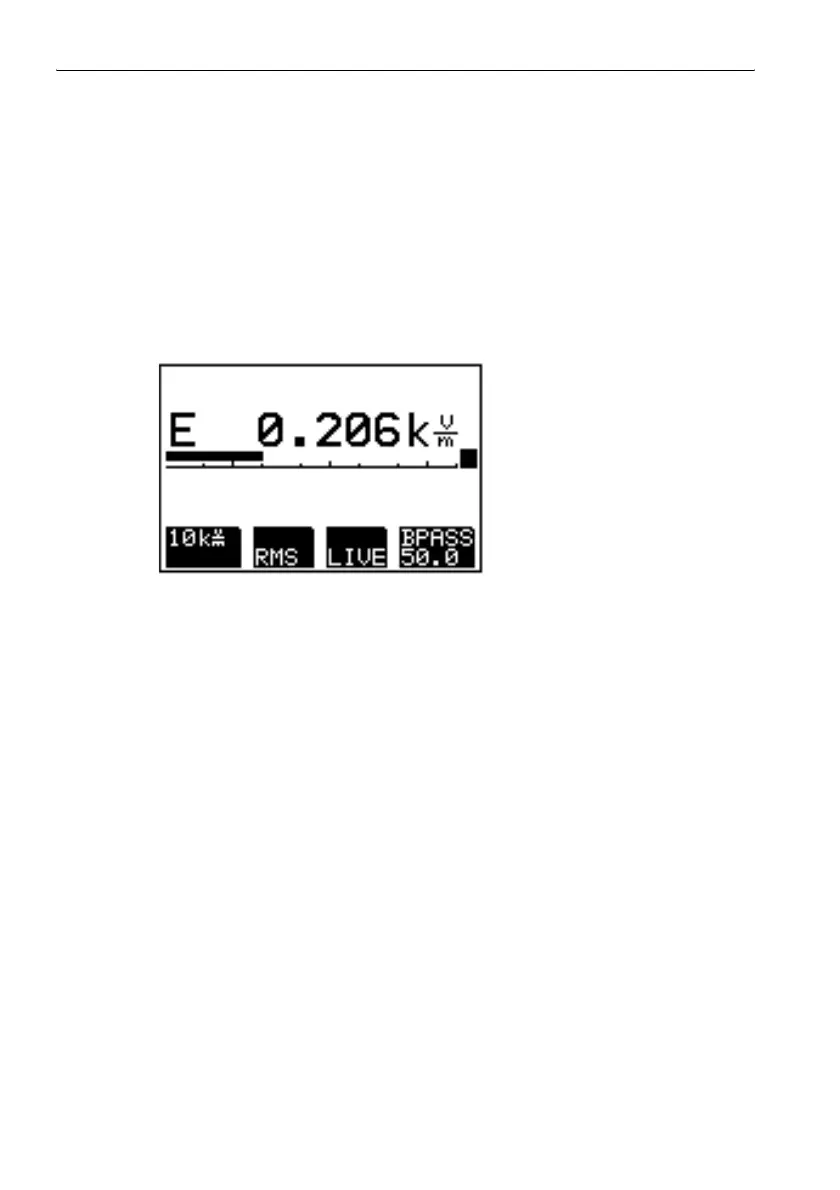
connected sensor and switches to E-field measurement automatically.
• The status of the E-Field Unit is shown on the display of the Basic Unit.
• The internal B-field probe and any external B-field probe that may be
connected are disabled.
Figure 3-5 E-field measurement screen
3.4.3 E-Field Unit function test
Switching on the E-Field Unit
1. Switch on the Basic Unit.
Switching on the Basic Unit: see page 3-5
2. Press the ON/OFF key on the E-Field Unit.
A green LED on the E-Field Unit indicates that the device is ready.



 To Next Page