6 Operating modes EFA-200/-300
6-26
6.4 Harmonic analysis mode
After you enter a fundamental frequency, the field strength and the harmonic
content are determined. You do not have to enter the fundamental
frequency exactly because the evaluation algorithm has a certain tolerance.
The results are displayed in a table.
Harmonic Analysis mode has two operating states:
• Run: The spectrum is continuously recorded and displayed. Once you
select the mode, the “Run” state is the default active state. Measurement
begins immediately. The “Run” state is indicated with the
icon in the
measurement screen.
• Stop: Recording of further measured values halts. In this mode, you can
evaluate previously recorded values. The “Stop” state is indicated with
the icon the measurement screen.
6.4.1 Activating Harmonic Analysis mode
1. Press the MODE key.
In the MODE menu, all operating modes are listed.
2. Use the UP/DOWN keys to select “HARMONICS”.
3. Press the ENTER key to confirm your selection.
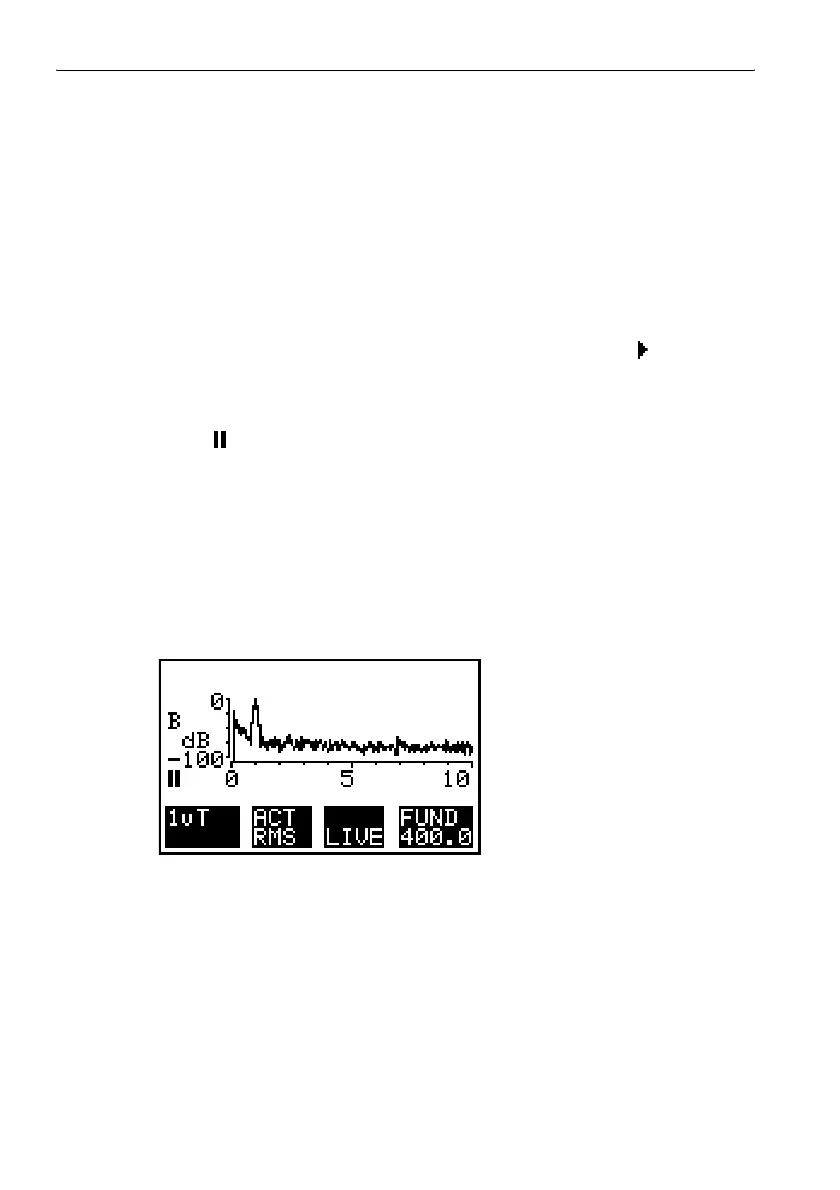
The measurement screen for Harmonic Analysis mode should appear.
Figure 6-12 Measurement screen, Harmonic Analysis mode



 To Next Page