7 Measurement data memory EFA-200/-300
7-18
7.4 Deleting data
The following can be deleted using the CLEAR menu:
• The data set with the highest data set number
• The entire data memory
Opening the MEM CLR menu
1. Press the MEM key.
The MEM menu opens.
2. Use the UP/DOWN keys to select the “CLEAR” function.
3. Press ENTER to confirm your selection.
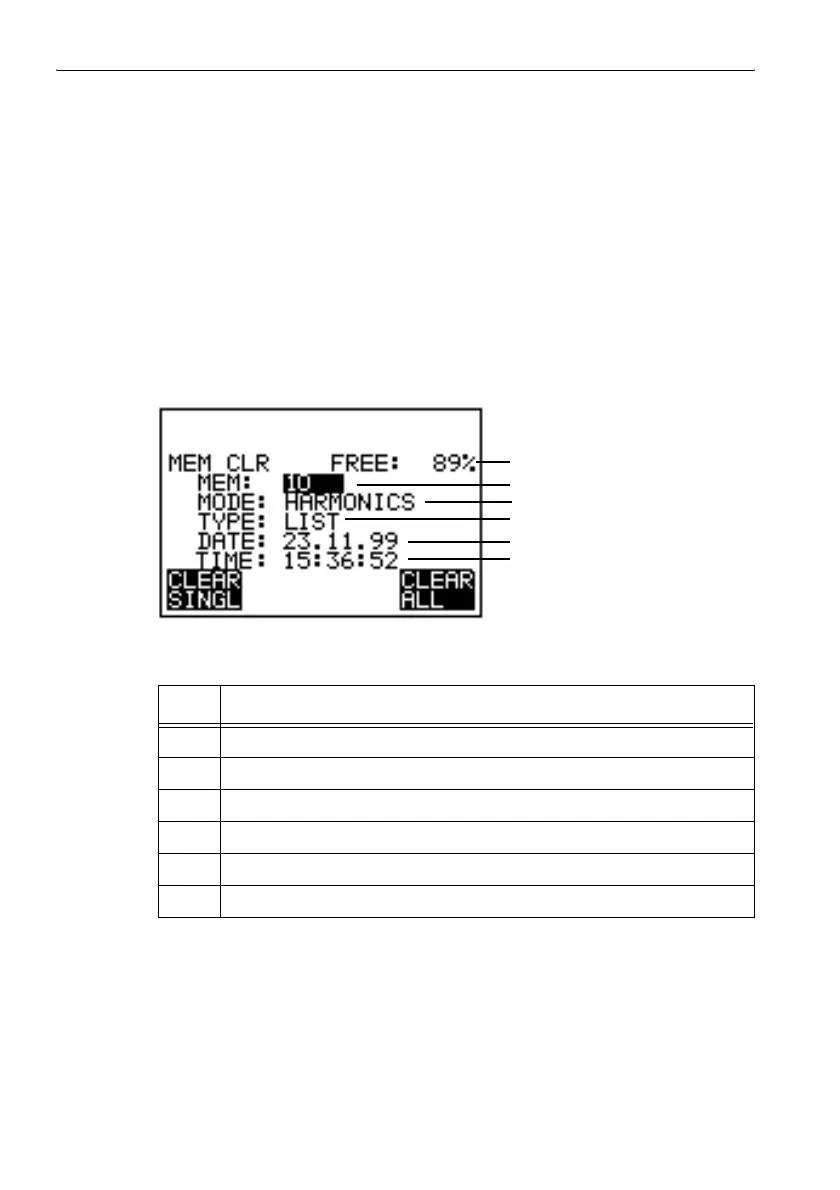
The MEM CLR menu opens.
Figure 7-7 MEM CLR menu in Field Strength mode
No. Function
1 Remaining memory space
2 Data set number
3 Operating mode
4 Type of data set
5 Date
6 Time
Table 7-6 MEM CLR menu elements
3
5
6
1
2
4



 To Next Page