6 Operating modes EFA-200/-300
6-20
6.3.7.1 Zooming in on the frequency axis
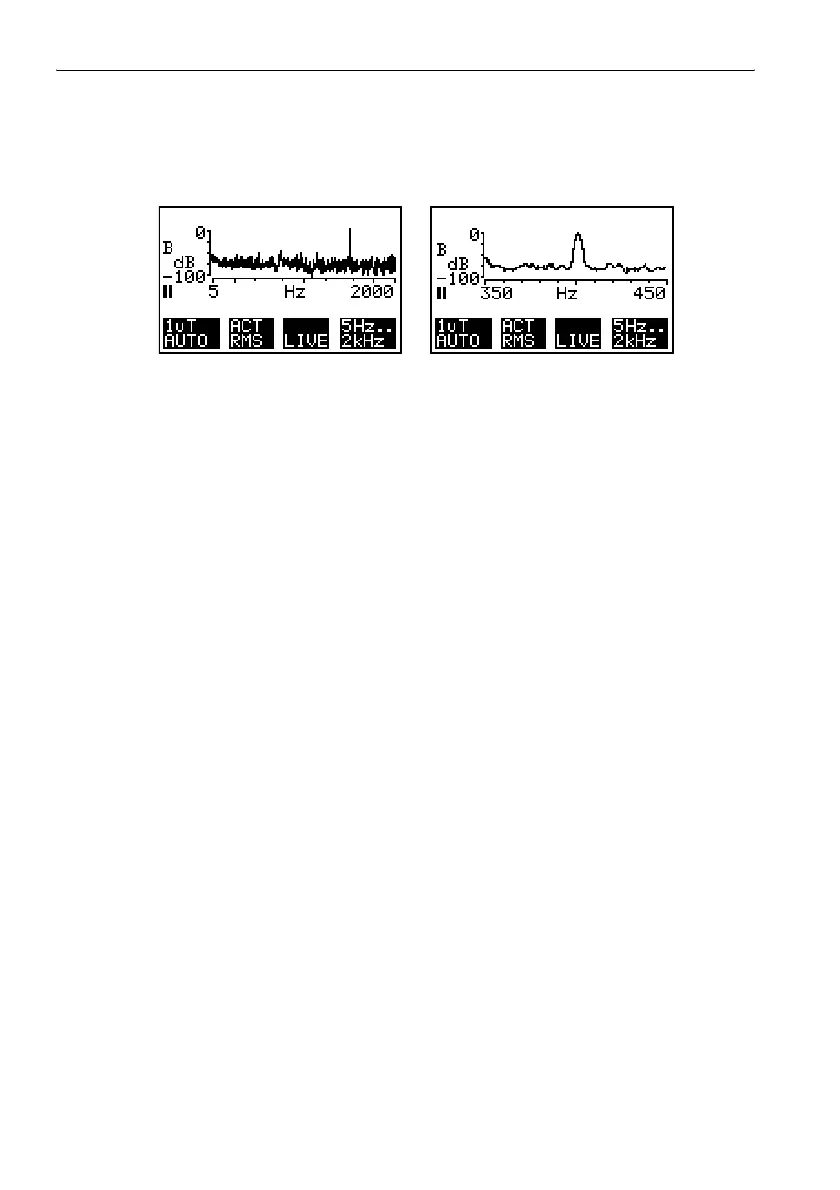
The frequency axis can be displayed in two modes.
Figure 6-9 Frequency axis display modes:
Left: Full scale
The frequency axis is logarithmic and represents the entire frequency
range shown in display field F4.
Division of the logarithmic frequency axis: 1, 2, 5, 10
Right: Zoom
The frequency axis is displayed with linear division in a defined range.
The displayed range is a section of the frequency range from display
field F4.
Division of the linear frequency axis: 10 Hz/smaller line or 100 Hz/
smaller line, depending on the frequency range
1. Press the F4 key.
Display fields F2 and F3 change their usage.
F2: XSCAL; F3: XPOS (displayed only if “Zoom” is already activated)
Display field F1 disappears.
2. Press the F2 key (only if “Zoom” is already activated. Otherwise continue
with 3).
The black background changes to display field F3.
The “ZOOM” function is activated.
3. Use the UP/DOWN keys to switch between the “Zoom” display range
and the “Full Scale” range.
Depending on the zoom selection, the X axis will either be logarithmic or
linear.
4. If the “Zoom” range is selected, press the F3 key.
The black background switches to display field F2.
5. Use the UP/DOWN keys to change frequency section in the zoom range
by steps.
6. Press the ESC to return to the next higher level.
– or –
7. Restart the measurement with the RUN key.



 To Next Page