6 Operating modes EFA-200/-300
6-10
6.2.3 Selecting the display mode
Two display modes can be selected:
• LIVE: Digital and analog displays show the current measurement value.
• MAX: Digital and analog displays show the highest measurement value
that has occurred since the “MAX” function was activated.
⇒ Press key F3 to toggle between the two display modes.
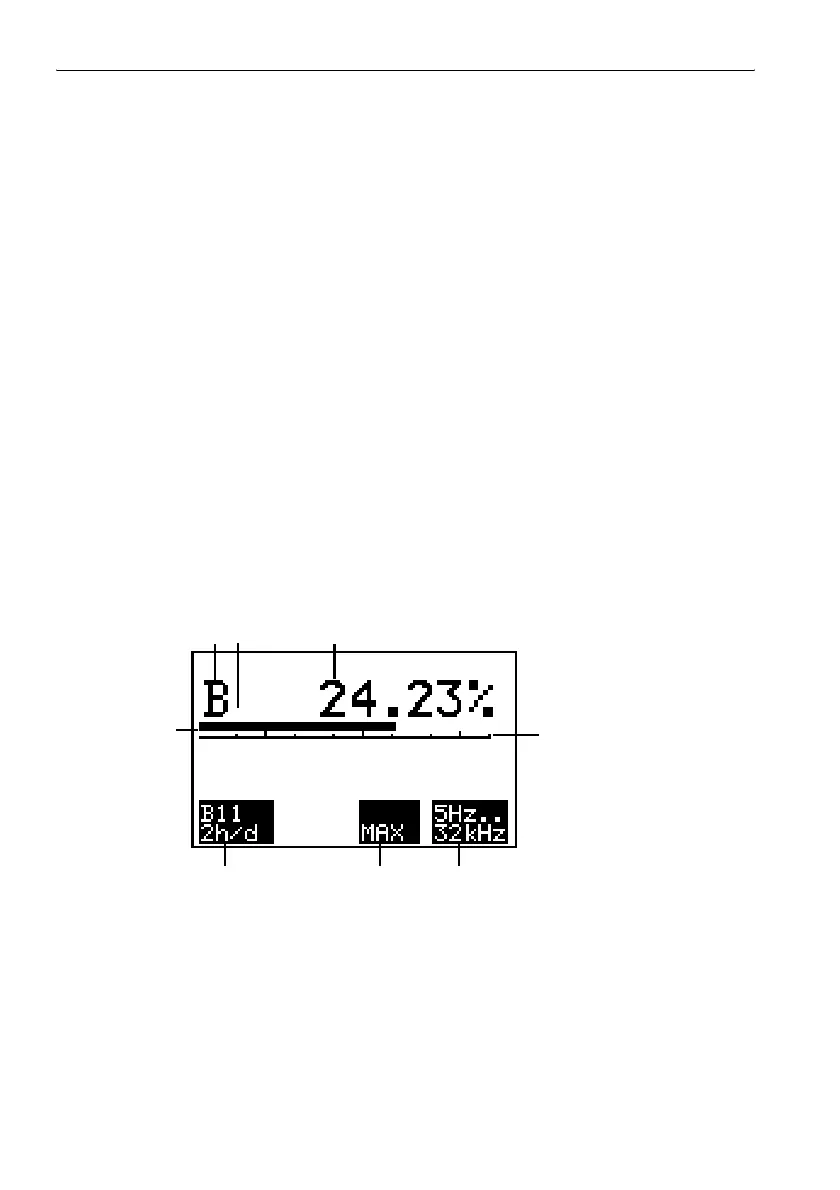
The selected display mode is shown in display field F3.
The “MAX” display value is cleared when you switch to LIVE mode.
6.2.4 Frequency range
• The frequency range is pre-set at 5 Hz to 32 kHz and cannot be
changed.
• The frequency range is displayed in display field F4.
6.2.5 Evaluating the results
Evaluating the measurement screen
Figure 6-6 Exposure STD mode measurement screen display elements
1
2
3
4
56
7
8



 To Next Page