EFA-200/-300 6 Operating modes
6-9
6.2 Exposure STD mode (Shaped Time Domain)
The features of the “Exposure STD” mode are very versatile, providing
useful results for various application areas. This includes:
• Consideration of different limit curves (standards) in measurement.
The smallest value that can be shown in the basic display depends on
the selected standard.
• Measurement at unknown frequencies
• Measurement of pulsed fields
• Simultaneous detection of several fields on different systems
6.2.1 Activating STD mode
1. Press the MODE key.
The MODE menu lists all available operating modes.
2. Use the UP/DOWN keys to select EXPOSURE STD mode.
3. Press the ENTER key to confirm your selection.
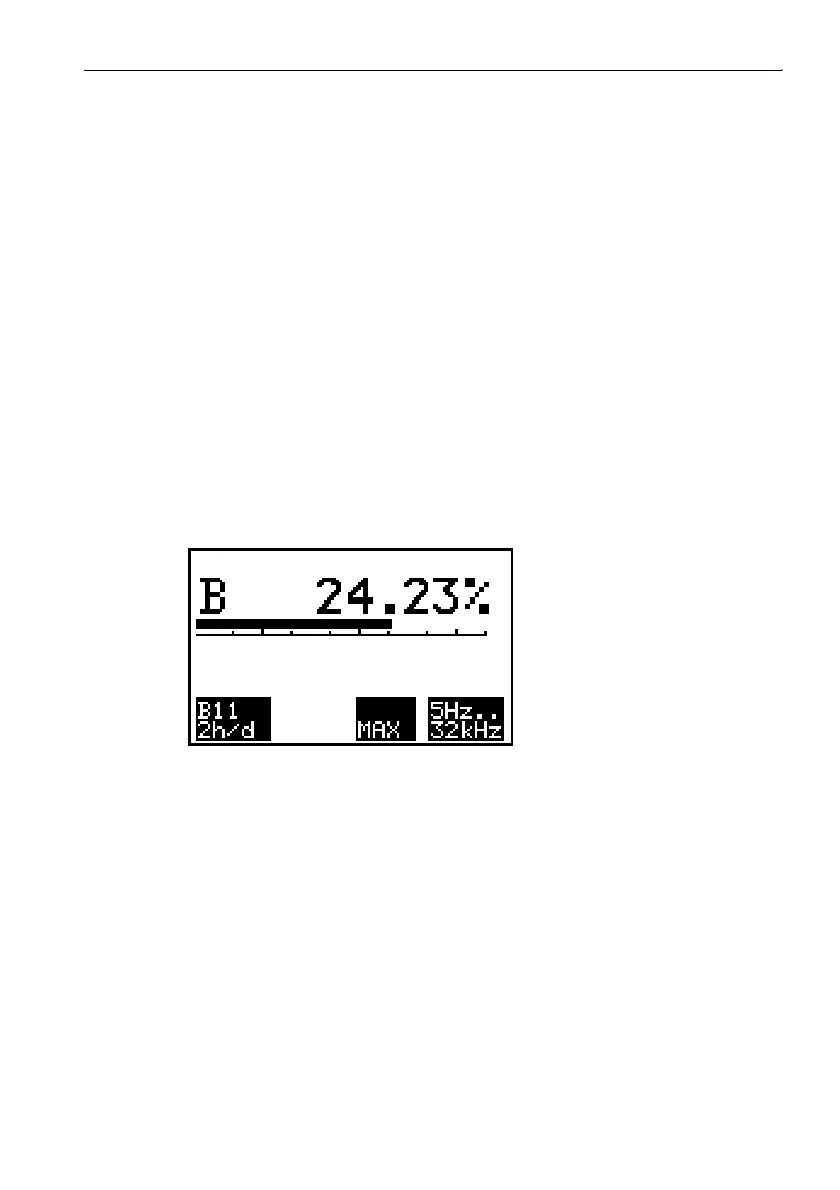
The measurement screen for Exposure STD mode is displayed.
Figure 6-5 Exposure STD measurement screen
6.2.2 Selecting the measurement range
Six limit value curves are loaded in the STANDARDS menu. Special
instrument settings that can only be changed by the manufacturer are
defined for each of these limit value curves.
⇒ Select a limit value curve from the STANDARDS menu.
Display field F1 shows the name of the selected limit value curve.



 To Next Page