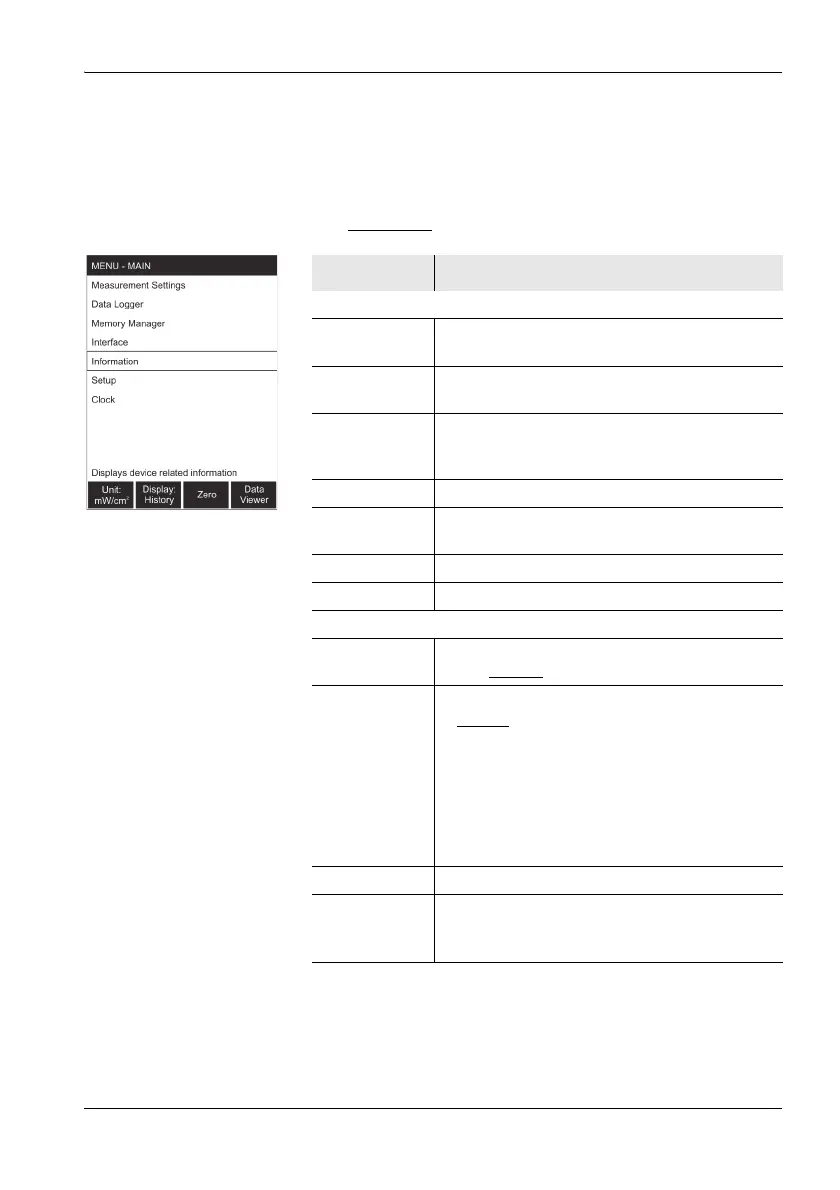
10.2 Main menu
Narda NBM-550 103
10.2 Main menu
To open the MAIN menu, press the OK from any of the
measurement menus.
Note: The underlined
settings are the factory default settings.
Function Meaning
Sub-menu
Measurement
Settings
• Set general measurement parameters
• Select the language
Data Logger Set the parameters for recording measurement
data
Memory
Manager
• Display the free memory space
• Delete the last stored measured value or
delete all measured values.
Interface Set the interface parameters
Information Display information about the instrument and
the probe.
Setup Save and recall instrument settings.
Clock Set the time and date.
Function keys
Unit:...
1)
1) See Chapter 6 for LF measurements with EHP-50
Select the measured value units:
W/m
2
, mW/cm
2
, V/m, A/m
Display:...
1)
Select the display mode:
•Normal
: Measured value (depending on
selected result type)
• XYZ: X, Y, and Z axis results shown
separately
• Monitor: actual, maximum, average, and
minimum values
• History: actual value and graph of value vs.
time
Zero
2)
2) Only displayed when EHP-50 display is OFF
Start a zero adjustment
Data Viewer • Display a list of all saved measured values.
• Display saved measured values.
• Delete the last measured value saved.



 To Next Page