10 Overview of all menus and functions
106 NBM-550 Narda
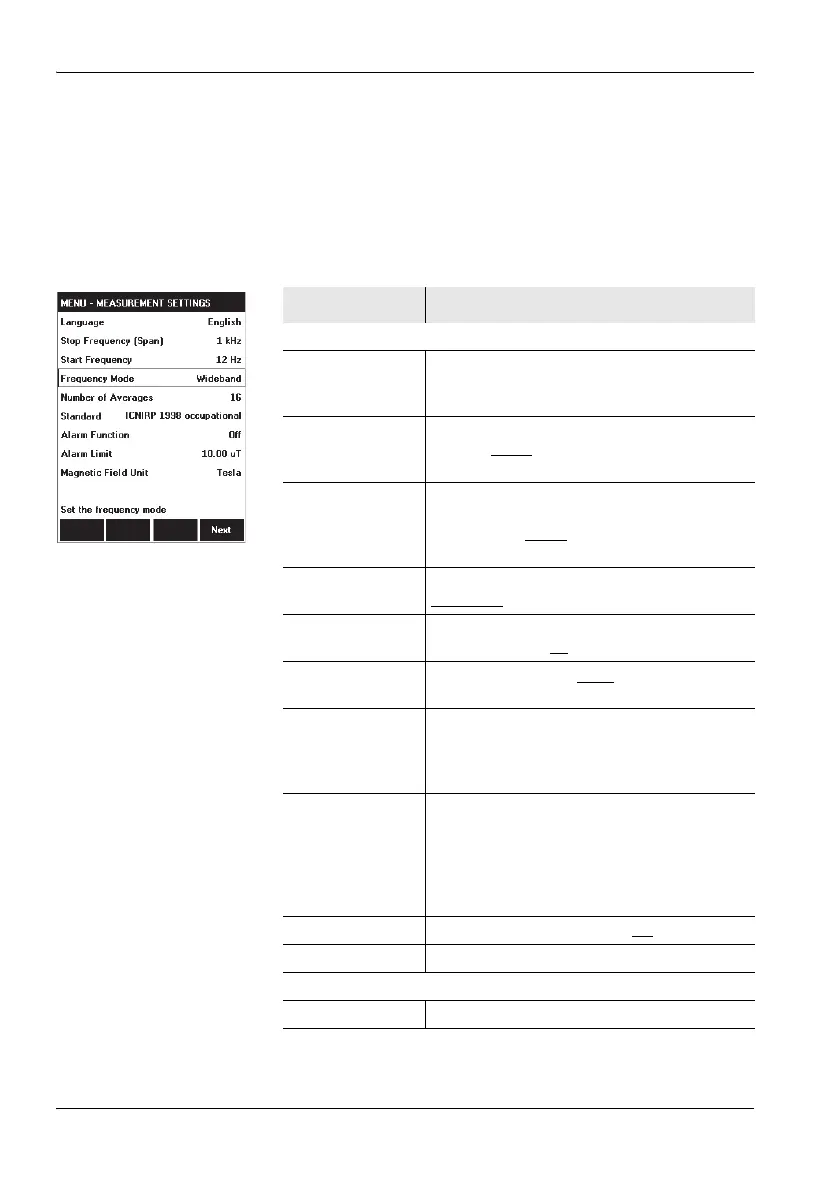
10.4 Measurement Settings (LF mode)
You can change the general measurement parameters in
the MEASUREMENT SETTINGS menu.
Page 1
Function Meaning
Menu functions
Language Select the language: English, Spanish,
Italian, Chinese, French, Turkish, Russian,
German
Stop frequency
(Span)
Upper frequency limit: 100 Hz, 200 Hz,
500Hz, 1kHz
, 2 kHz, 10 kHz, 100 kHz,
400 kHz
Start frequency
(Info)
Lower frequency limit (1.2 % of the stop
frequency, 1 Hz for Span = 100 Hz): 1 Hz,
2.4Hz, 6Hz, 12Hz
, 24 Hz, 120 Hz, 1200 Hz,
4800 Hz
Frequency mode Type of frequency measurement:
Wideband
, Highest value
Number of
Averages
Number of measurements used to take the
average: 2, 4, 8, 16
, 32
Magnetic Field
Unit
Magnetic field units: Tesla
, Gauss
Standard Select a measurement standard to be used
for the standardized display in Standard
display mode.
Default: ICNIRP 1998 occupational
Standard (WPM) Select a standard to be used in Weighted
Peak display mode. The standards for WPM
must be implemented in the EHP-50F. You
cannot retrospectively download standards
via the NBM.
Default: 2013/35/EU Low ALs
Alarm Function Activate alarm function: On, Off
Alarm Limit Set the alarm limit
Function keys
Next Open page 2 of the menu



 To Next Page