4 Getting started
38 NBM-550 Narda
Changing the units
1. Open the MAIN menu.
2. Press the Unit function key repeatedly until the desired
units are displayed.
Units are set in the following order:
W/m
2
– mW/cm
2
– V/m – A/m – W/m
2
–...
3. Press the ESC key.
The display reverts to the measurement screen and
the selected units are displayed.
Changing the units format
The units for the measurement values can be displayed in
two different formats:
• Fixed Triad
Units are displayed with a fixed format
(mW/cm
2
, W/m
2
, V/m, A/m)
• Variable Triads
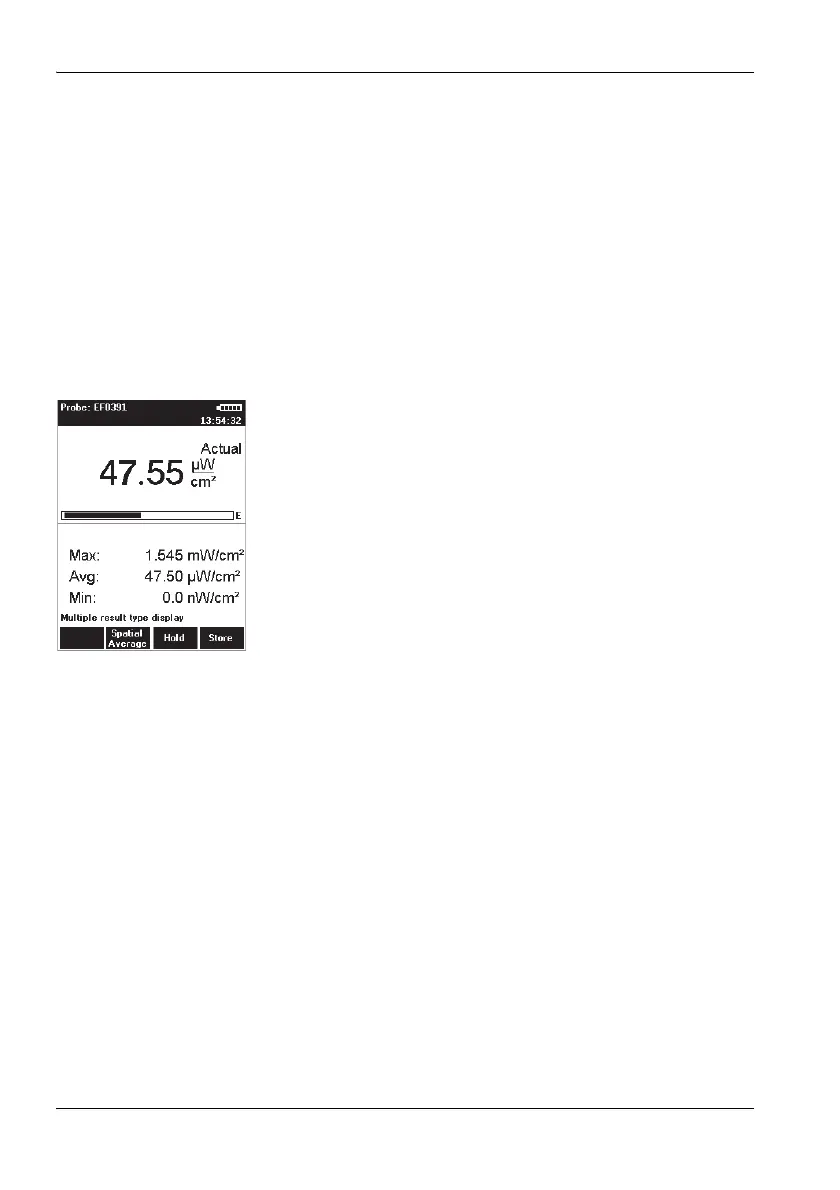
Units are adjusted to match the size of the measured
value (47.55 μW/cm
2
in the example shown on the left)
Tip: We recommend that you use the Variable Triads
format for signals that have a high dynamic range,
otherwise the display of very small or very large
values will be meaningless.
Changing the units format
1. Open the Results Format function (MAIN/
MEASUREMENT SETTINGS/Next/...).
2. Use the arrow keys ▲/▼ to select the desired format and
then press the OK key to confirm the setting.
Note: Be careful not to make read-off errors due to the different
formats when you use the Variable Triads setting.
Setting the date and time
Before you start using the instrument, set the date and time.
This is particularly important if you want to save measured
values, because the date and time of measurement are also
saved.



 To Next Page