5 Measuring with the NBM-550 and HF probes
62 NBM-550 Narda
5.10 Measuring with a correction frequency
All probes are calibrated in our factory to guarantee the
traceability of measurements back national standards. This
calibration is performed at various frequencies over the
entire measurement range of the probe concerned. An
average correction factor is then used for normal
measurements (broadband measurements over the entire
frequency range) to give minimal measurement uncertainty.
If you only want to make a measurement at a specific,
known frequency, however, you can use the correction value
at the calibrated frequency to enhance the accuracy of the
measurement. Ideally, the calibration frequency and the
measuring frequency should be identical.
However, any intermediate value (with a resolution of
1 kHz), which is calculated from the bordering calibration
frequencies using interpolation, can also be set.
Selecting the correction frequency
Open the Frequency function
(MAIN/MEASUREMENT SETTINGS/...).
1. Press the ▲ or ▼ arrow key.
The measuring frequency is set to the next higher or
next lower calibrated frequency (intermediate values
can be entered after pressing the Edit button).
2. Press the OK key to confirm the setting.
Applying the correction frequency
1. Open the Apply Correction Frequency function
(MAIN/MEASUREMENT SETTINGS/...).
2. Select On and press the OK key to confirm the setting.
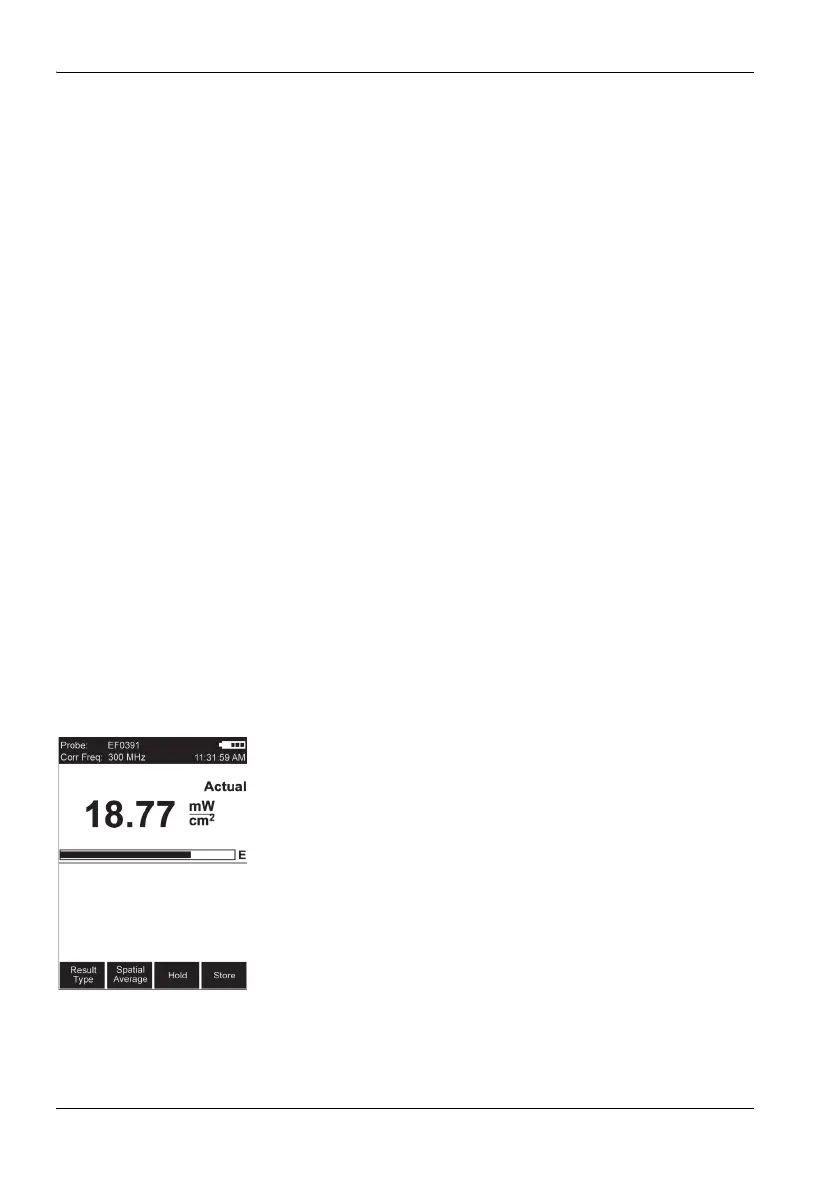
The correction frequency (Corr Freq) is shown top
left in the display.



 To Next Page