7 Recording and managing measured values
84 NBM-550 Narda
Starting / stopping the recording
✓ The DATA LOGGER menu (MAIN/DATA LOGGER) is
open.
1. Press the Condition Logging function key.
The display switches to measurement mode.
Note: If voice recording is activated, a comment can be
recorded (optional).
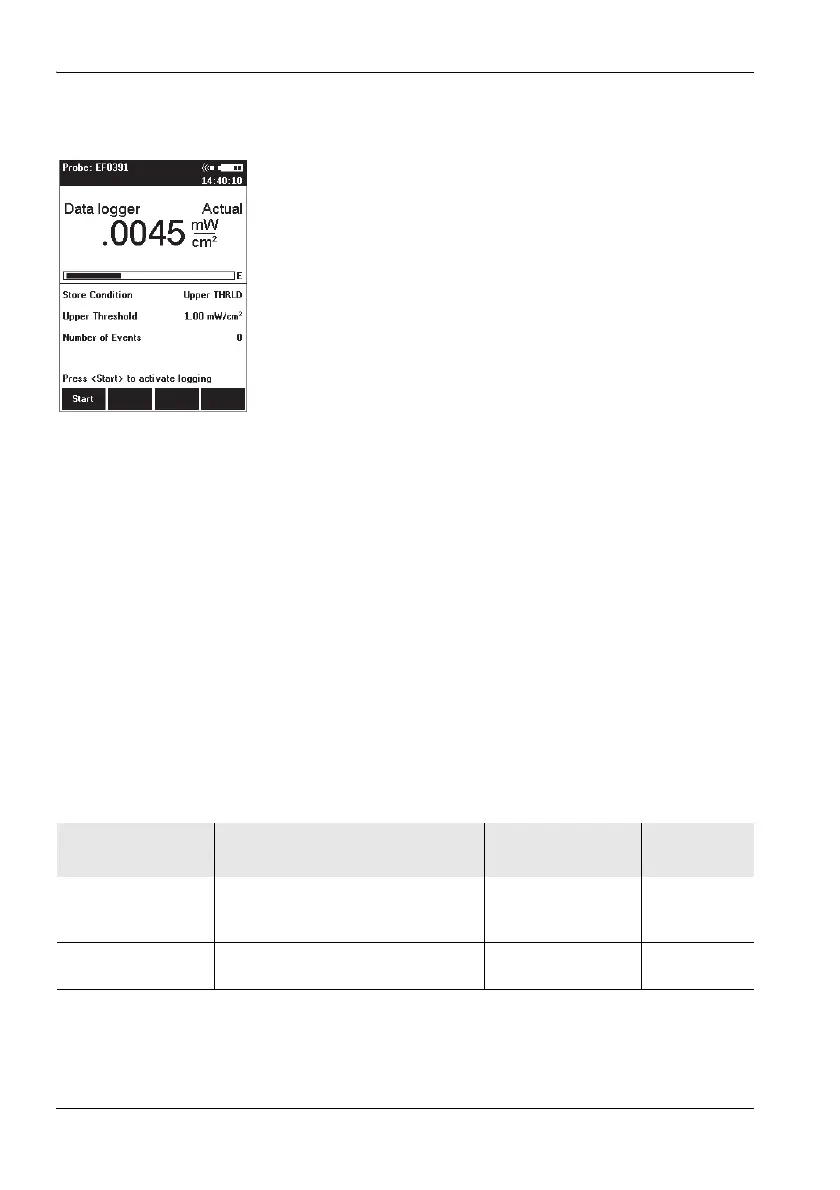
The latest measured value is shown in the upper half
of the display.
The starting condition and the values you entered for
the thresholds (depending on the starting condition)
are shown in the lower half of the display.
2. Press the Start function key.
Recording starts as soon as the condition is fulfilled.
The number of values measured that fulfill the condi-
tion is displayed (Number of Events).
3. Press the Exit function key to end the recording.
7.4 Managing result data
There are two menus provided for you to display and delete
measurement data that you have recorded either manually
or automatically:
• Memory Manager (MAIN/MEMORY MANAGER)
• Data Viewer (MAIN/Data Viewer function key)
The differences between these menus are described in the
table below:
Note: Before final deletion of data sets, a warning notice always
appears giving you the option to cancel the deletion
process.
Menu Displays Deletes Comment
playback
Memory Manager • Overview of the last data set
• Display of free storage space
in %
• Last data set
• All data sets
Ye s
Data Viewer Overview of all stored data sets and
display of the measurement results
Last data set only Yes



 To Next Page