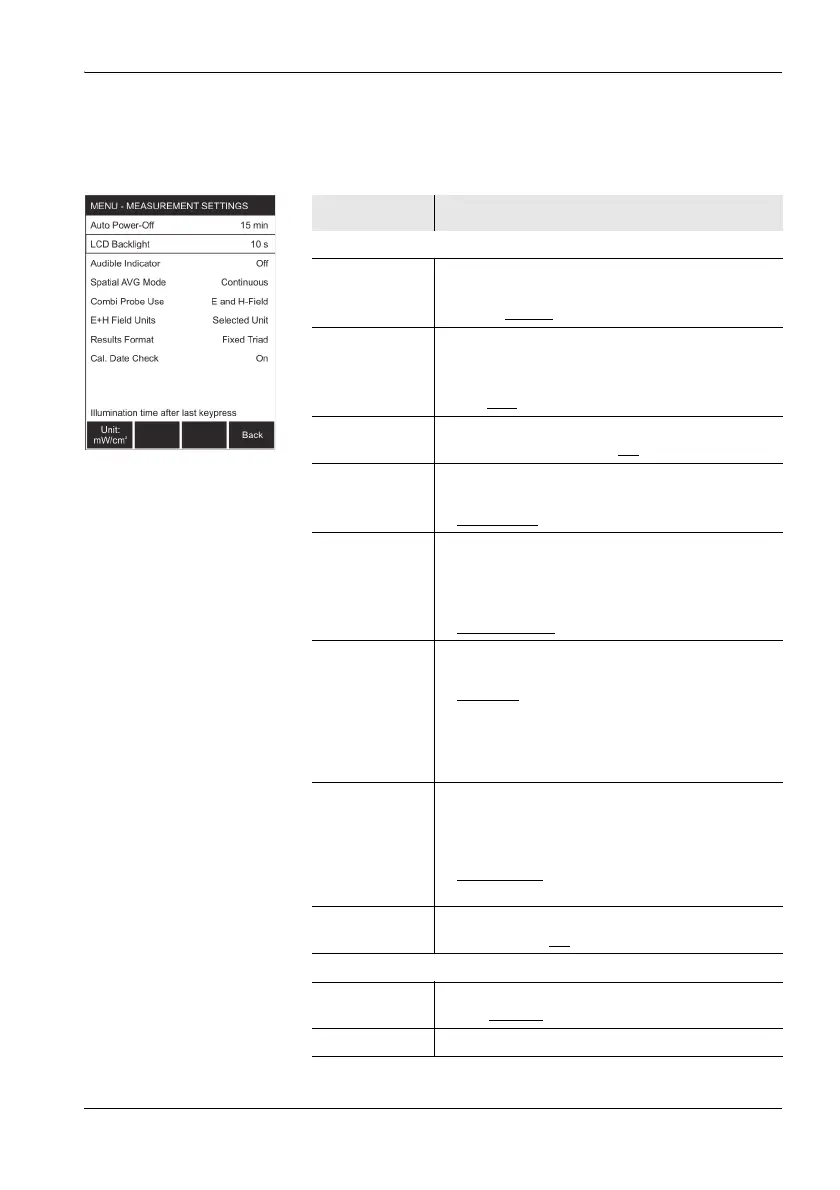
10.3 Measurement Settings (HF mode)
Narda NBM-550 105
Page 2
Press the Next function key to open page 2 of the menu.
Function Meaning
Menu functions
Auto Power-Off Set time until automatic power off:
• Off: Auto power off disabled
• 6 min, 15 min
, 30 min, 60 min
LCD Backlight Set time until backlight switches off:
• Permanent: Always on
• Off: Always off
• 5 s, 10 s
, 30 s, 60 s
Audible
Indicator
Switch the signal tone for locating field maxima
(hot spots) on or off: On, Off
Spatial AVG
Mode
Select the method for spatial averaging:
• Discrete: Individual measured values
• Continuous
: Continuous measurement
Combi Probe
Use
Select the field type when using a combination
probe:
• E-field only
• H-field only
• E- and H-field
: Both field types active
E+H Field Units select units for simultaneous display of E-field
and H-field (only applies in Normal mode):
• Selected
: Use the units selected using the
Unit function key
• V/m and A/m: Always use V/m and A/m
regardless of the selection made with the
Unit function key
Results Format Select the display format for the unit
dimensions:
• Variable Triads: Unit dimensions are matched
to the measurement result
• Fixed Triads
: Unit dimensions are
independent of the measurement result
Cal. Date
Check
Check the calibration date when the instrument
is switched on: On
, Off
Function keys
Unit:... Select the measured value units:
W/m
2
, mW/cm
2
, V/m, A/m
Back Open page 1 of the menu



 To Next Page