4 Getting started
30 NBM-550 Narda
4.1 Switching on
Now that you have prepared the instrument for use, you can
switch it on.
Press the ON/OFF key to switch the instrument on.
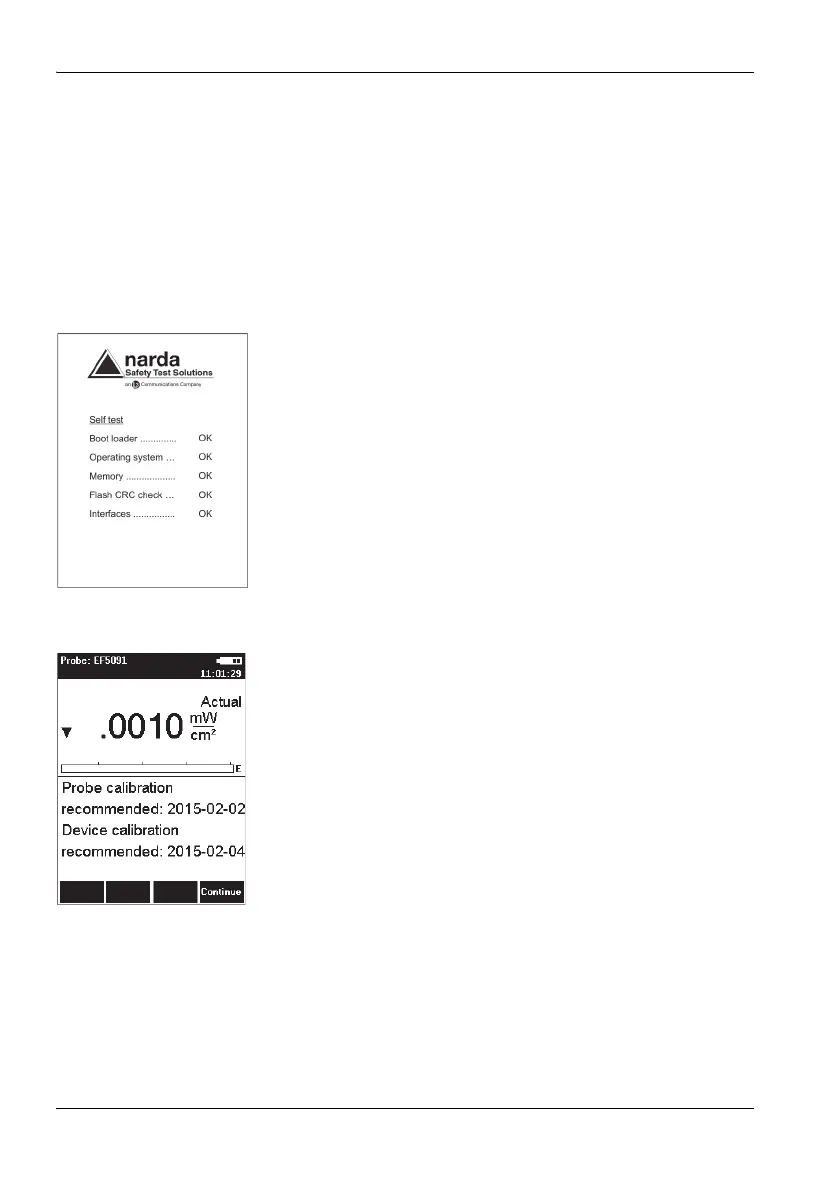
The instrument performs a self test.
Self test
The progress of the self test is displayed on the screen. The
instrument is not ready for use until all tests have been
completed successfully and OK is displayed.
If an error message is displayed
Press the ON/OFF key to switch the instrument off and
then switch it on again.
If an error message is displayed again:
Switch the instrument off and contact your nearest
Service Center.
Calibration
The NBM-550 and probes must be calibrated at certain
intervals to guarantee the quality of the measurement
results. If you have missed the date for a calibration, this will
be displayed by default after the self test is complete.
Note: You can deactivate the calibration date reminder
under MAIN/MEASUREMENT SETTINGS/Cal. Date
Check.
To display the measurement screen after viewing the
calibration date reminder
Press the Continue key.
Tip: You can view the last and next calibration dates under
MAIN/INFORMATION/DEVICE INFORMATION and
.../PROBE INFORMATION.



 To Next Page