5 Measuring with the NBM-550 and HF probes
60 NBM-550 Narda
Step 3: Applying the test standard
1. Open the Apply Standard function
(MAIN/MEASUREMENT SETTINGS/...).
2. Use the arrow keys ▲/▼ to select On and press the OK
key.
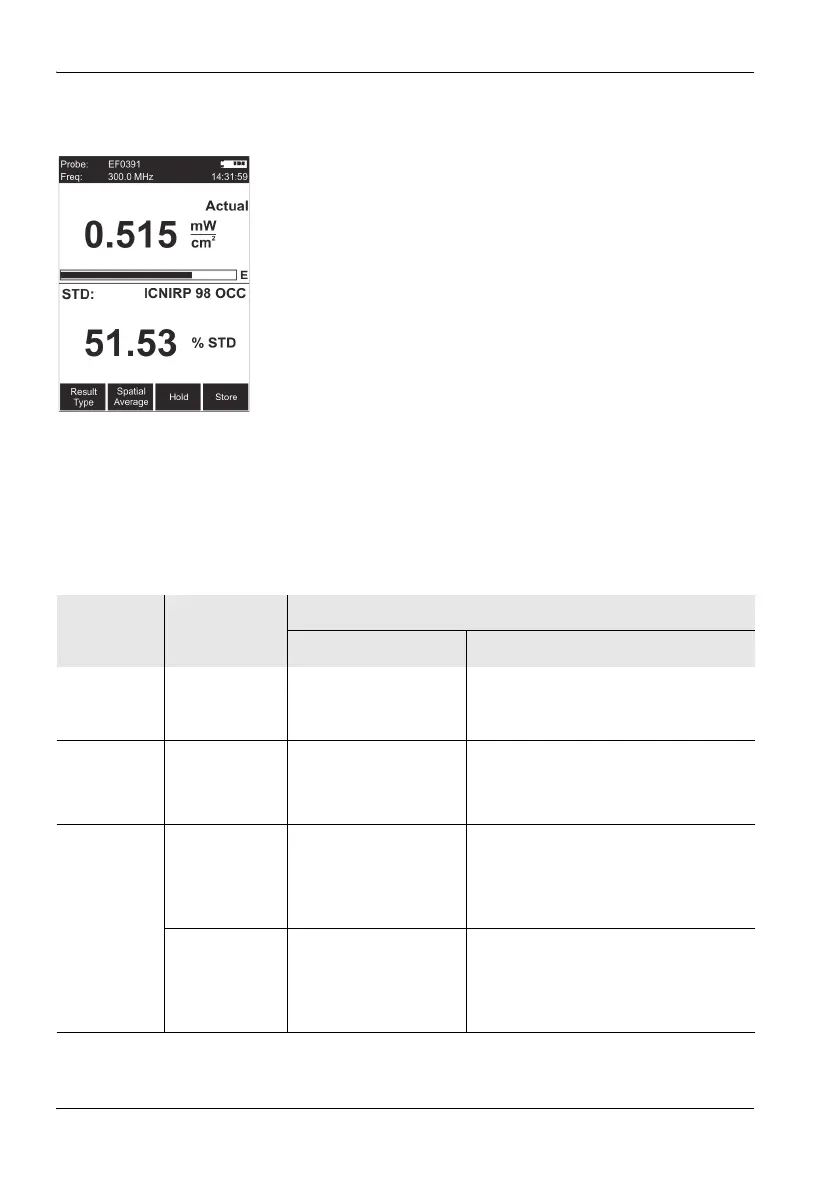
The test standard is activated, the selected frequency
(Freq) is shown top left in the display.
Note: When you no longer wish to use a test standard, set
Apply Standard to Off by following the same
procedure as above.
Possible displays when using a test
standard
When you apply a test standard (Apply Standard = On),
additional information is shown in the lower display area in
Normal display mode.
Table 4 Display combinations when using a test standard
Probe type E+H Field
Units
Display (only in NORMAL mode)
Upper area Lower area
E-field or
H-field
(flat)
– Measured value shown
with selected units
• Selected standard
• Value in % calculated according to
the standard and frequency
E-field or
H-field
(shaped)
– Measured value in % • Probe standard
• Value and selected units calculated
according to the standard and
frequency
Combination
probe
(flat)
V/m and A/m Measured value shown
with selected S-field
units (product of E-field
and H-field)
• Selected standard
• Measured value in V/m and A/m
(E-field and H-field)
• Value in % calculated according to
the standard and frequency
Selected Unit Measured value shown
with selected S-field
units (product of E-field
and H-field)
• Selected standard
• Measured value shown with selected
unit (E-field and H-field)
• Value in % calculated according to
the standard and frequency



 To Next Page