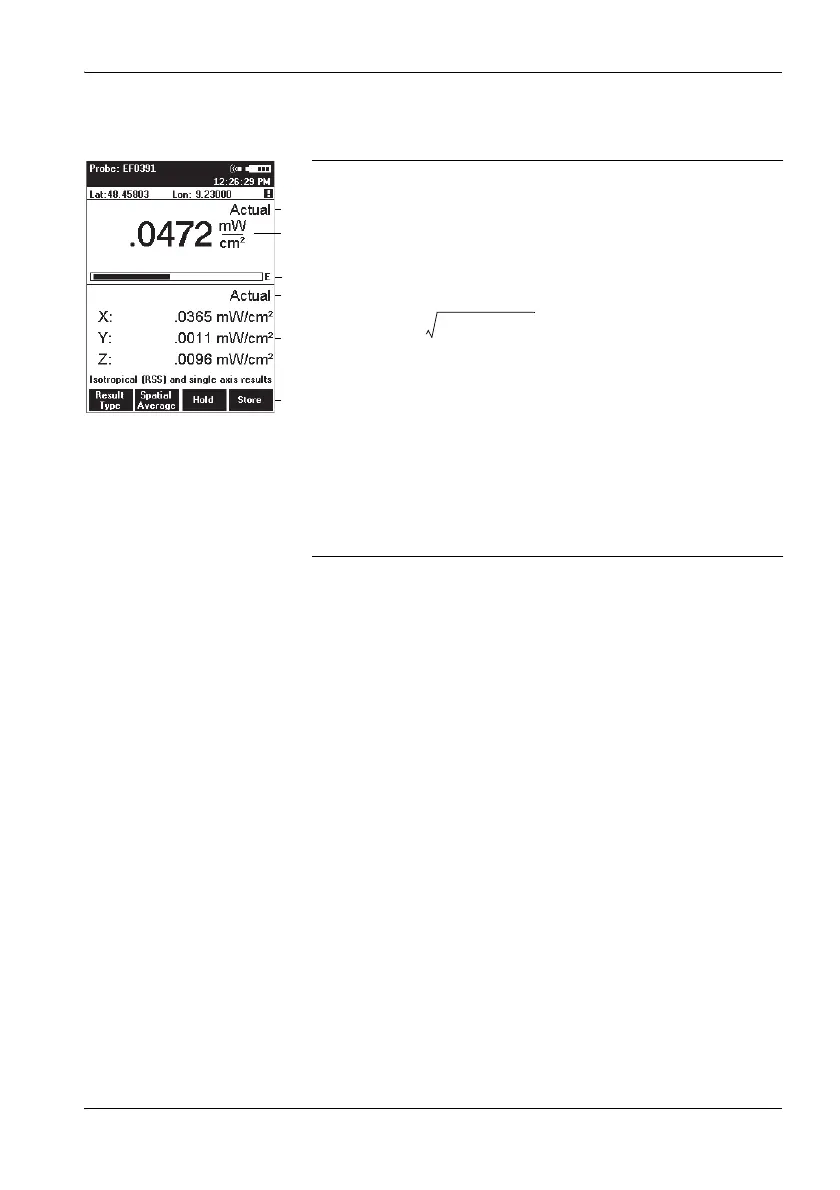
5.5 Measuring in XYZ display mode
Narda NBM-550 55
Display overview
Changing the result type
Note: You can only change the result type for the upper display
area.
Press the Result Type function key to select a different
result type (refer to “Selecting the result type” on
page 46 for information about result types).
1 Result type Actual displays the field strength in the
upper display area
2 Display of the RSS (root sum square) field strength
value calculated from the X, Y, and Z values (valid for
units V/m and A/m, linear addition for mW/cm
2
and
W/m
2
):
3 Graphic display of field strength showing the selected
field type (E-field in the example shown here)
4 Only the latest measured values for each axis can be
shown (result type Actual)
5 Measured values for the three axes
6The Result Type function only applies to the upper
display area. The other functions are as for Normal
display mode (see “Measuring in Normal display
mode” on page 46).



 To Next Page