7.3 Recording conditional measurements (optional)
Narda NBM-550 83
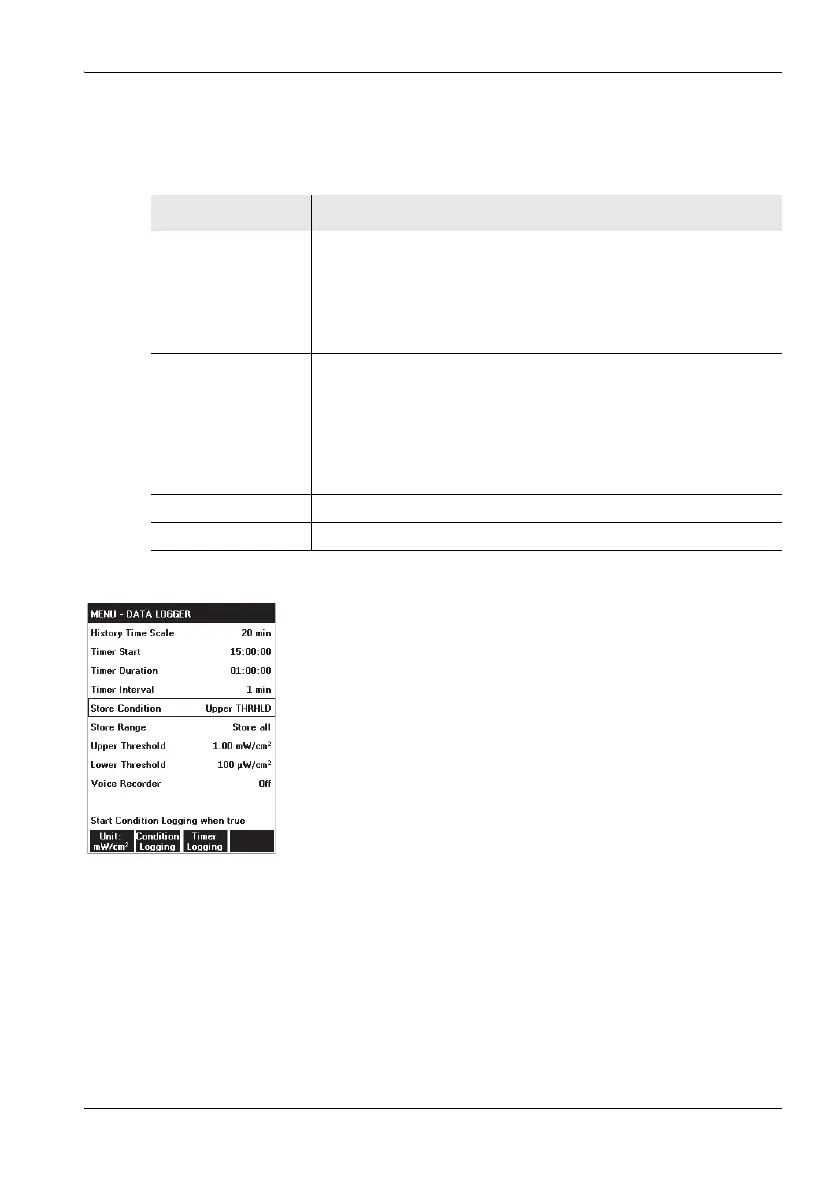
Setting the recording parameters
The following parameters are available:
Setting the recording parameters
1. Open the DATA LOGGER menu
(MAIN/DATA LOGGER).
2. To enter the starting condition:
– open the Store Condition function,
– sse the arrow keys ▲/▼ to select the condition you
want to use and press the OK key to confirm the
setting.
3. To enter the store range:
– open the Store Range function,
– use the arrow keys ▲/▼ to select the range you want
to use and press the OK key to confirm the setting.
4. To enter the upper threshold:
– open the Upper Threshold function,
– select the threshold value with the arrow keys ▲/▼
and press the OK button to apply the settings.
5. To enter the lower threshold (only effective at OUT of
Gap):
– open the Lower Threshold function,
– select the threshold value with the arrow keys ▲/▼
(only effective at OUT of Gap) and press the OK
button to apply the settings.
Parameter Meaning
Store Condition Specifies the condition for starting recording.
• Upper THRHLD (upper threshold)
The recording starts if the Upper Threshold value is exceeded.
• Out of GAP
The recording starts if the value is outside the range defined by
the Upper Threshold and Lower Threshold.
Store Range Specifies the range of values to be stored (max. 32000 events).
• First and Last
The first and last values occurring within the time period when
the Store Condition is fulfilled are recorded.
• Store All
All the values occurring within the time period when the Store
Condition is fulfilled are recorded.
Upper Threshold Specifies the upper threshold value
Lower Threshold Specifies the lower threshold value



 To Next Page