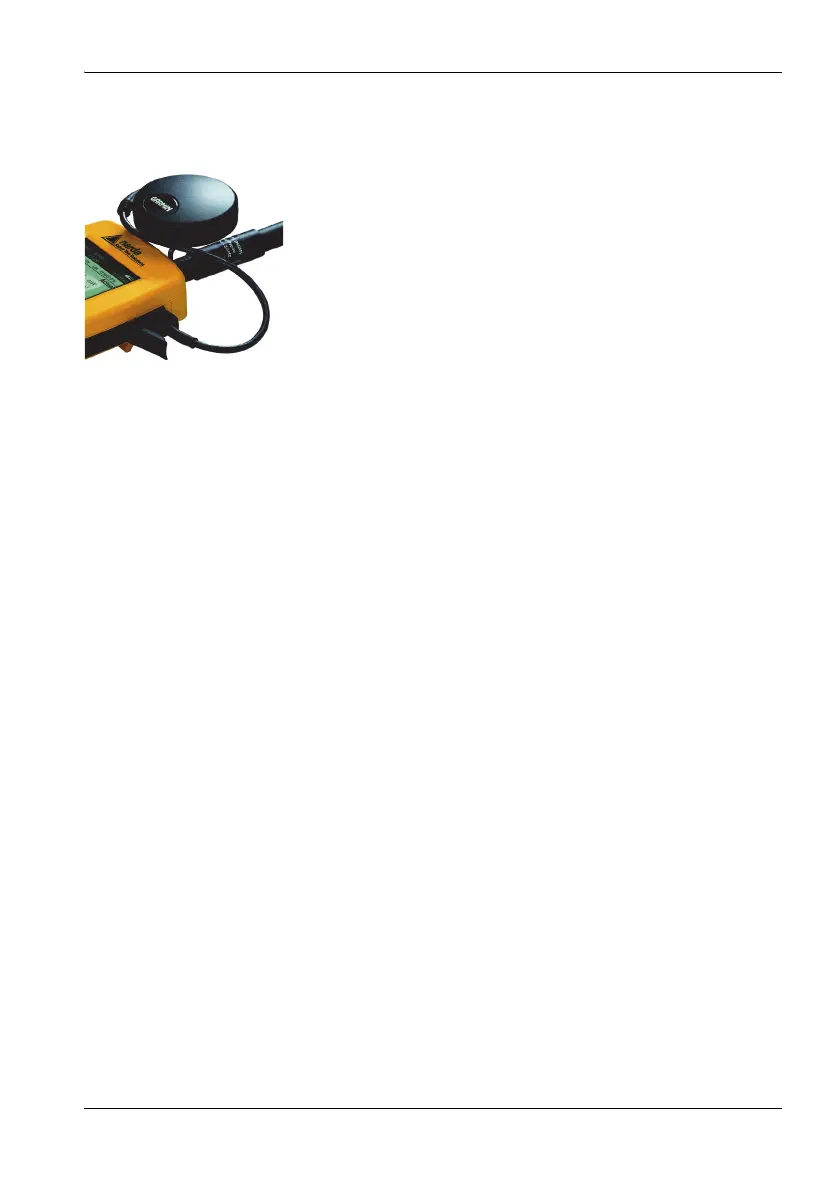
3.7 Fitting the GPS module
Narda NBM-550 27
3.7 Fitting the GPS module
The GPS receiver module is included in the option set as an
accessory (see “Ordering information” on page 133). It
allows you to determine the exact position of the instrument
using GPS (Global Positioning System).
Fitting the GPS module
1. Remove the probe.
2. Place the handle against the casing from below so that
the thread of the knurled screw fits into the tripod bush.
3. Do up the knurled screw and plug the GPS module cable
into the multi-function socket.
4. Reconnect the probe.
Note: The GPS module can only be used with NBM-550 devices
for which a GPS option was ordered and activated (see
“Activating instrument options” on page 94). When
reordered, activation is carried out via the supplied
activation code (contained in the Options Passport
Document).
3.8 Using the table top tripod
A table top tripod is included with the NBM-550. This makes
the instrument easier and more convenient to use.
Attaching the tripod
1. Loosen the butterfly screw on the side.
You can now easily move the ball joint and tripod
screw.
2. Screw the knurled screw into the threaded bush on the
back panel of the NBM-550.
3. Fold out the tripod legs, adjust the position of the
instrument and tighten up the butterfly screw.
4. To remove the tripod at any time, loosen the butterfly
screw and unscrew the knurled screw.



 To Next Page