5 Measuring with the NBM-550 and HF probes
48 NBM-550 Narda
Add voice comments (optional)
You can add a spoken comment up to 30 s in length to the
stored measured values. To do this, you must activate voice
recording (default setting: deactivated).
Note: The user is automatically asked for voice comments. When
measurements are saved manually, this is carried out by
pressing the STORE button. Comments are only recorded
before beginning the measurement at measurement series
(Condition Logging or Timer Logging).
Activating voice recording
1. Open the Voice Recorder function
(MAIN/DATA LOGGER/...).
2. Use the arrow keys ▲/▼ to select the On setting and
press the OK key.
The voice recording function is activated.
Adding a comment
✓ You have just stored a measured value.
The message “Voice recorder enabled” is displayed
when voice recording has been enabled.
In case you do not want any comments:
Press Cancel Record.
In case you want to record a comment:
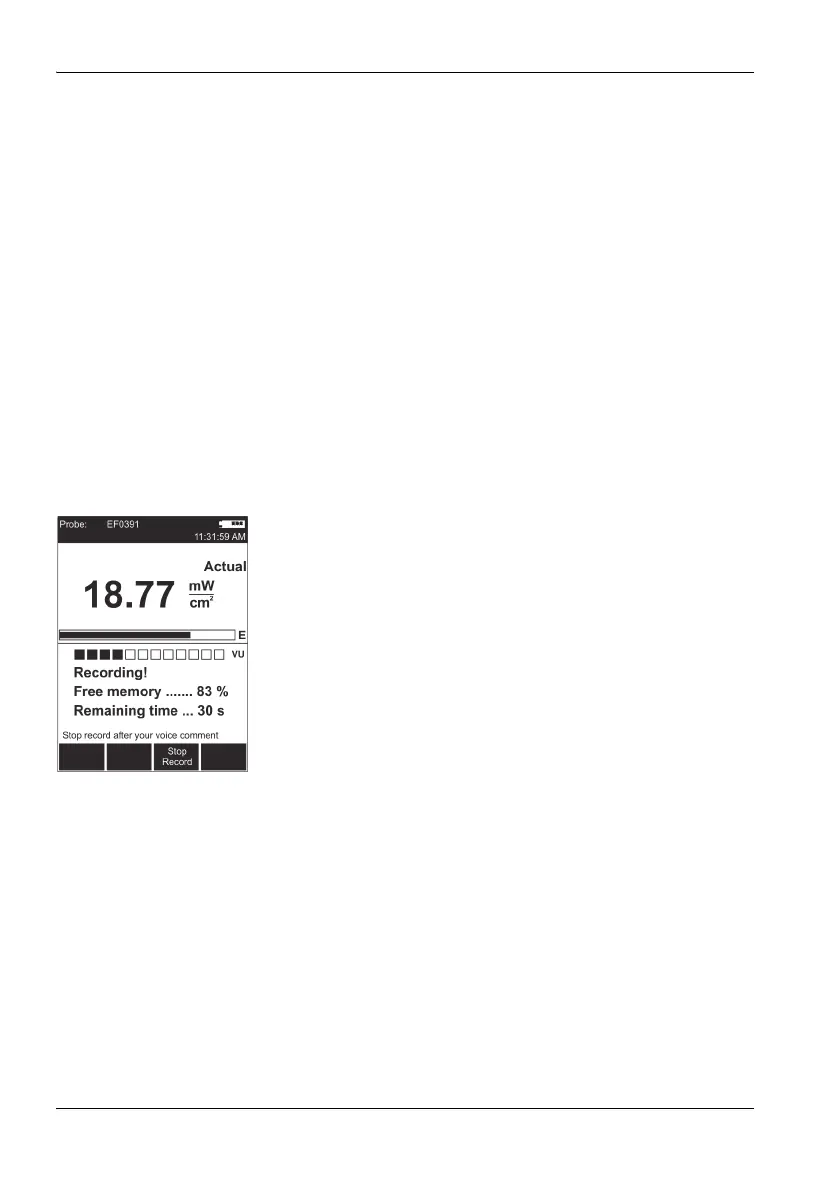
1. Press the Start Record function key and speak the
comment.
– Speak in the direction of the microphone (above the
display) from a distance of 20 to 30 cm, and
– speak loudly enough, so that the bar reaches at least
two-thirds of its maximum length.
Recording starts. The bar graph (VU meter) shows
the level of the recorded signal.
2. Press the Stop Record function key to stop recording.
3. Press the Store Record function key in order to save
voice comments.
Note: The recording will automatically be ended after 30 seconds.
Before saving, you have the option to repeat the voice
comments by pressing the Repeat Record button, or to
proceed without comments by pressing the Cancel Record
button.



 To Next Page