5.3 Measuring the spatial average
Narda NBM-550 51
Measuring values continuously
Making the measurement
✓ You have selected Continuous as Spatial AVG Mode.
1. Press the Spatial Average key.
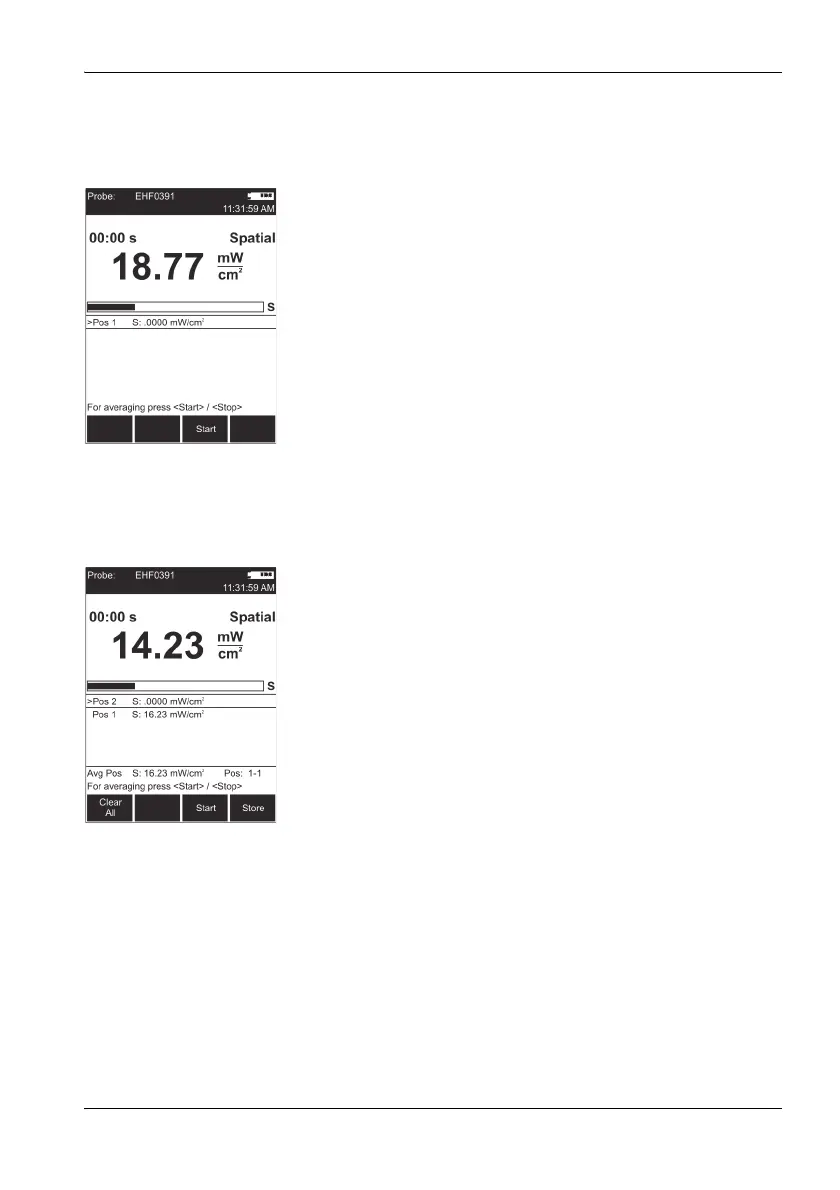
Spatial measurement mode is displayed.
2. Press the Start key.
The measurement starts. The elapsed measurement
time is shown top left in the display.
3. Move the NBM-550 evenly around the space to be
measured. Press the Stop key to end the measurement.
Pos.1 displays the measured average value.
4. You can then
– add positions to record further average values or
– store the entire measurement.
Note: The NBM-550 emits an audible signal every second to
assist you in moving it evenly.
Adding a position
1. Press the Add Position key.
Pos. 2 is displayed,
the elapsed time counter shows 00:00 s.
2. Record new measured values as described above.
3. You can add more positions and record more results if
necessary.
Avg Pos shows the average value for all the positions
measured, along with the positions used to form the
average (e.g. 1-4 for positions 1 through 4).
You can store the measurement results when you have
recorded all the measured values.
Storing the results
Press the Store key.
The average of all positions and the averages for
each separate position are stored.



 To Next Page