7.4 Managing result data
Narda NBM-550 87
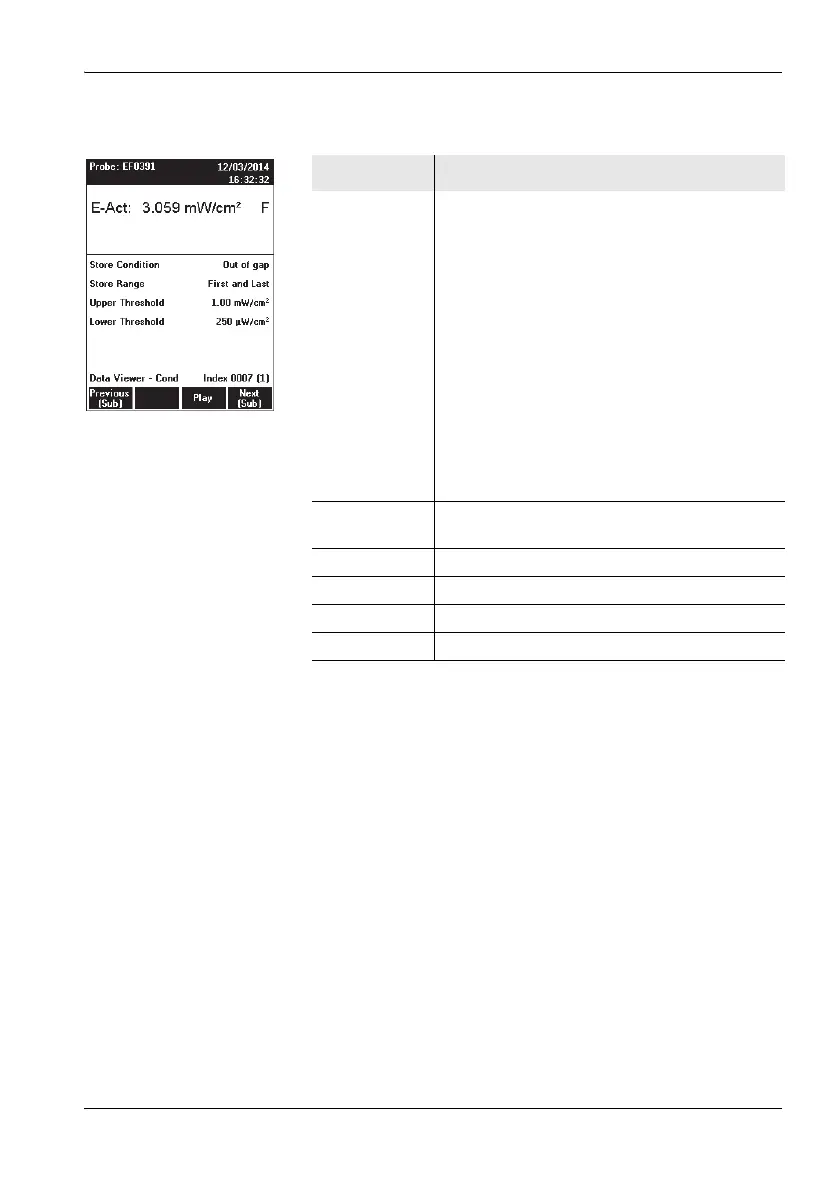
Example 3: Condition Logging
Paging within a series of measurements
Use the Previous (Sub) or Next (Sub) key to page back
or forward in the series of measurements.
The value in brackets after the index indicates the sub
data set within the measurement series.
Playing back a comment
Note: Measurement data with comments are indicated by a
loudspeaker symbol in the overview list.
✓ The earphone must be connected for playback.
Press the Play function key. This function is available
from the overview list view and the selected
measurement view.
The comment is played back.
Display Meaning
Values Conditional display mode
Meaning of the status indicators on the First
and Last Storage Range:
• F (First): first measurement value in which the
condition is fulfilled
• L (Last): last measurement value in which the
condition is still fulfilled
• -: no change, neither to F nor L (only with
combination probes)
Meaning of the status indicators Store all on the
Storing Range:
• Y (Yes): measurement value fulfills the
condition
• N (No): measurement value does not fulfill the
condition (only with combination probes)
Settings Selected settings for starting condition, store
range, and upper and lower threshold
Data Viewer Display is in Data Viewer mode.
Conditional Measured values were stored conditionally.
Index 0007 The values were stored at memory position 7.
(1) First value in the series



 To Next Page