Duplicating Scenes and Patterns
With Scene and Pattern selected in the Preferences, duplicating a Scene will create a new
Scene just to the right as well as new Patterns which are copies of the original Patterns. This
new Scene will sound the same as the original, but you will now have the freedom to edit the
notes and controller information inside the Patterns without affecting the Patterns of any other
Scene. This is useful when you want to add only slight variations, such as putting in a unique
drum fill, or changing the melody slightly to fit the flow of lyrics.
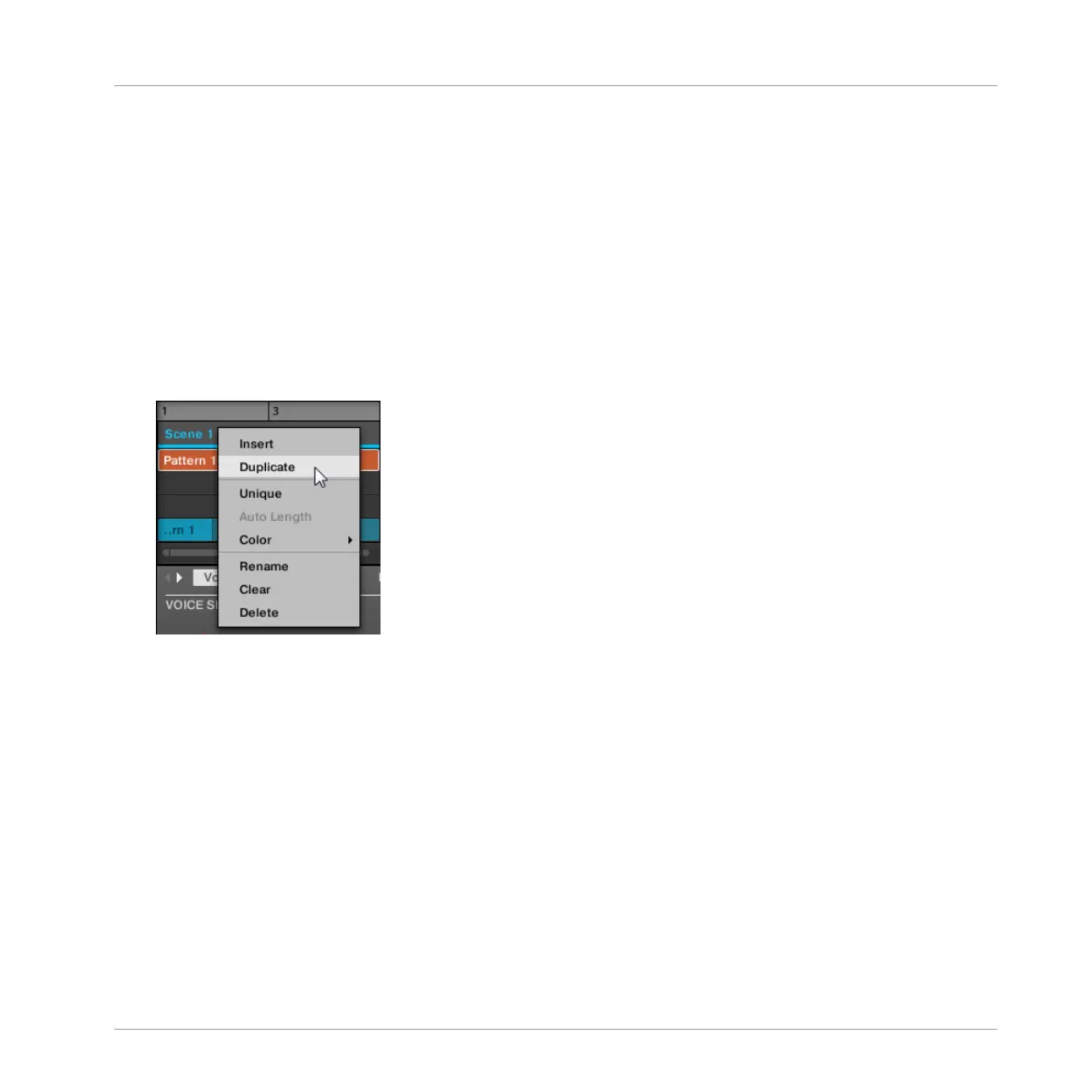
To duplicate a Scene in the MASCHINE software:
1. Right-click (or ([Ctrl]-click on OS X) the Scene you want to duplicate in the Timeline.
2. Click Duplicate.
→ The Scene will be duplicated according to the setting in the Preferences. See ↑2.6.4,
Preferences – Default Page for more information.
Duplicating a Scene on the Hardware
To duplicate a Scene on the hardware:
1. Hold SCENE.
2. Press Button 4 DUPLICATE.
→ The Scene will be duplicated according to the setting in Preferences. See ↑2.6.4, Prefer-
ences – Default Page for more information.
Creating a Song Using Scenes
Managing Scenes
MASCHINE - Manual - 728



 To Next Page