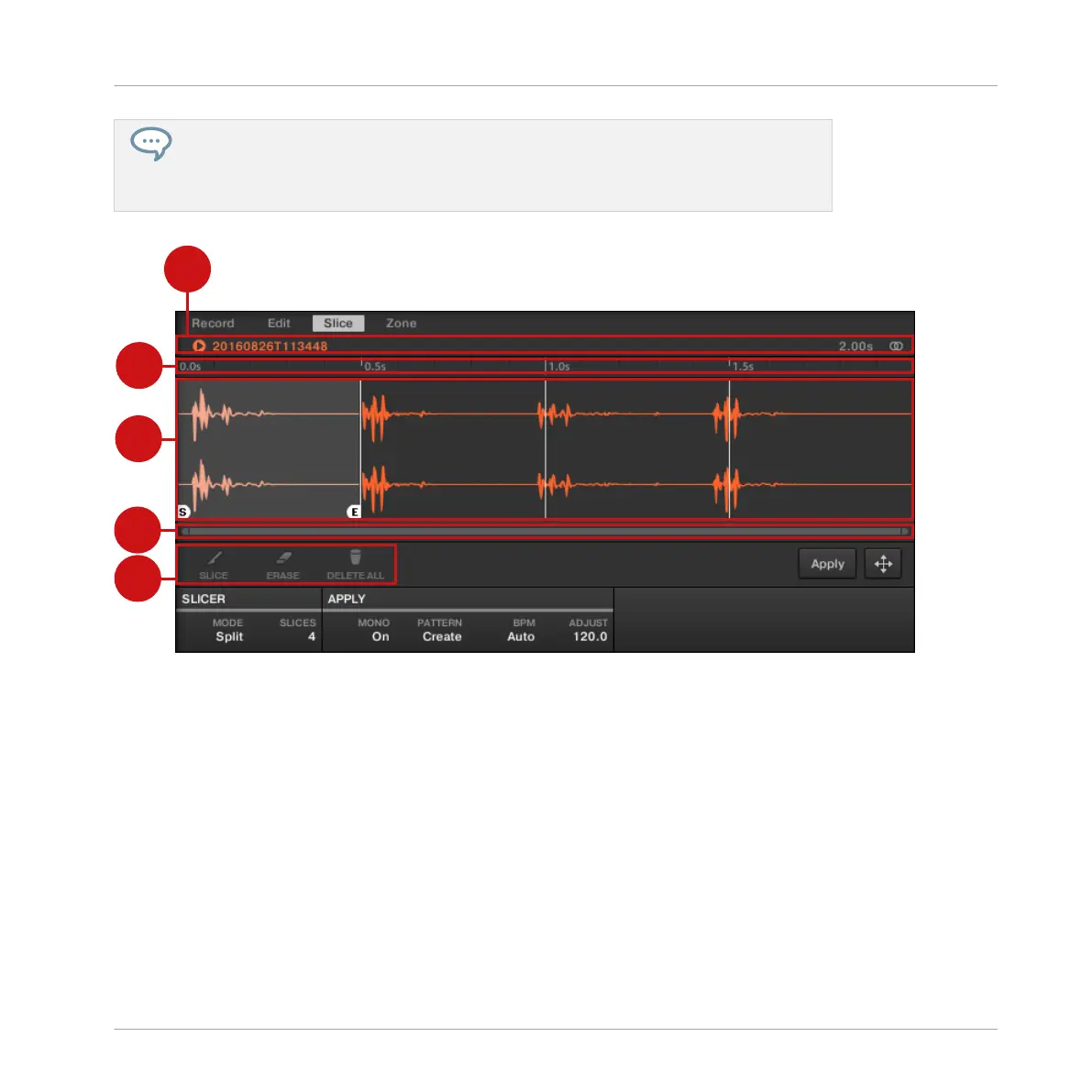
You can directly adjust your Slices manually by selecting Manual in the MODE selector,
or start from MASCHINE’s proposed Slices as described in section ↑14.4.2, Adjusting
the Slicing Settings and fine-adjust these Slices manually — in that case the MODE se-
lector automatically switches to Manual.
Manually adjusting your Slices.
(1) Waveform display
Shows the selected Sample with a couple of spread vertical lines in the waveform: this is
where the Slices are going to be applied (i.e. cut).
▪ Hover a Slice with the mouse to select it (it is highlighted). Little “S” and “E” markers ap-
pear at the bottom of the Slice borders to indicate the start and end point of that Slice,
respectively.
▪ Use the scroll wheel of your mouse to zoom in/out. You can also use the zooming scroll bar
(2).
▪ When the entire Sample or a particular Slice is played back, a playhead indicator (white ver-
tical line) shows you the current play position within the waveform.
Sampling and Sample Mapping
Slicing a Sample
MASCHINE - Manual - 790



 To Next Page