25
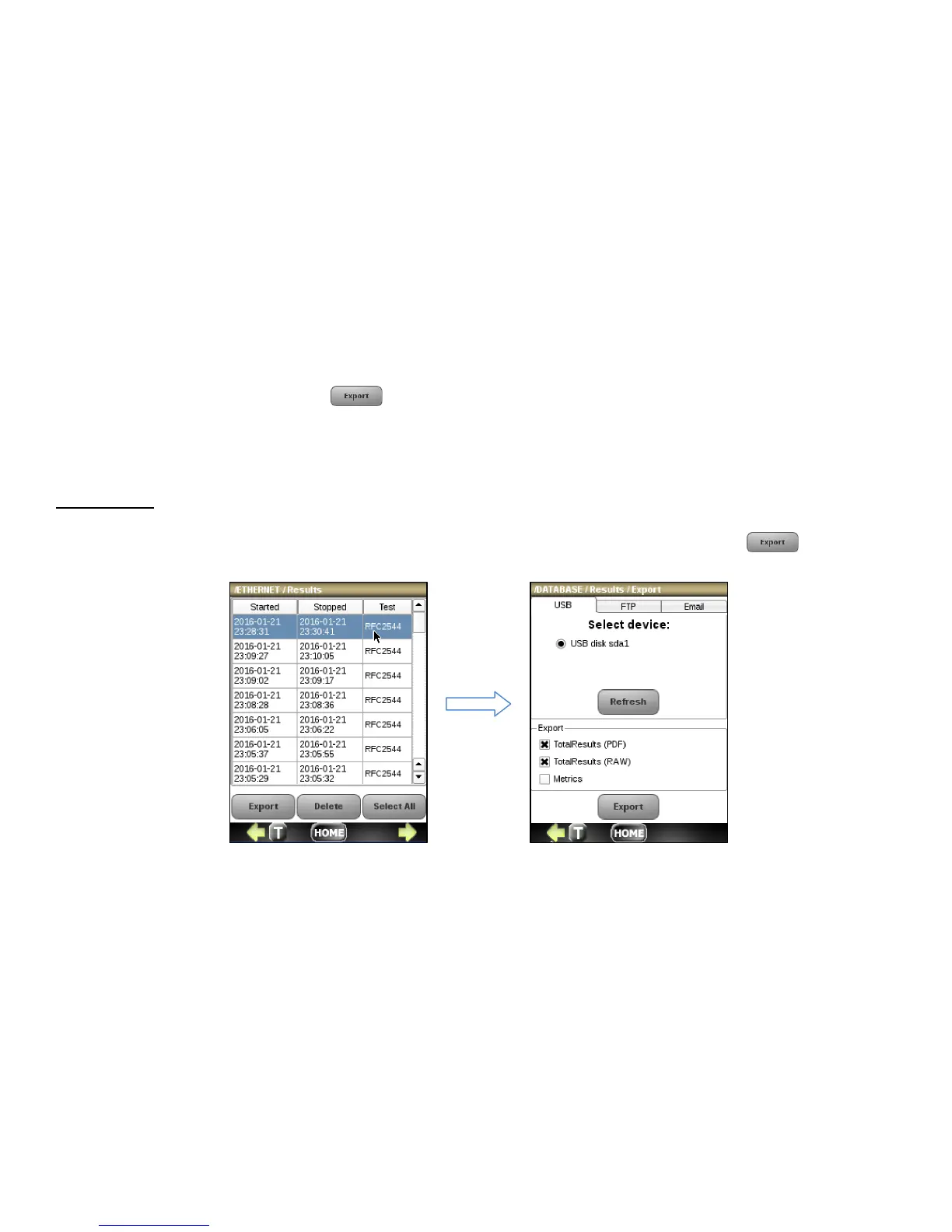
To export the desired test record press from the Test Results screen. Click on the appropriate tab to export by
USB, FTP or email. You can select to export the total results report in PDF or ASCII format by checking the TotalResults
(RAW) and/or TotalResults(PDF) checkboxes. You can also select to export a CSV file for each application metric by
checking the checkbox labeled Metric.
Export by USB
To export to USB, plug the mini-USB adaptor into the NetProbe connector labeled USB at the top of the unit and insert a
USB drive. Click on the USB tab and select a USB drive by clicking on the radio button and press the
button.



 To Next Page