263
14.2 Enable eth0 VLAN
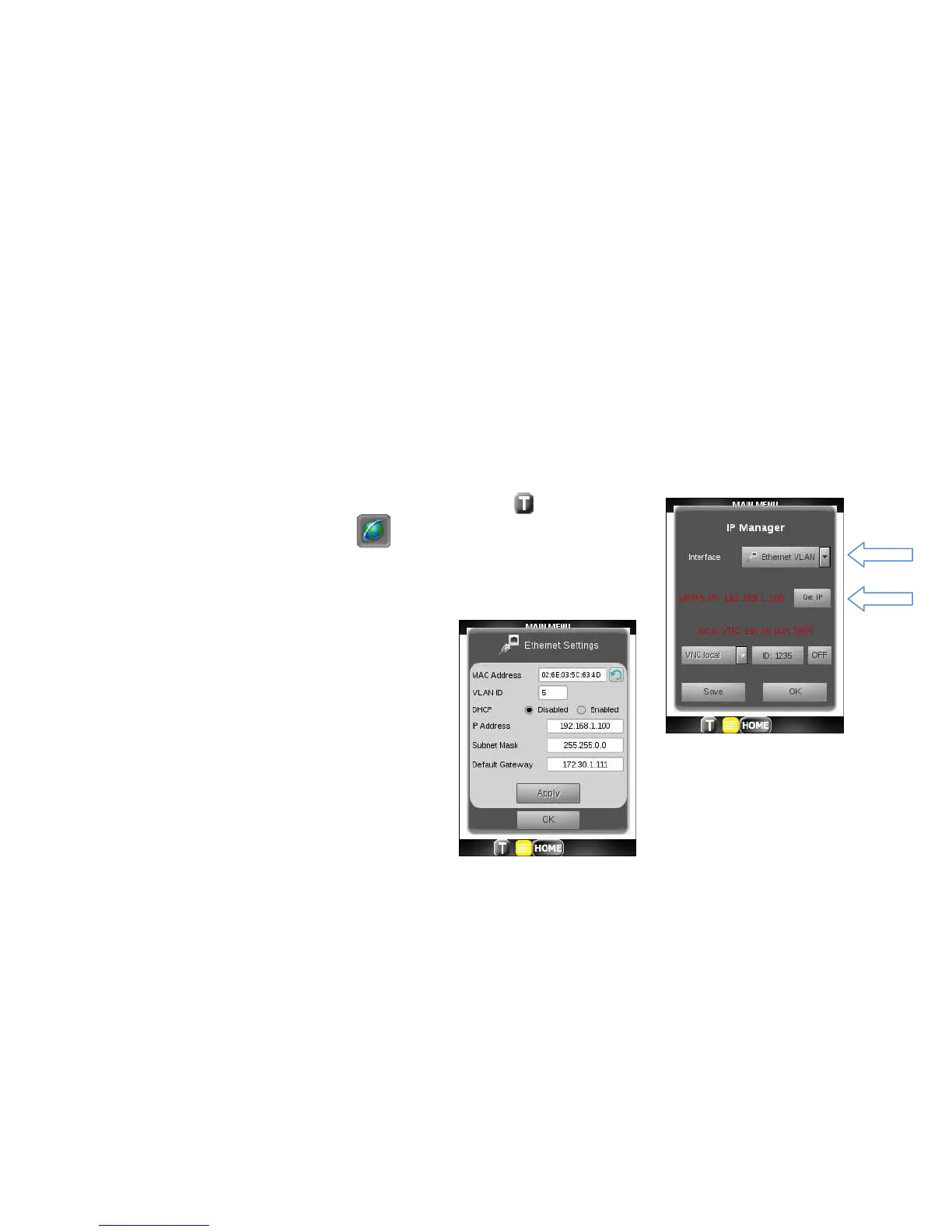
Prior to running the IPTV, VoIP, IP Tools (Main screen) or Remote applications over VLAN, go through following steps:
1. Tap on the Toolbar icon at the bottom of the display.
2. Tap on the Globe toolbar icon.
3. Pull down the Interface drop down and select Ethernet VLAN interface.
4. Click on the Get IP button.
5. Set VLAN ID number.
6. Configure to use a Static or Dynamic as
described in previous section.
7. Click OK twice to leave network manager.



 To Next Page