55
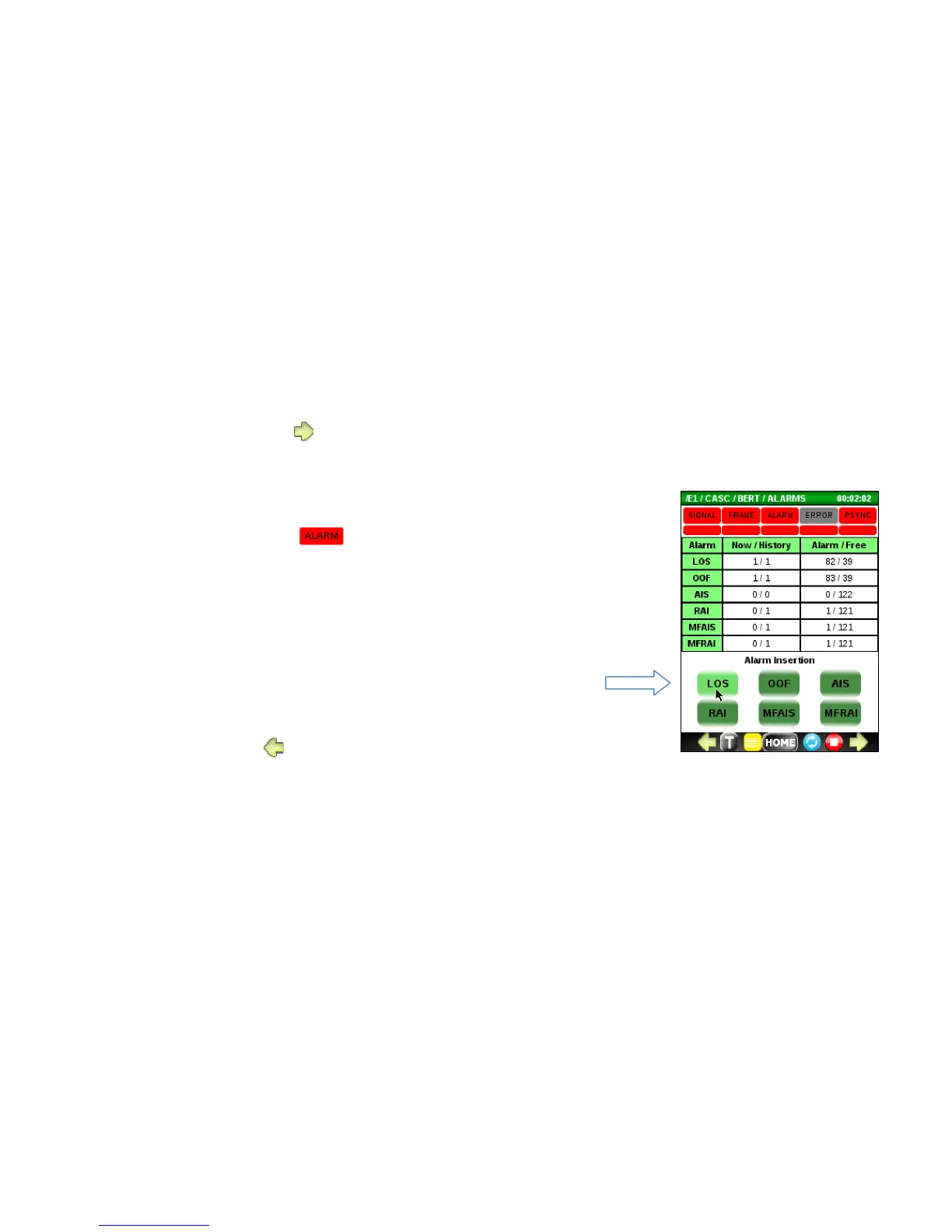
5.4.1 ALARM menu
To access the Alarms menu, press from the main BERT screen.
Use this menu to:
• Monitor the current and history alarm status to determine which
alarms caused the LED to turn red.
• Force an alarm condition onto the E1 line by pressing an Alarm
Insertion button. Caution: The alarm insertion will be continuous until
pressed again.
o LOS (Loss of Signal)
o OOF (Out of Frame)
o AIS (All 1’s Alarm Indicator Signal)
o RAI (Remote Alarm Indicator)
o MFAIS (Multi-frame All 1’s Indicator)
o MFRAI (Multi-frame RAI)
• To exit, press .



 To Next Page