142
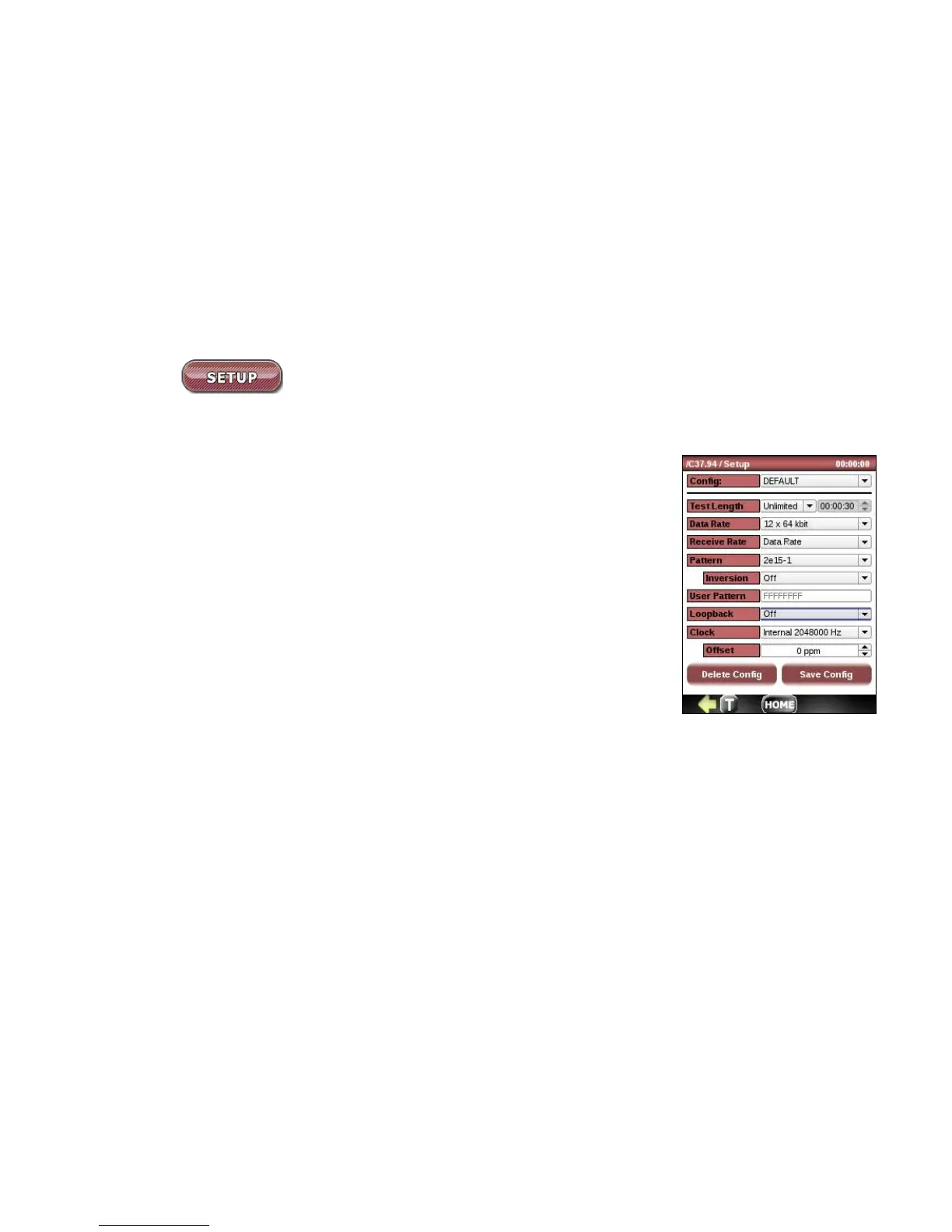
11.4 SETUP
Configuring setup typically requires a few simple steps:
1. Choose setup configuration from the list of previously saved configs or leave
the default.
2. Choose a test of Unlimited, 30 s, 1 min, 5 min, 10 min, 30 min, 1hr, 3 hr. 6 hr, 12 hr, 1
day, 2 days, 3 days or user-defined.
3. Choose Data Rate as a multiple of nx64 kbps, where n=1…12 or change the
Receive Rate to Auto detect.
4. Select a test pattern for bit error testing.
5. Select patter inversion.
6. For normal operation, Loopback should be set to Off. For looped operation,
choose between Local Loop and Remote Loop.
7. Frame is fixed to C37.94.
8. Choose Transmit clock source from Internal or Recovered ( from received
optical signal)
9. If Internal Clock is selected there is an option to introduce offset in +/- 1ppm from -127ppm to +127ppm. This
clock if useful for stressing clock recovery circuits in customer equipment, as the standard clock deviation is
within +/- 50ppm.
10. Save this configuration if desired.



 To Next Page