45
Next, press button to start the AUTO MONITOR test.
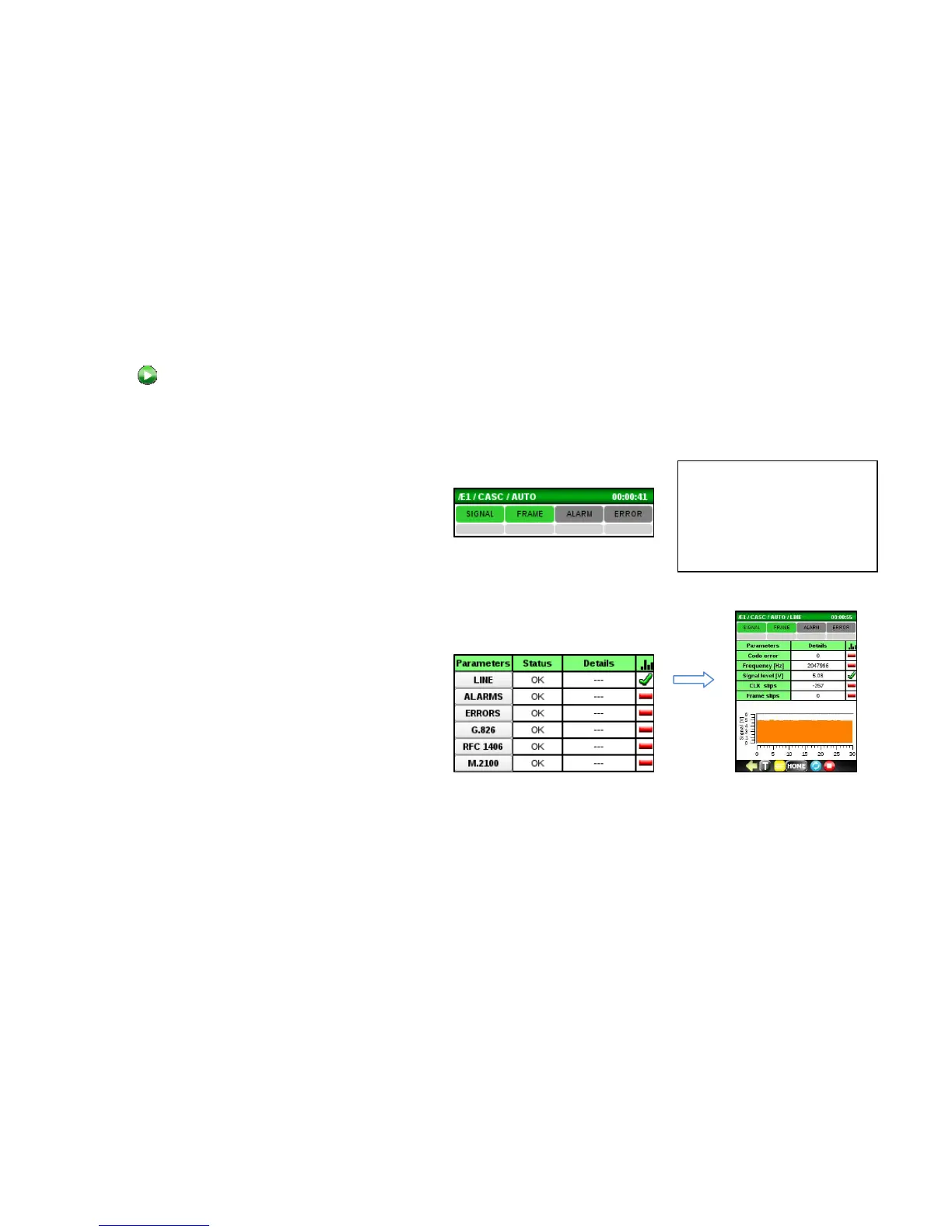
Check the AUTO MON main screen and observe the following:
• The real-time SIGNAL and FRAME (with
Framed data) indicators at the top of the
screen are Green. Red indicates a problem.
If these indicators are red, check all circuit
connections and E1 setup
• The history indicators below are gray. Red
indicates a problem. If an event
(SIGNAL/FRAME/ALARM/ERRROR) occurs,
the corresponding gray history area will
remain red until it is reset.
• STATUS boxes report OK. If not, check under
DETAILS, if available, or click on a Parameter
category name to display sub-detail metrics.
The OK/Fail thresholds are configured under
the Setup Automonitor tabs.
Tip:
Click on a history indicator
box or a Status box to reset
the corresponding event or
status.



 To Next Page