EasyManua.ls Logo

Net research NetProbe 2000 - Page 83

Net research NetProbe 2000
351 pages
Print Icon
To Next Page IconTo Next Page
To Previous Page IconTo Previous Page
Loading...
83
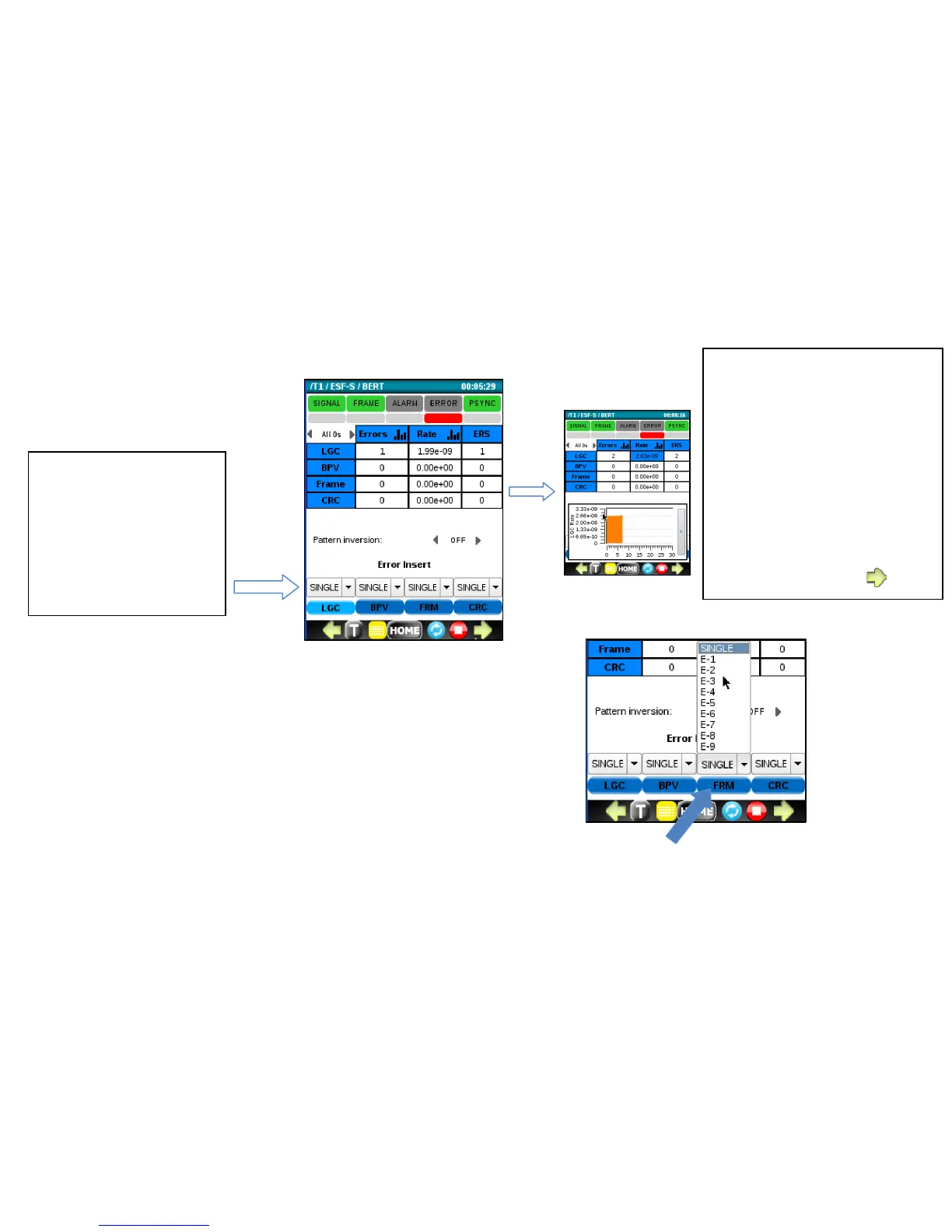
Optionally, a constant bit error rate can be injected using the RATE menu.
Select a rate from the pull down menu and press the corresponding
green button to begin the error RATE injection.
Tip:
Click in the Errors or Rate
columns to display a histogram
for the corresponding metric.
Click on the thin gray bar to
hide it.
Green arrows at the bottom
can be used to display
additional metrics, alarms and
timeslot information.

Tip:
To verify that everything
is setup properly after
starting BERT, click on
the LGC button to force
and detect a single bit
error.

Table of Contents