NL1901ACV Enhanced Hybrid 4G LTE Gateway – User Guide
UG01063 v. 1.0 December 2018
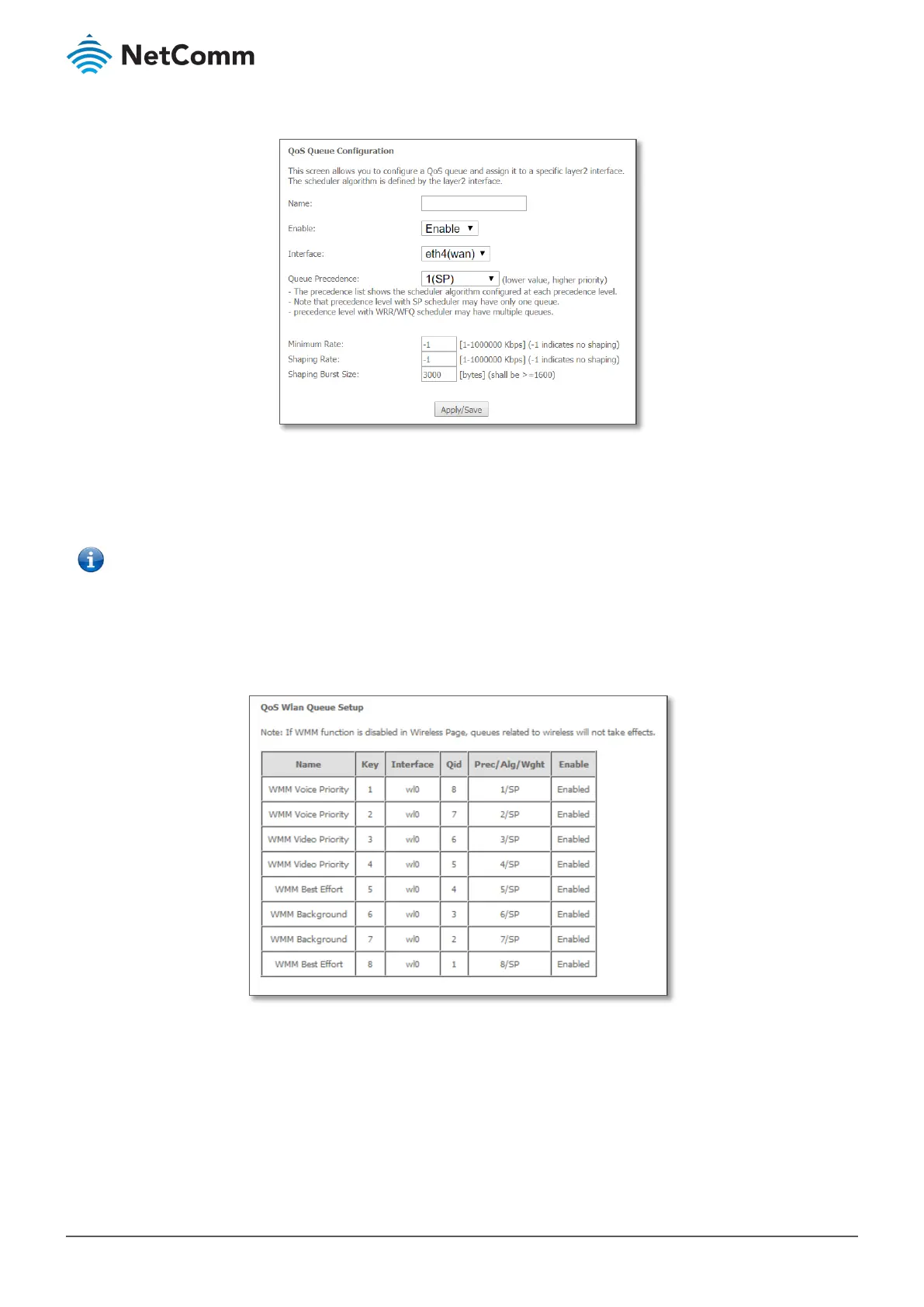
Click the Add button to add a QoS Queue. The following screen is displayed.
Figure 71 – Advanced – QoS – Add QoS Queue
The above screen allows you to configure a QoS queue entry and assign it to a specific network interface. Each of
the queues can be configured for a specific precedence. The queue entry configured here will be used by the
classifier to place ingress packets appropriately.
– Precedence level 1 relates to higher priority while precedence level 3 relates to lower priority, etc.
WLAN Queue
The QoS WLAN Queue page displays a summary of the QoS configuration.
Figure 72 – Advanced – QoS – WLAN Queue





 To Next Page