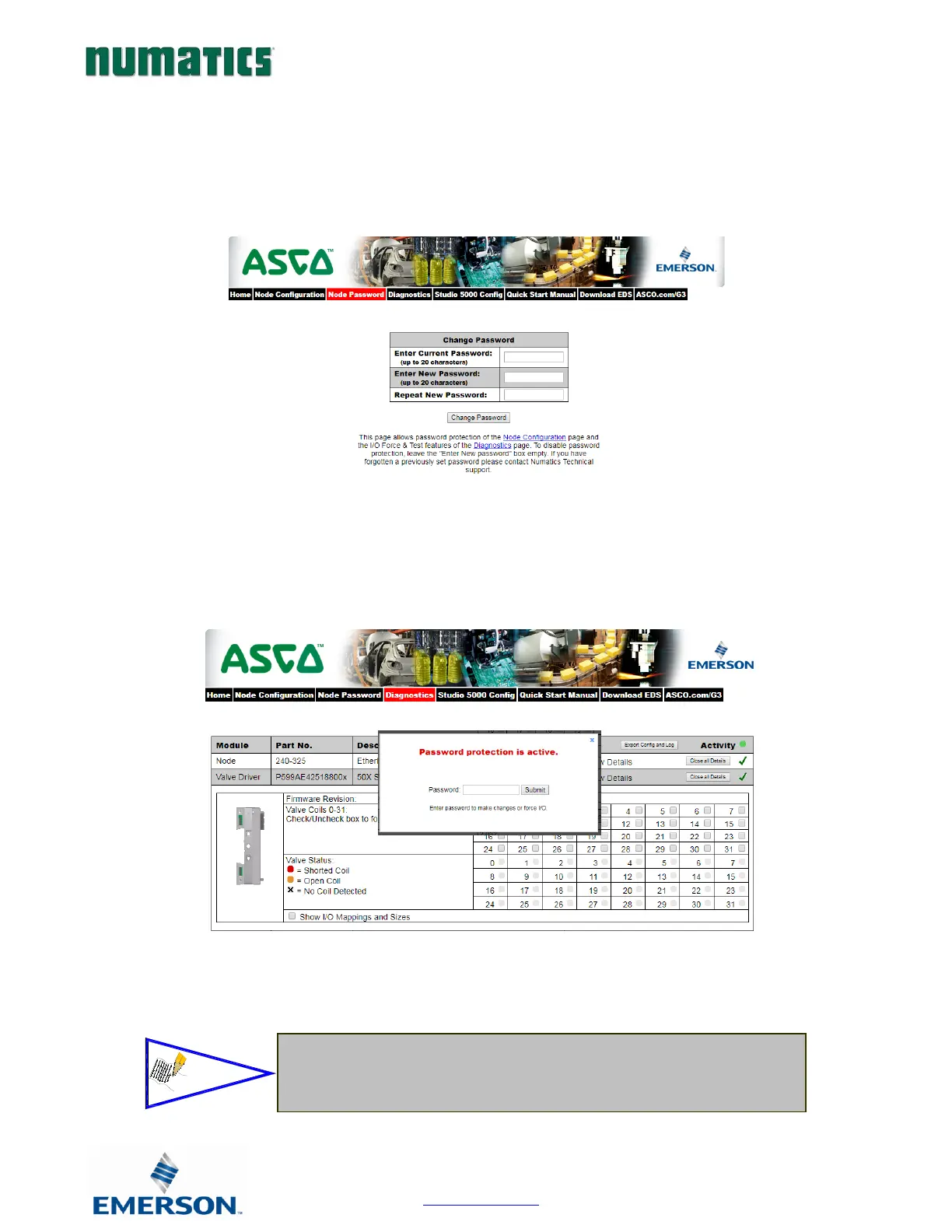
Password
The “Password” window allows the user to set a password that will prevent access to test outputs in the G3 diagnostic
webpage. The password comes disabled from the factory. To set the initial password, leave the “Enter Current
Password” field blank and type in the new password in the “Enter New Password” field.
Once a Password has been set, the security check screen will appear. Enter the password to enable the set output
features in the diagnostic webpage.
• If the password has been lost or forgotten, go through the process of
changing the password. Enter the last 6 digits of the MAC Address in
the current password field and then enter the desired password in the
new password field.


 To Next Page