Service Manual
683311W
8-17
■
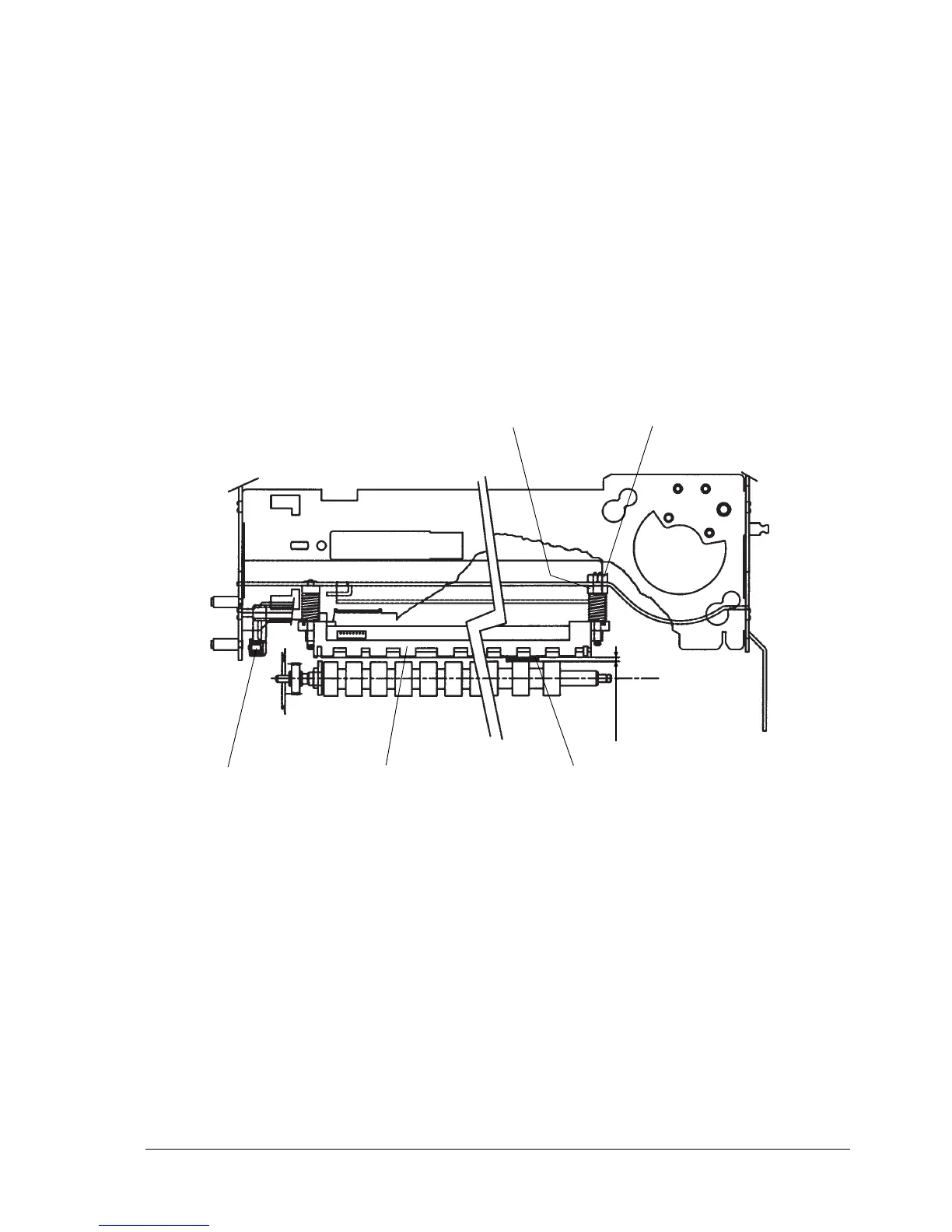
8.2.6 SCANNER OPTION - SCANNER ROLLER CLEARANCE ADJUSTMENT
MACHINE CONDITION:
This adjustment must be made with the scanner movement assy (1) in the condition of being able to
rotate around its own axis so that the scanner assy (2) can freely perform its entire stroke.
OBJECTIVE ADJUSTMENT:
Make sure that there is a clearance between the scanner and roller.
PROCEDURE:
Insert a 0.05/0.1 mm thick flexible probe (3) between the rear drag rollers and the rear pressure rollers.
Loosen the adjustment nut (4).
Turn the threaded pin (5) until the scanner assy (2) touches the probe (3), then tighten the adjustment
nut (4).
Fig. 8-16
54
2 31
0.05/0.1
.















 To Next Page