683311W
3-12
3.7.5 EXPULSION OF PROCESSED DOCUMENTS
The processed documents can be elected from the machine, according to the user program, in the
following way:
- Returning back to where they were manually introduced (line feed device).
- From the machine rear slot, starting from the front feeder.
The documents are expelled from the front feed slot as follows:
- When shorter than 100 mm, they will be released by the feed rollers
- When 100 mm or longer, they will remain gripped by the last set of rollers to avoid that the document
tails off the front shelf.
If the processed document does not come out of the machine, consult section 3.7.5.
3.7.6 REPLACING THE RIBBON CARTRIDGE
The ribbon cartridge must be changed when the printing becomes incomplete or faded, or when there
are frequent optical reading errors on the printed documents.This procedure is to be performed with
the machine powered off; if necessary, however, it can even be performed with the machine powered
on.
3.7.6.1 REPLACING THE RIBBON CARTRIDGE WITH THE MACHINE POWERED OFF
To change the cartridge, follow the procedure below:
- Powering off the machine.
- Open the printer top cover by turning it upwards.
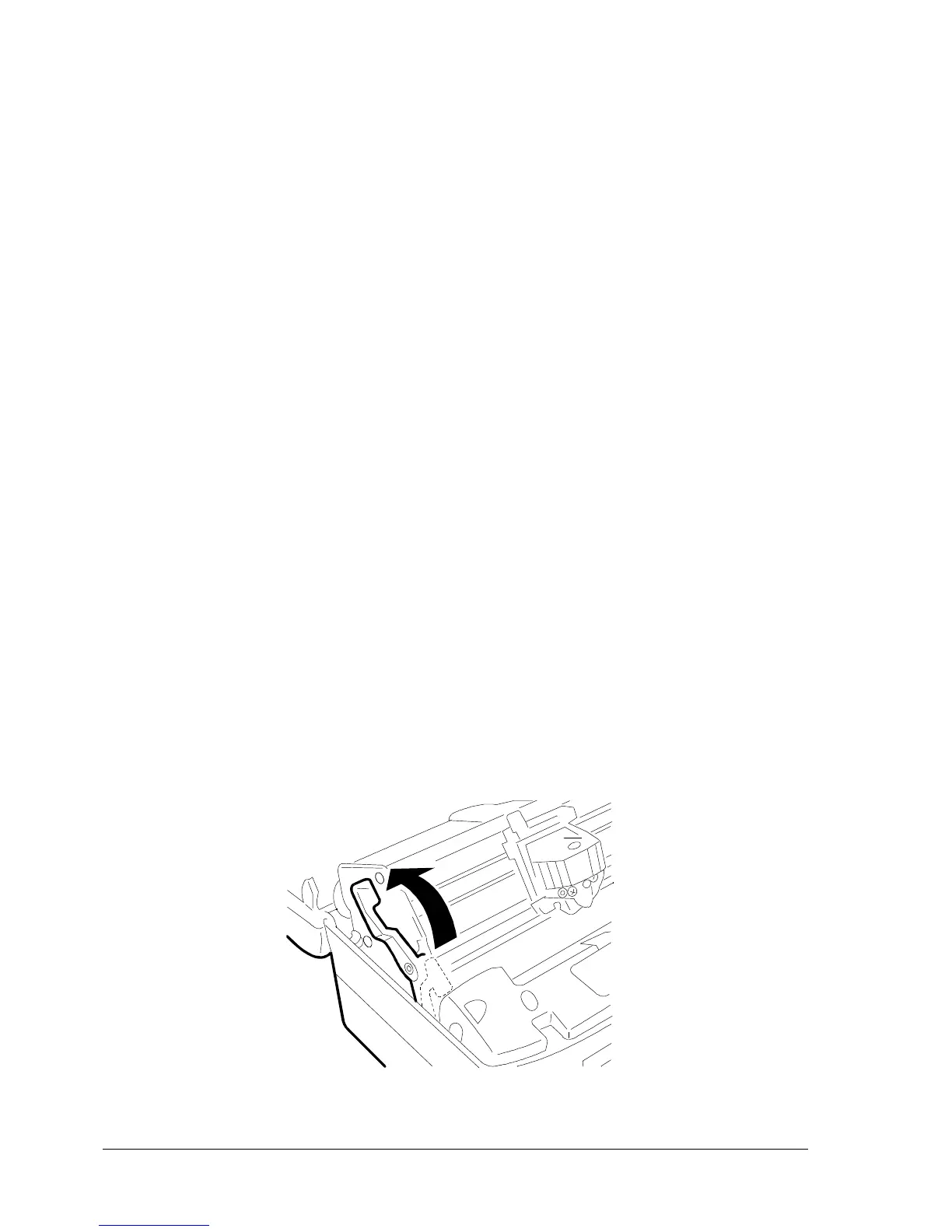
- Using the appropriate lever, lift the upper assembly.
Fig. 3-11 Releasing the Ribbon Guide















 To Next Page