Service Manual
683311W
9-3
9.2 BASIC MACHINE DISASSEMBLY/REASSEMBLY PROCEDURES
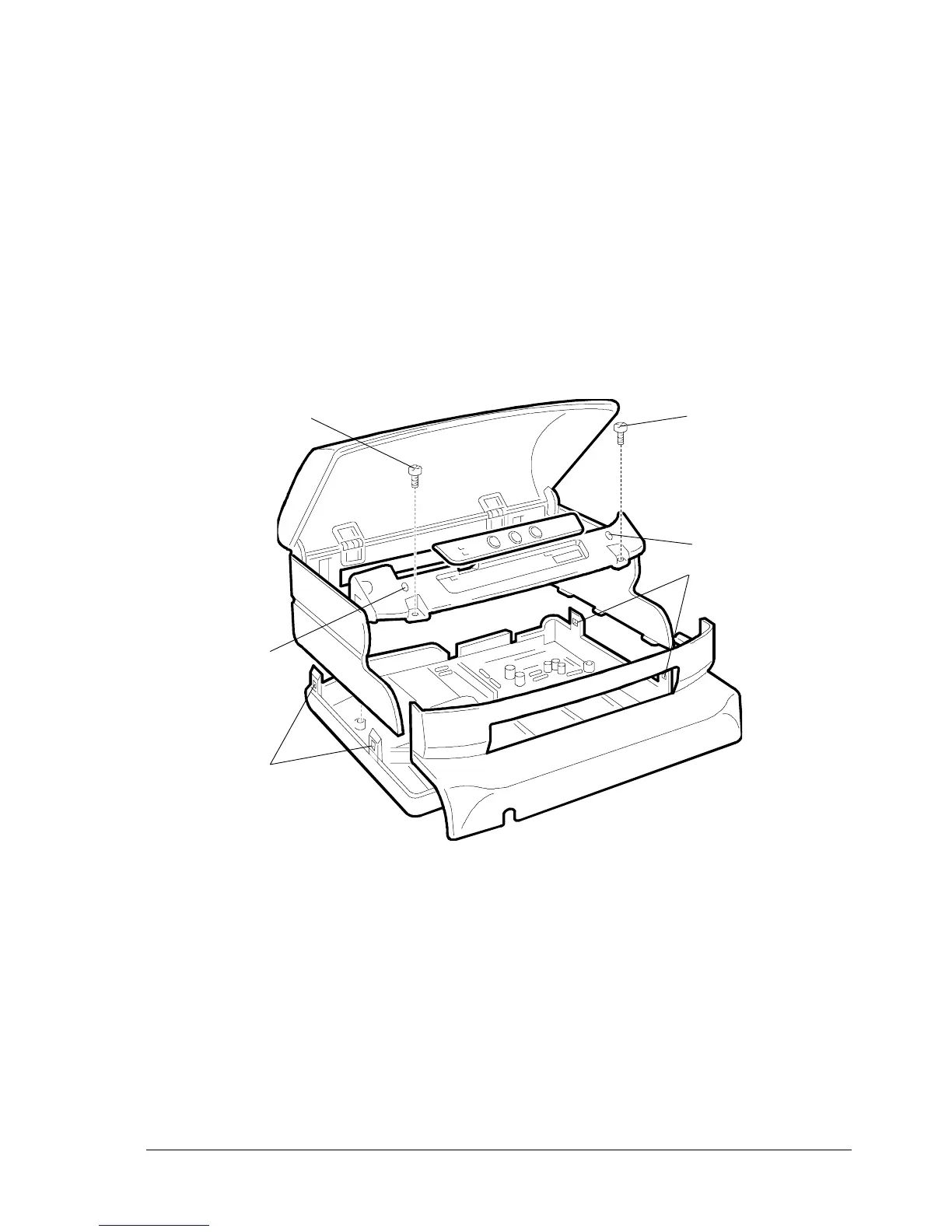
9.2.1 DISASSEMBLING/REASSEMBLING THE CASE
- Open the printer top cover completely
- Remove the two screws (1) that secure the front part of the case and slide it off the printer
by pressing on the slots (2) located above the screws (1)
- Press the four securing tabs (3) to release the case and then partly slide it off the base of the printer
- Unhook the console from the case by lifting it upwards
- Pass the console through the flat cable passage slot and remove the case from the machine.
2
1
2
3
3
Fig. 9-1
1















 To Next Page