Copyright© Orphée SA. All Rights Reserved.
f) Transient over voltages typically present on the MAINS supply;
g) Rated pollution degree II.
Please contact Orphée’s representative if you want to use the instrument in special conditions (height higher
than 2000 m or special power supply conditions).
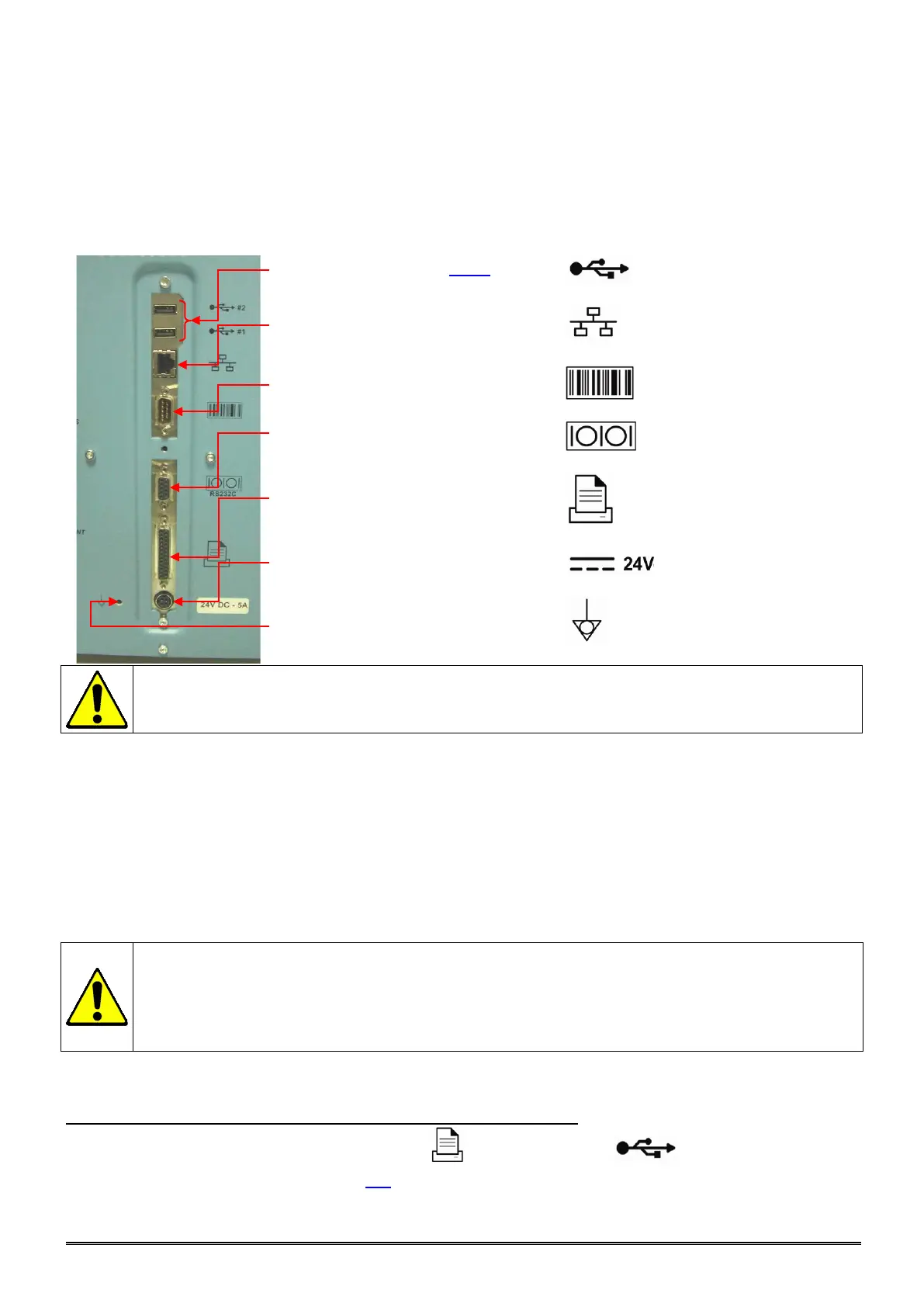
1.3 ELECTRICAL CONNECTIONS
All the connectors are in the rear of the MYTHIC 22
- 2 USB ports (section 3.4.7) :
- Ethernet connection (TCP/IP) :
- External barcode reader (RS232C) :
- Host connection (RS232C) :
- Printer connection (Centronics) :
- Power supply cord connection :
- Equipotential grounding connection :
Any output or input connections (except the printer and the bar code
ORPHEE) cannot be done without the ORPHEE representative authorization.
1.3.1 Power supply block
MYTHIC 22 must be connected to the power with the power supply block provided with the starter kit.
Choose a well-ventilated place for the block and be sure to connect this power supply in a socket-outlet with
a correct earth connection.
The power supply block must be placed at the rear of the MYTHIC 22 and, if possible in an upper position to
avoid the contact with any liquid.
To disconnect electrically the MYTHIC 22, remove the power supply plug from the main circuit.
- In the case of replacement of the main power wire supplied with the MYTHIC 22 the new
one must comply with the local regulation (3
1.5mm cable and 250V 10A plug).
-
The MYTHIC 22 has been certified with the power supply box provided with the machine.
The use of another external power supply box is not guaranteed.
Please contact your
Orphée’s representative.
1.4 PRINTER CONNECTION
Connect the printer cable in conformity with the printer user’s manual.
Use the parallel rear plug of the MYTHIC 22 ( ) or the USB plug ( ) to connect the printer
cable. Select the printer driver (section 3.3). Check earth connection of printer to be same as the earth of
Mythic.



 To Next Page