Copyright© Orphée SA. All Rights Reserved.
3.4 ADVANCED SET-UP
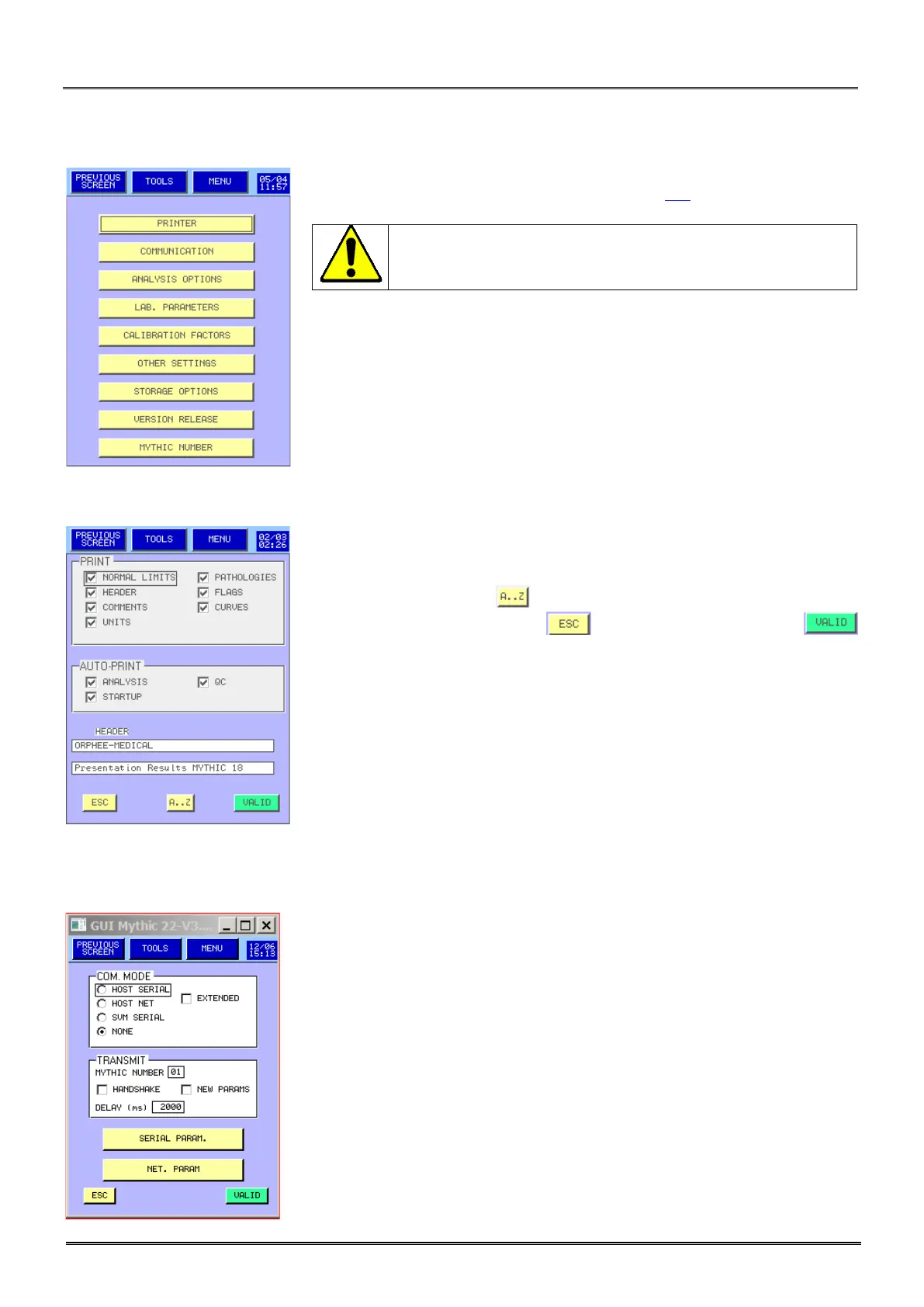
- This menu is reserved to biologist (see section 3.1).
Any modification can affect the quality of the results. We
recommend modifying these values only after an Orphée’s
- Please refer below for the description of each key.
3.4.1 Printer set up:
- Printer set up menu is intended to present the printing report.
- To select an option on the report, press on the corresponding case.
- To enter a header, press key.
- To exit the menu, either press to keep the last setting, or
to save the last modifications.
3.4.2 Communication:
- Reserved for technical Service people.
- To set up the connection between MYTHIC and Host or between MYTHIC
and SVM (Validation Station for MYTHIC) or Mythic printing tool.
- EXTENDED is necessary to set in case of SVM connection.
-NEW PARAMS option adds the RDWS parameters to be sent with the
other parameters.



 To Next Page