Copyright© Orphée SA. All Rights Reserved.
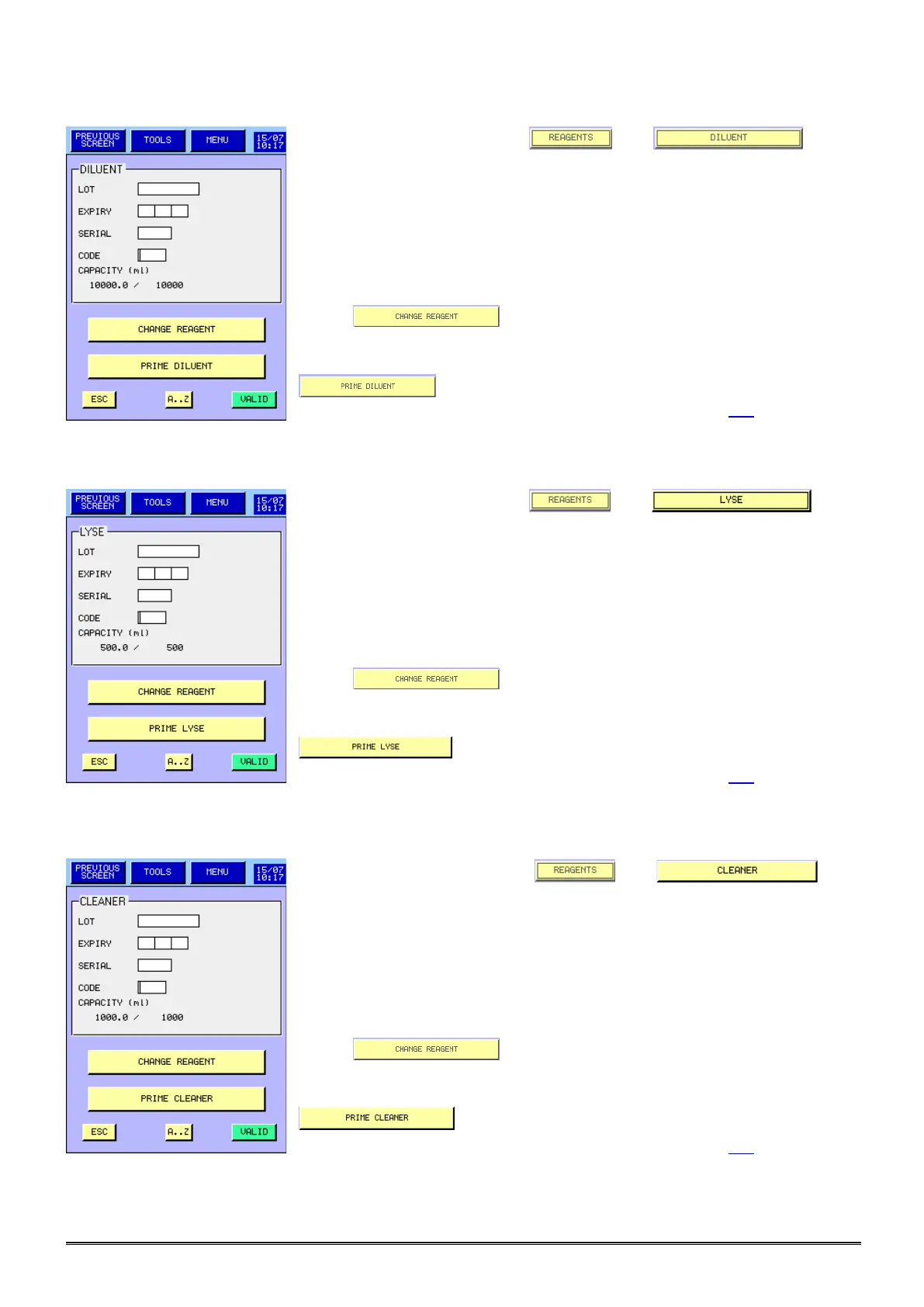
1.5.3 Diluent priming:
- From the MAIN MENU press then to
have access to this screen.
- IF THE REAGENT MODE WITH ENCRYPTING IS ACTIVATED, LOT,
EXPIRY, SERIAL AND CODE FIELDS, MUST BE ONLY FILLED BY
BARCODES SCANNING.
- IF THE REAGENT MODE WITH ENCRYPTING IS NOT ACTIVATED,
LOT AND EXPIRY CAN BE FILLED MANUALLY OR BY BARCODE
SCANNING.
- Press to validate the new entry or after changing a
new container with the same information.
- After the replacement of a new container or to prime the diluent, press
- A new entry is automatically done in the logs (see section 5.9).
1.5.4 Lyse priming:
- From the MAIN MENU press then to
have access to this screen.
- IF THE REAGENT MODE WITH ENCRYPTING IS ACTIVATED, LOT,
EXPIRY, SERIAL AND CODE FIELDS, MUST BE ONLY FILLED BY
BARCODES SCANNING.
- IF THE REAGENT MODE WITH ENCRYPTING IS NOT ACTIVATED,
LOT AND EXPIRY CAN BE FILLED MANUALLY OR BY BARCODE
SCANNING.
- Press to validate the new entry or after changing a
new container with the same information.
- After the replacement of a new container or to prime the lyse, press
.
- A new entry is automatically done in the logs (see section 5.9).
1.5.5 Cleaner priming
- From the MAIN MENU press then to
have access to this screen.
- IF THE REAGENT MODE WITH ENCRYPTING IS ACTIVATED, LOT,
EXPIRY, SERIAL AND CODE FIELDS, MUST BE ONLY FILLED BY
BARCODES SCANNING.
- IF THE REAGENT MODE WITH ENCRYPTING IS NOT ACTIVATED,
LOT AND EXPIRY CAN BE FILLED MANUALLY OR BY BARCODE
SCANNING.
- Press to validate the new entry or after changing a
new container with the same information.
- After the replacement of a new container or to prime the cleaner, press
.
- A new entry is automatically done in the logs (see section 5.9).



 To Next Page