Copyright© Orphée SA. All Rights Reserved.
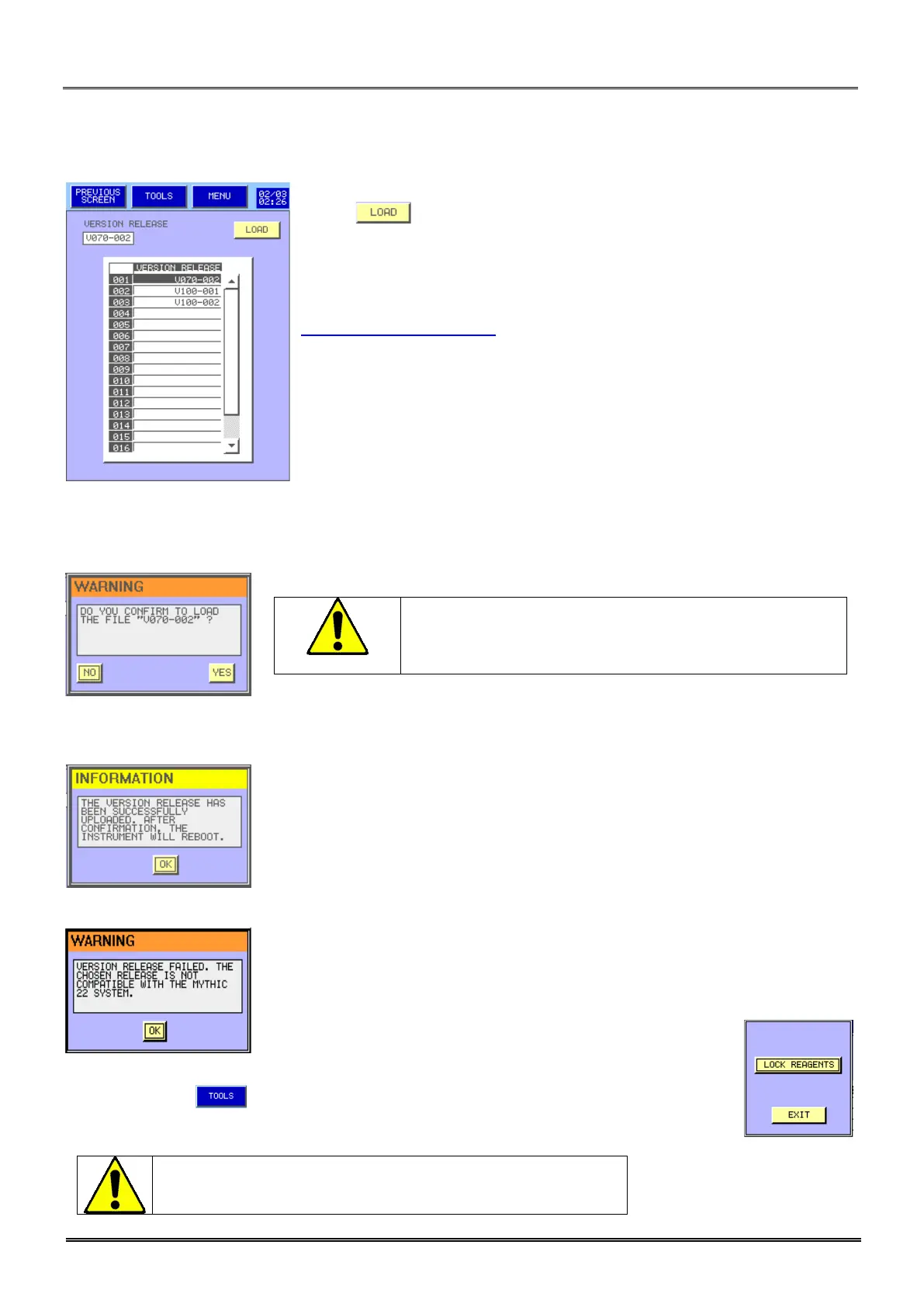
3.4.8 Version release:
- Please upgrade your instrument with the latest version always.
- Press to load a new software version from a USB key.
- Choose the right version then,
- Press yes only if you are sure to load new version of software.
- Software will be updated; all data like results, calibration, QC, settings
are kept. Please check periodically launching of new release software on
www.orphee-medical.com .
The current software version will be erased definitively.
Nota: results, calibration, QC and settings are kept.
- This prompt appears to confirm the version loading.
- This prompt appears when the release of the software is failed.
- Choose another version or call your Orphée’s representative.
- The menu , allows to initiate the reagent Lock mode with encrypting.
This menu is only accessible with Orphee’s representative
Technician password level.



 To Next Page