Copyright© Orphée SA. All Rights Reserved.
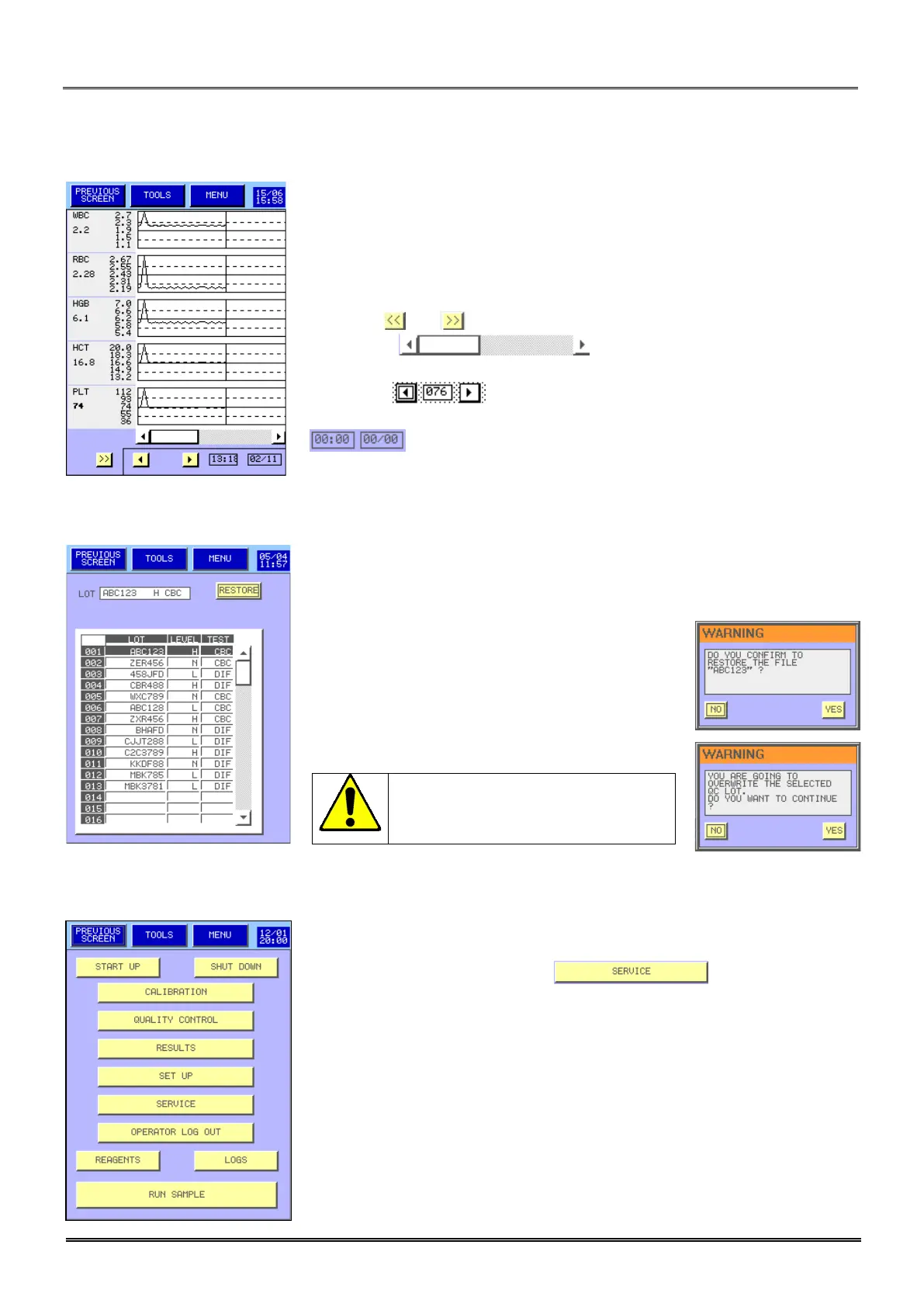
6.2.3 Levey-Jennings graph
- This menu enables to display the Levey-Jennings graph for each quality
control run.
- The column on the left shows each parameter with the target values and
the limits. The value under the name of the parameter is the value where the
cursor is located on the graph.
- The keys and enable to display the other results.
- The cursor located under the graph enables to
display all the registered results.
- The keys enable to move the cursor; the number is the
number of the result.
- give the date and the time of the displayed result.
6.2.4 Restore
- This menu enables to restore all the information (results and targets) for
the file selected from the USB key to the internal memory.
- Press YES if you are sure to load the selected
file.
All the information of the selected
file will be overwrite by the one
from the USB key.
6.3 REPEATABILITY
- To run repeatability, press first .



 To Next Page