Copyright© Orphée SA. All Rights Reserved.
9.7 LOGS ERRORS
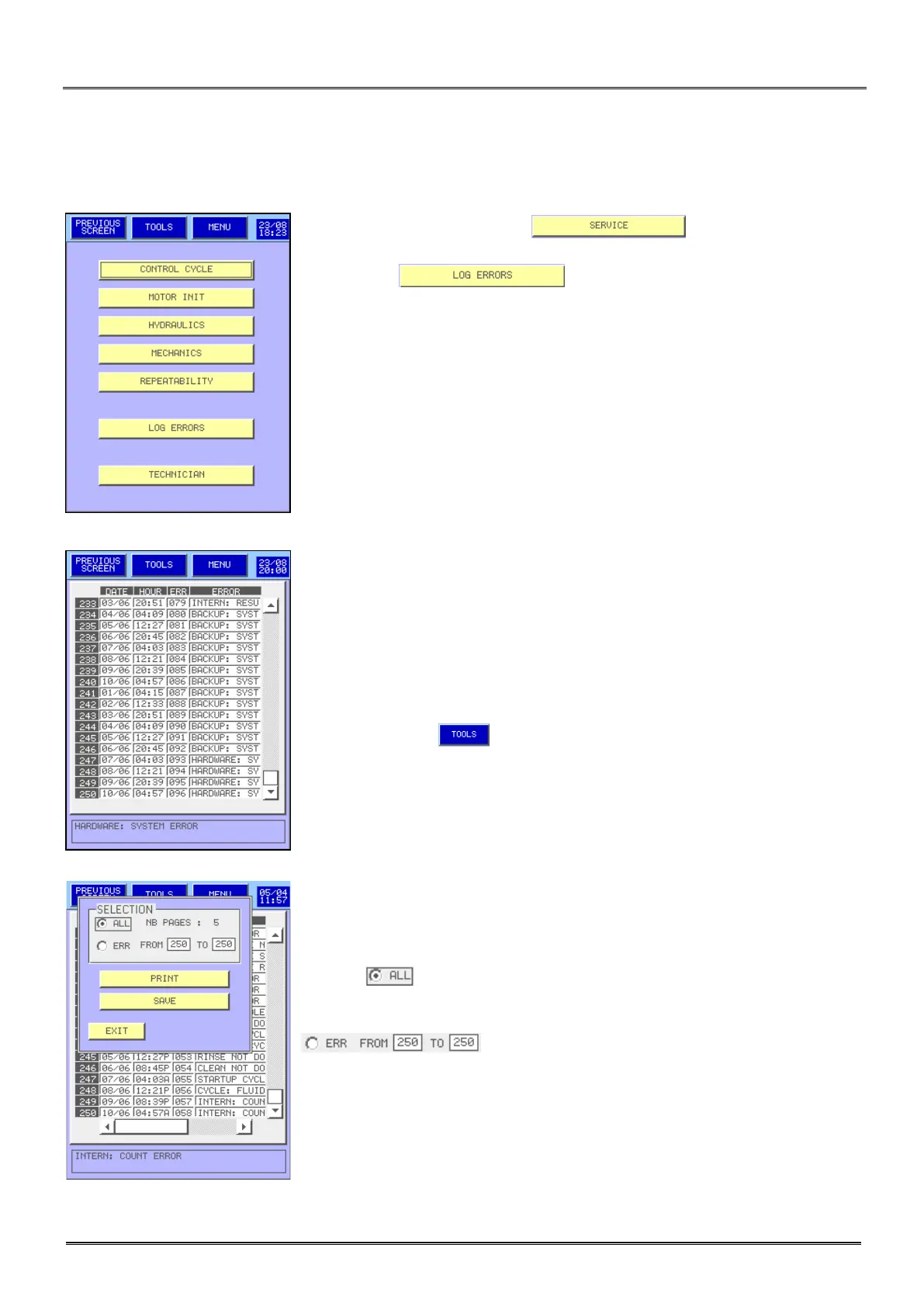
- From the MAIN MENU press .
- Then press .
- This screen allows visualizing the date and timing when an error has
occurred, as well as the code and the origin of this error.
- To see the origin of the error, press on the figure located on the left of
the date, the complete error appears at the bottom.
- To print it press .
- Select to print the errors of the number of pages indicated on the
screen.
- To print or save (in an USB key) the error of one or more days select
then enter the error reference number.



 To Next Page