Copyright© Orphée SA. All Rights Reserved.
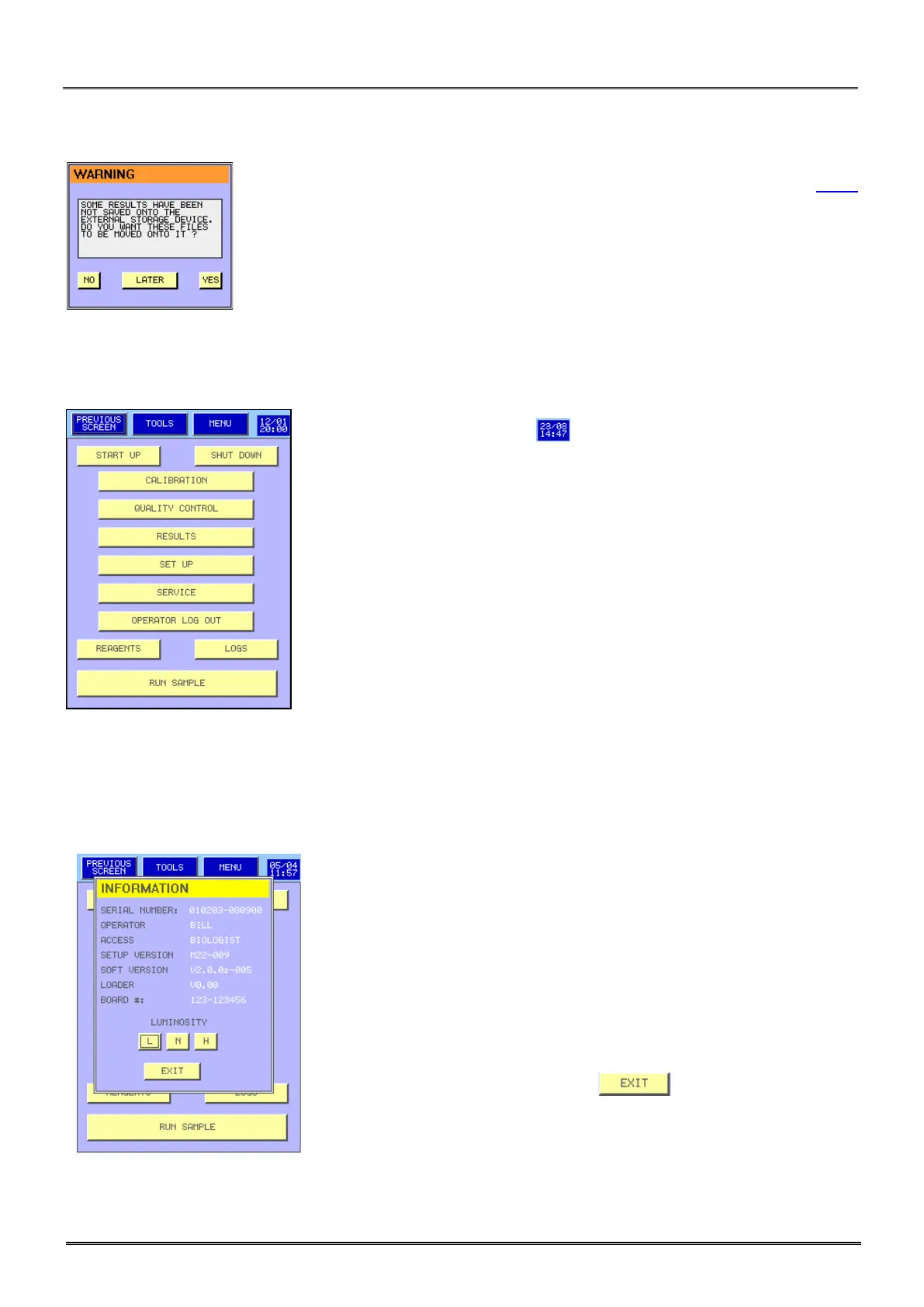
- No USB key is available, connect an USB key then press YES or see section 3.4.7
to change the archive mode.
3.2 SYSTEM STATUS
- Press on the date and hour to have access to the system status
window.
- Different system status information are displayed:
Serial number of the instrument,
Operator name,
Login access level,
Software version active,
Serial number of CPU electronic board.
- To change the screen luminosity press L, N or H.
- To return to the MAIN MENU press .



 To Next Page