Copyright© Orphée SA. All Rights Reserved.
NOTA: If the M letter appears on the right of the date of calibration, which means that the last calibration
was done by modification of the calibration factor (see section 3.4.5).
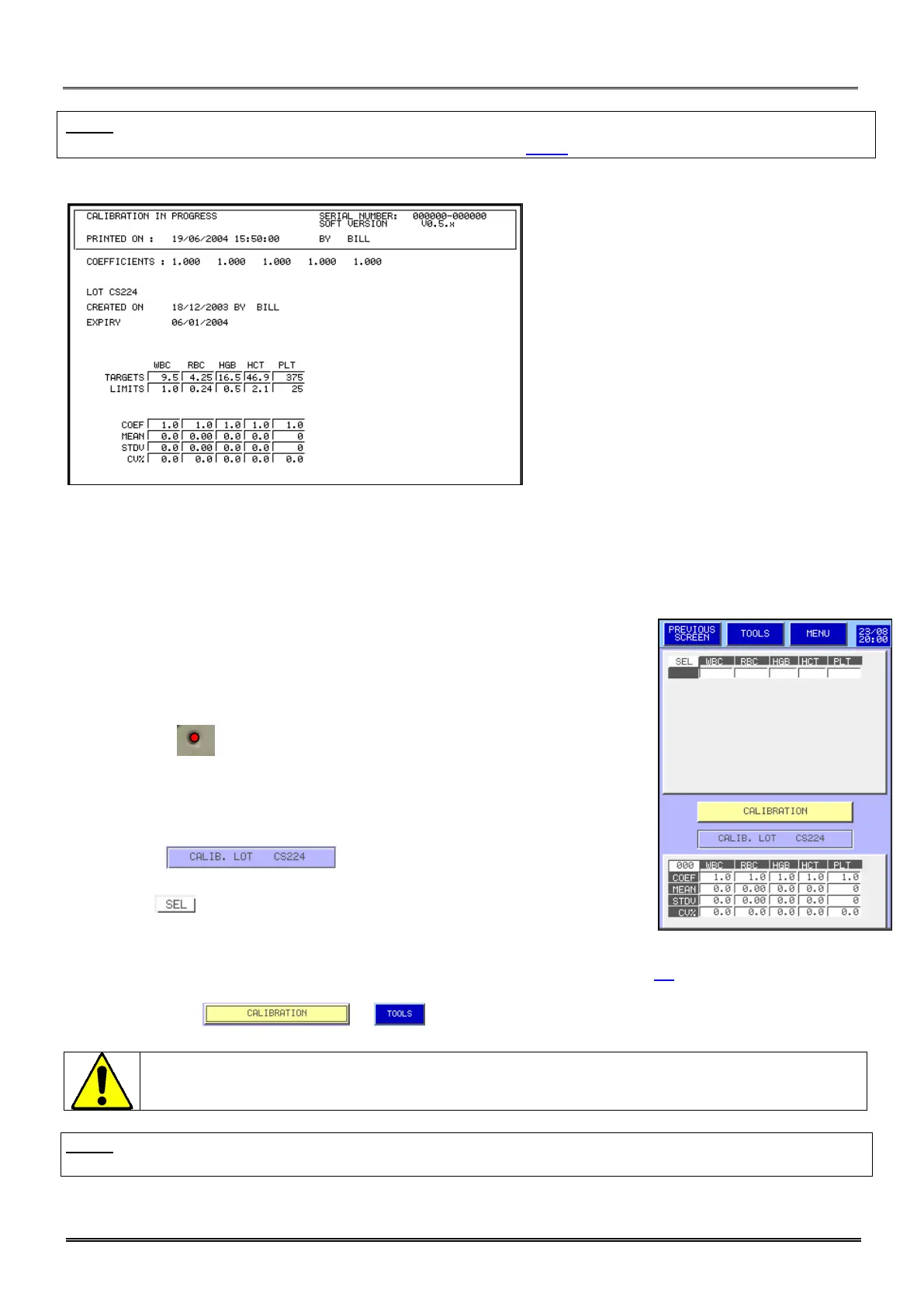
Model of print out calibration report:
7.1 RESULTS
7.1.1 Calibration blood analysis
This screen allows carrying out analysis on calibration blood to perform the
MYTHIC 22 calibration.
-Present the calibration tube under the sampling needle and press the trigger
behind the needle. The calibrator should be mixed manually during the all
process and between each measurement. Rotate and reverse the tube.
The cycle LED located at the top of the needle flickers alternatively of
red with green, when it becomes red the tube can be removed.
The results are progressively sent on line in the table.
Repeat the operation (minimum 6 runs, maximum 10 runs).
Statistical calculations are carried out automatically with each run.
The window located between the results and the
statistical calculation reminds the lot number of the calibrator.
The column allows to validate or to unselect a result in order to obtain
the best CV possible.
The goal is to obtain possibly the lowest Coefficient of Variation % (CV%).
Maximum acceptable CV% values are described in the repeatability table section 4.1.
CV’s below 1 for all parameters except PLT (5) is a good calibration.
To calibrate press or .
Before to run the calibrator,
check and clean the opening of the cover dedicated to the
down of the needle to avoid any fall of dry blood particles inside the calibrator tube.
NOTA: The results of the analyses carried out on one calibrator during the same day remain with the screen
and are used in calculations if they are selected.



 To Next Page