Copyright© Orphée SA. All Rights Reserved.
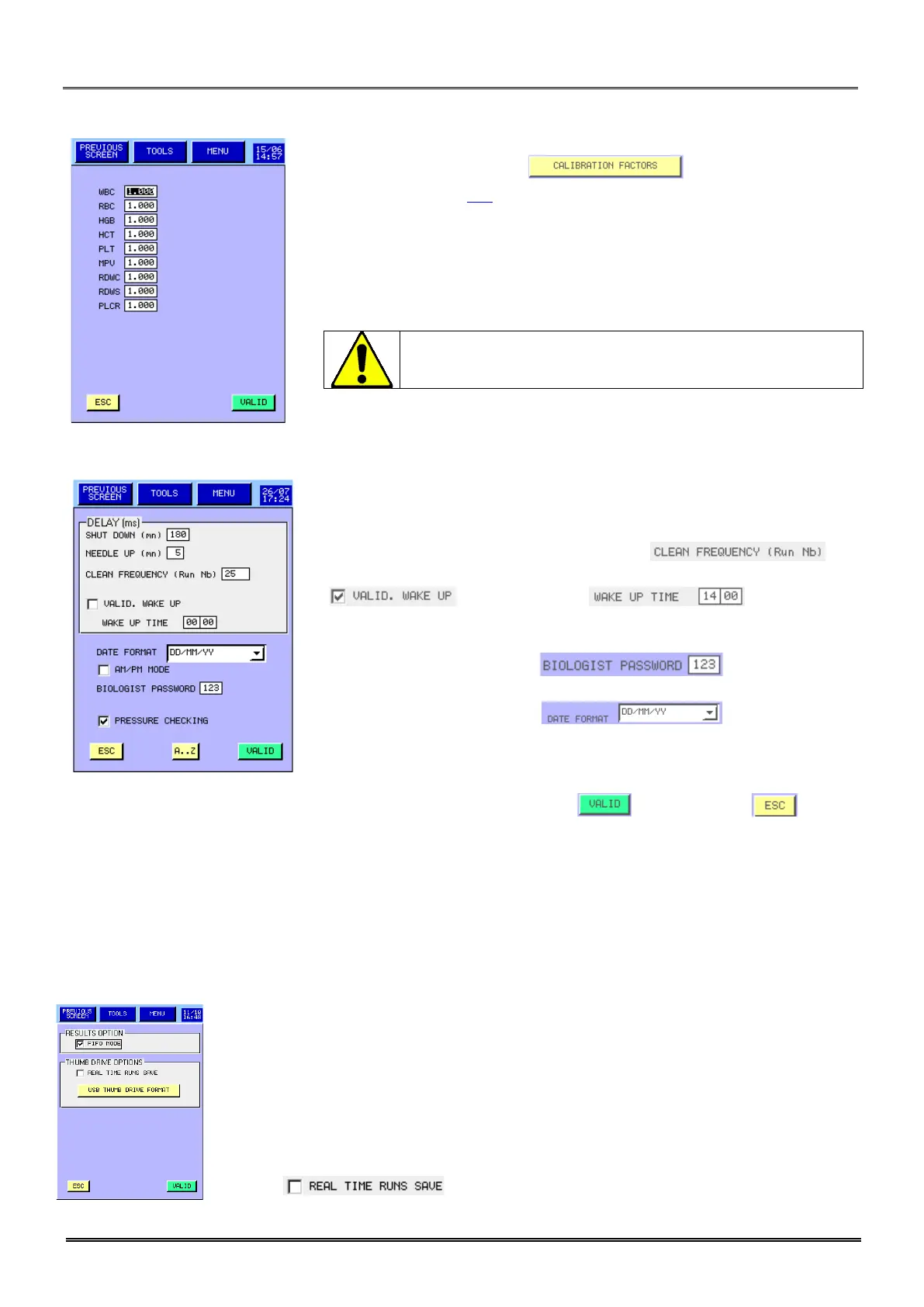
3.4.5 Calibration factor:
- To accede at this menu press in the ADVANCED SET
UP MENU (see section 3.4).
- In this menu, the user can modify the calibration factors.
- A M letter appears on the right of the date of calibration in case of
modification.
3.4.6 Other Setting:
- In DELAY box, the user can modify:
o Time in minutes to start the automatic shut-down.
o Time in minutes to move up the needle.
o The frequency of the automatic cleaning .
o The setting up of the automatic wake
up and its daily time .
- Pressure checking enables the pressure
control during a measurement cycle.
- enables to modify
the biologist password.
- enables to select
the date format.
- AM/PM mode enables to display the time
format of your choice.
- Once modifications are done, press to validate or to exit
without any modification.
3.4.7 Storage options:
MYTHIC 22 can save more than the last 1000 patients with results, alarms, distribution curves in the
internal memory and until a maximum of 60 000 results in a memory stick (USB key) of 512 Mbit or more.
All the capacity until 2 Gbit maximum can be used. The USB key should be formatted on the Mythic. The
USB key should be formatted on the Mythic(USB thumb drive format key).
Because the technology of the USB key is very different from one to the other, some
of them could not work. For more information, contact your Orphée’s representative.
- If FIFO Mode (first in /first out) is ON, the oldest results will be deleted when
memory is full. In a roll over management.
If FIFO mode is OFF, operator will be informed for Backup when memory is near to be
full. When memory is full a prompt will inform that results are no more saved and
Operator has to back up a USB key or delete results.
- Choose to directly save sample run onto USB key.
The
modification of any of these factors without running a
calibration blood could affect the quality of the result.



 To Next Page