Copyright© Orphée SA. All Rights Reserved.
5.9 LOGS
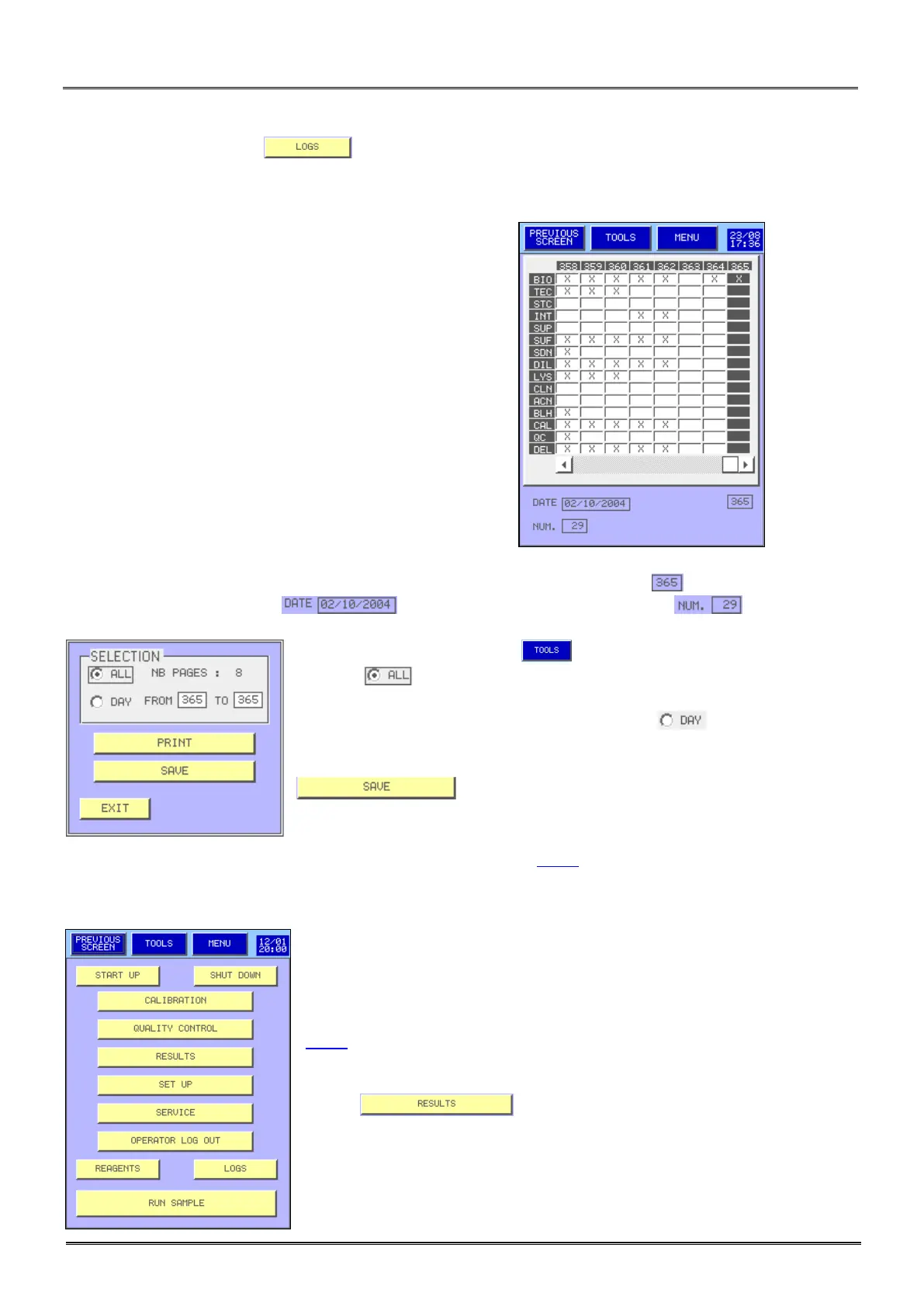
From the main menu, press to reach the logs display.
- MYTHIC 22 manage a simplified log allowing saving and displaying all the events done for the following
actions:
BIO: Login with the Biologist code.
TEC: Login with the service Technician code.
STC: Login with the “Super” service Technician code.
INT: An intervention or maintenance has been performed.
SUP: Start Up cycle has been performed.
SUF: Start Up cycle has failed.
SDN: Shut down cycle has been performed.
DIL: Diluent replacement.
LYS: Lyse replacement.
CLN: Cleaner replacement.
ACN: Autocleanning cycle.
BLH: Bleach cycle.
CAL: Calibration.
QC: Quality control.
DEL: Results deleted in Archive.
Each column is identified by a number (recall at the right bottom of the screen ). In the bottom of the
screen is displayed the date and under it the number of analysis run during this
day.
- To print the log report press .
- Select to print the logs of the number of pages indicated on the
screen.
- To print the logs of one or more days select then enter the day
reference number.
Allows saving the log file in an USB key.
The recommended maintenances are described in a table section 9.1.1.
5.10 ARCHIVE
MYTHIC 22 can save more than the last 500 patients with results, alarms,
distribution curves in the internal memory and until a maximum of 60000
results in a memory stick (USB key) of 512 Mbit or more (see section
3.4.7).
- Press to enter the archive display.



 To Next Page