Copyright© Orphée SA. All Rights Reserved.
6.2.2 Run control blood
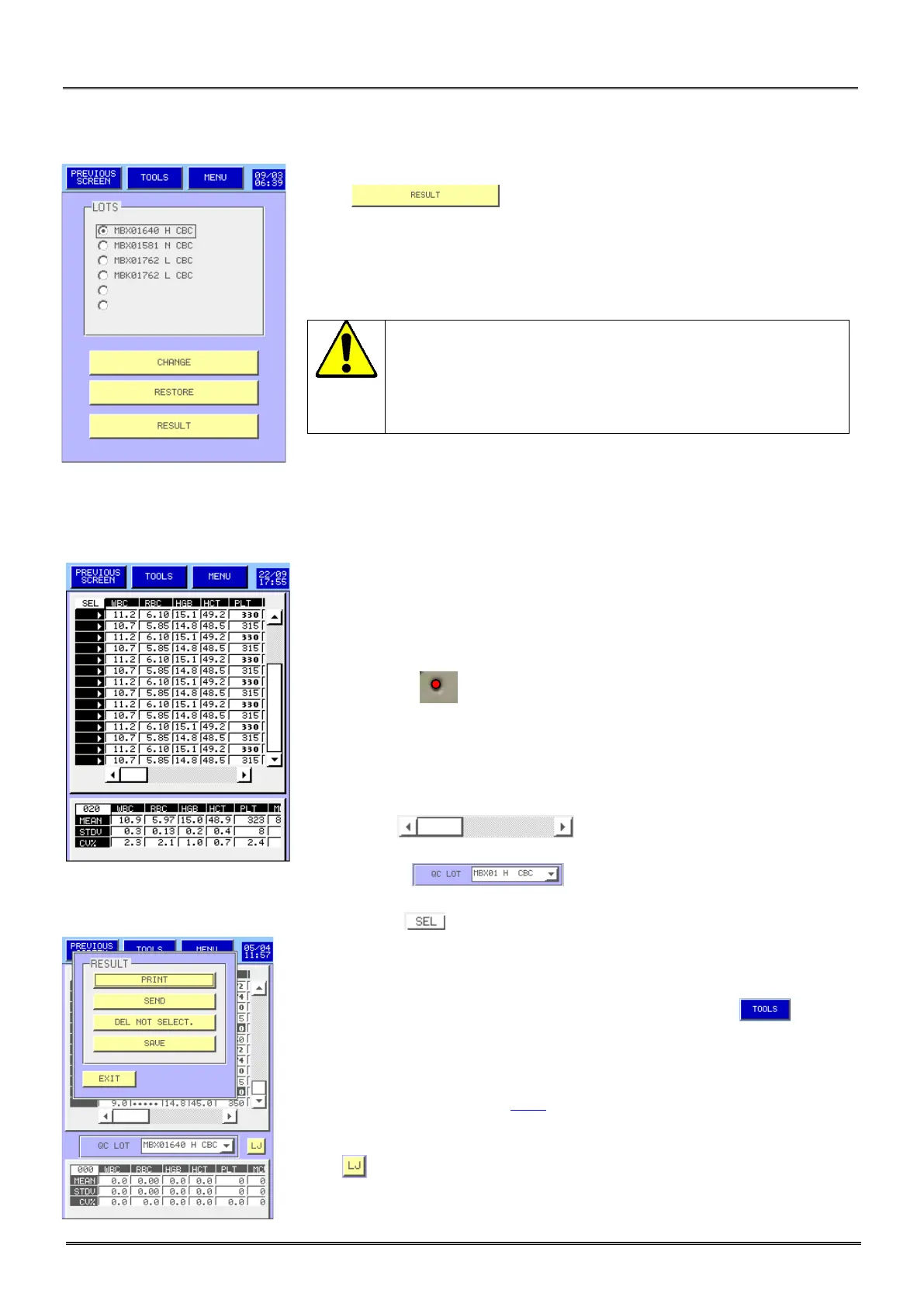
- Press to run the control blood.
Before to run the control, check and clean the opening of
the cover dedicated to the down of the needle to avoid
any fall of dry blood particles inside the control tube.
Dry
the needle with a clean paper towel before each
aspiration.
This screen allows carrying out a test of repeatability on all the parameters
measured by the MYTHIC 22.
- Dry the needle with a clean paper towel.
- Present the control blood under the sampling needle.
- Press the start cycle trigger.
- The cycle LED located at the top of the needle flickers alternatively
of red with green, when it becomes red the tube can be removed.
- Repeat this operation as long as needed.
- The results are displayed in line run after run.
- The statistic calculation are shown at the bottom of the display and are
automatically done after each run.
- The cursor allows displaying results for the other
parameters.
- The window allows access to the results in memory
for another blood control lot.
- The column allows to validate or to unselect a result.
- To print, send, delete or save (in an USB key) a result, press .
Note:
On result printout, for sub-populations of leucocytes (% or #) is in accordance
with Absolute DIF option (see 3.4.3).
- Press to open the Levey-Jennings graph screen.



 To Next Page