Copyright© Orphée SA. All Rights Reserved.
5.7 RESULTS
- The results of the analysis are sent before the cycle is finished (to be
checked) at the same time as the printer starts.
NOTA: It is not necessary to wait for the end of the result printing to launch a new analysis.
- The results are sent to the selected unit (See section 3).
- The information located on the right of each parameter corresponds to the indicators for out of range
limits and for the rejections (see section 3).
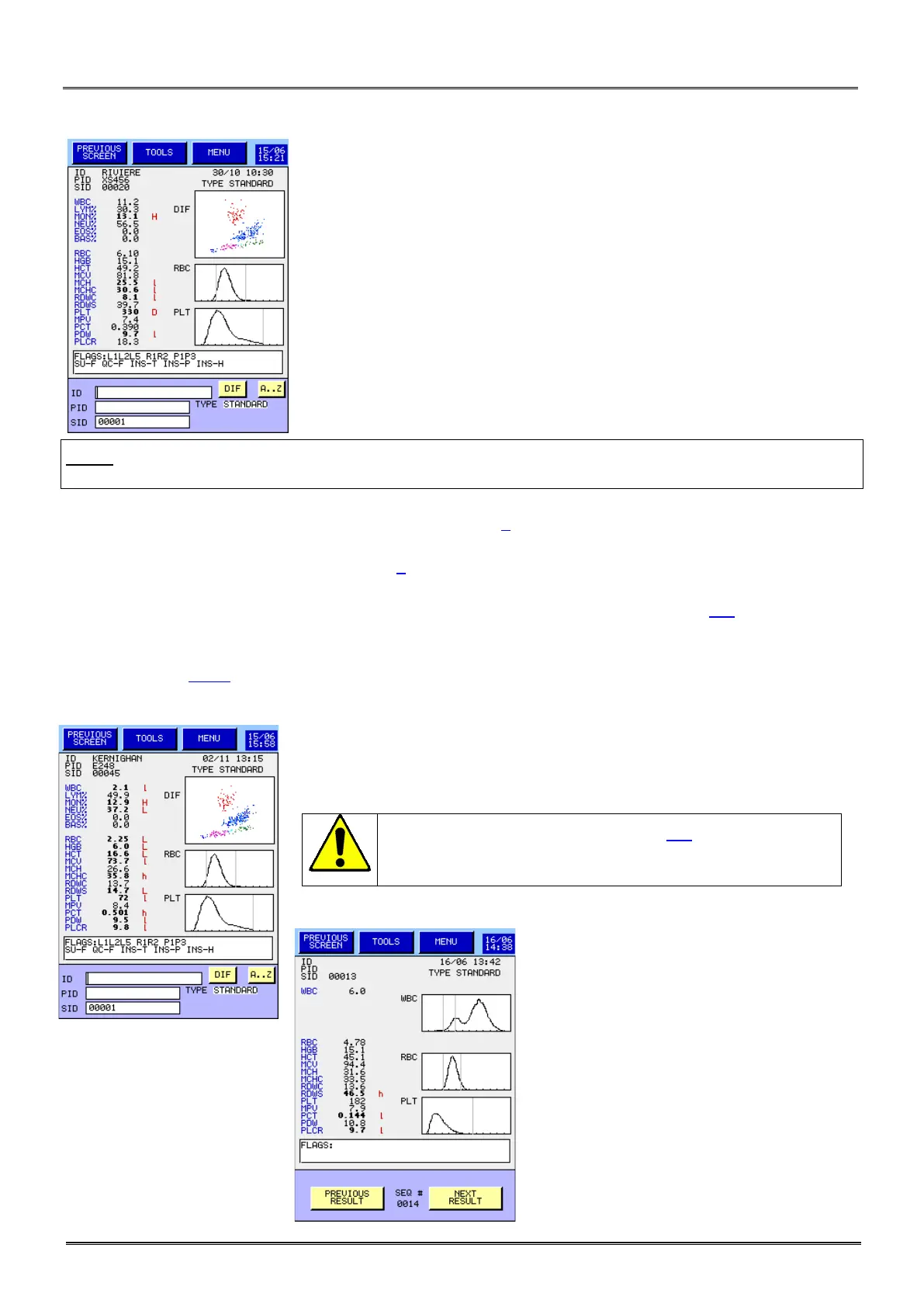
- The scattergram and curves of distribution of each cellular population are located on the right screen.
- Under the results a zone (FLAGS) is reserved for analytical alarms (see section 8.5). By pressing on
this zone, a new window appears with additional comments.
- At the bottom of the screen, there are the three inlet fields for the identification of the next sample.
(See section 5.6.2).
- Example of an abnormal result analysis in DIF mode with flags located at
the right of the results in red and in the flag box under the result.
It is mandatory to read the section 8.5
flags meaning.
Example of a result of analysis in CBC mode.



 To Next Page