Copyright© Orphée SA. All Rights Reserved.
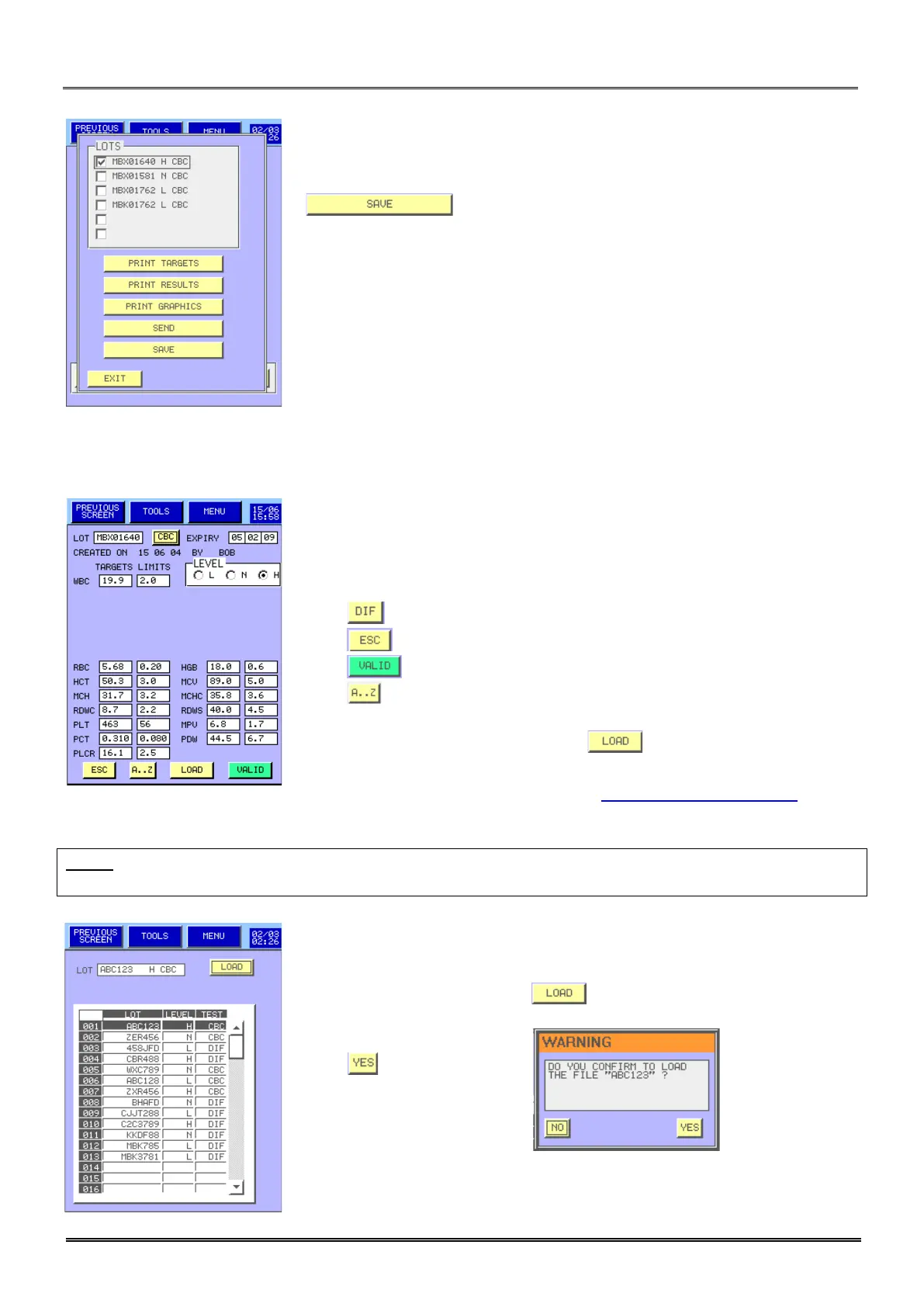
- Tag the lot number to select then press the appropriate button.
- allows to save the targets, results and graphics in the
USB key.
6.2.1 Change
- In this display, the user can enter the:
o Lot number,
o Expiry date,
o Target values and tolerances,
o Level.
- Press to change the analysis mode.
- Press to delete the modifications you made.
- Press to validate your modifications or the loading.
- Press to change the Lot number.
- To print the targets and limits come back to the previous display.
- Press to load the target and
tolerances values, the lot number and expiry date from a USB key.
Controls values files are available on
www.orphee-medical.com
Targets values are downloadable and possible to input with USB key.
NOTA: All the results in memory linked with the control lot number will be cleared as soon as the validation
is confirmed.
- Select the right lot then press .
- Press to confirm.



 To Next Page