Copyright© Orphée SA. All Rights Reserved.
System priming:
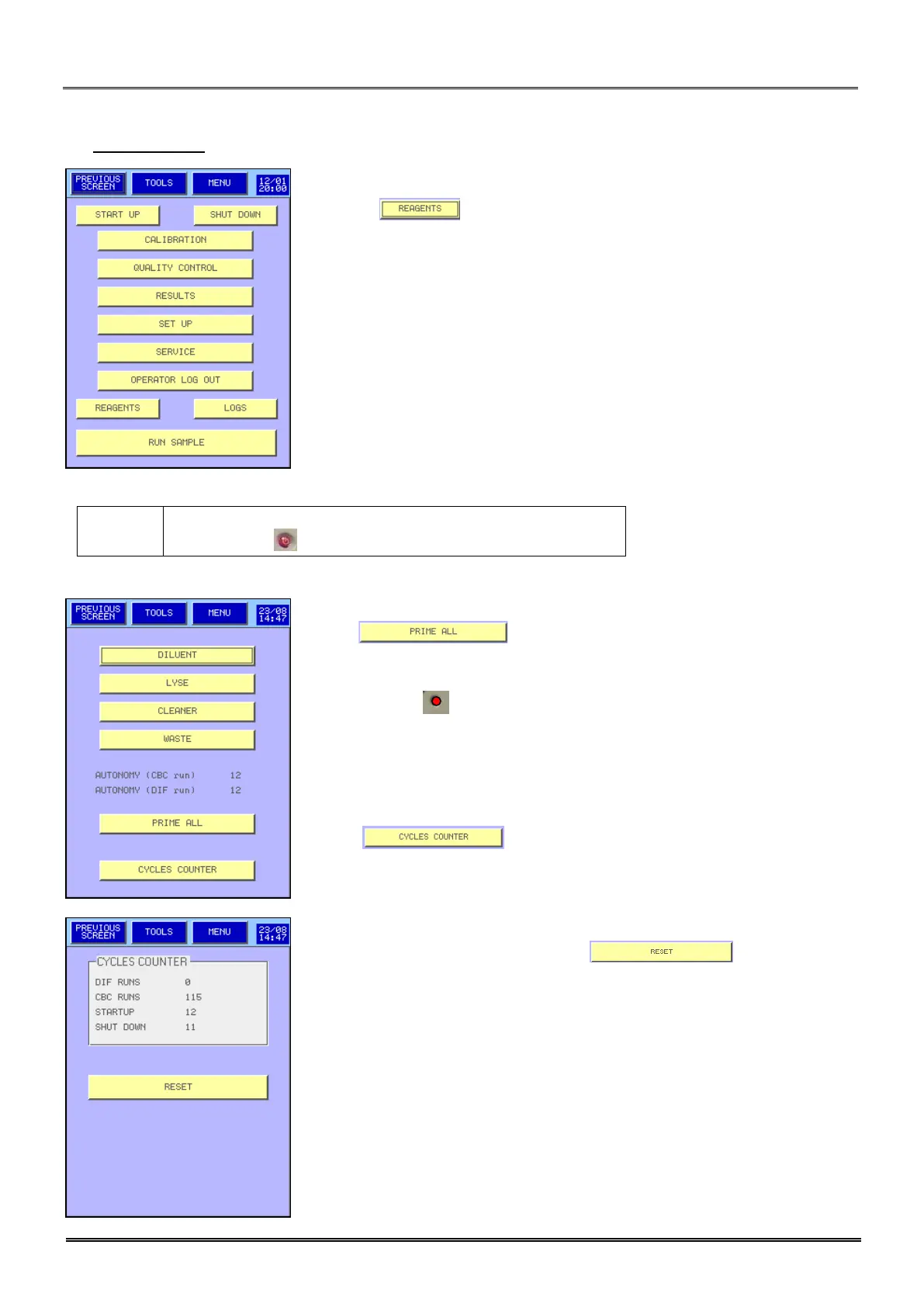
- The main menu is displayed.
- Press on .
To execute an emergency stop push shortly on the switch
on/off button .
- Press : The MYTHIC 22 performs a complete priming
cycle.
- The cycle LED turns red. No cycle can be performed before it turns
green.
- AUTONOMY (run) indicates the number of samples runs.
- To prime or to know the quantity of reagent press the dedicated button.
- Press to visualize the cycle counters.
- To reset the counter with the button , please contact
your Orphée’s representative.



 To Next Page