Copyright© Orphée SA. All Rights Reserved.
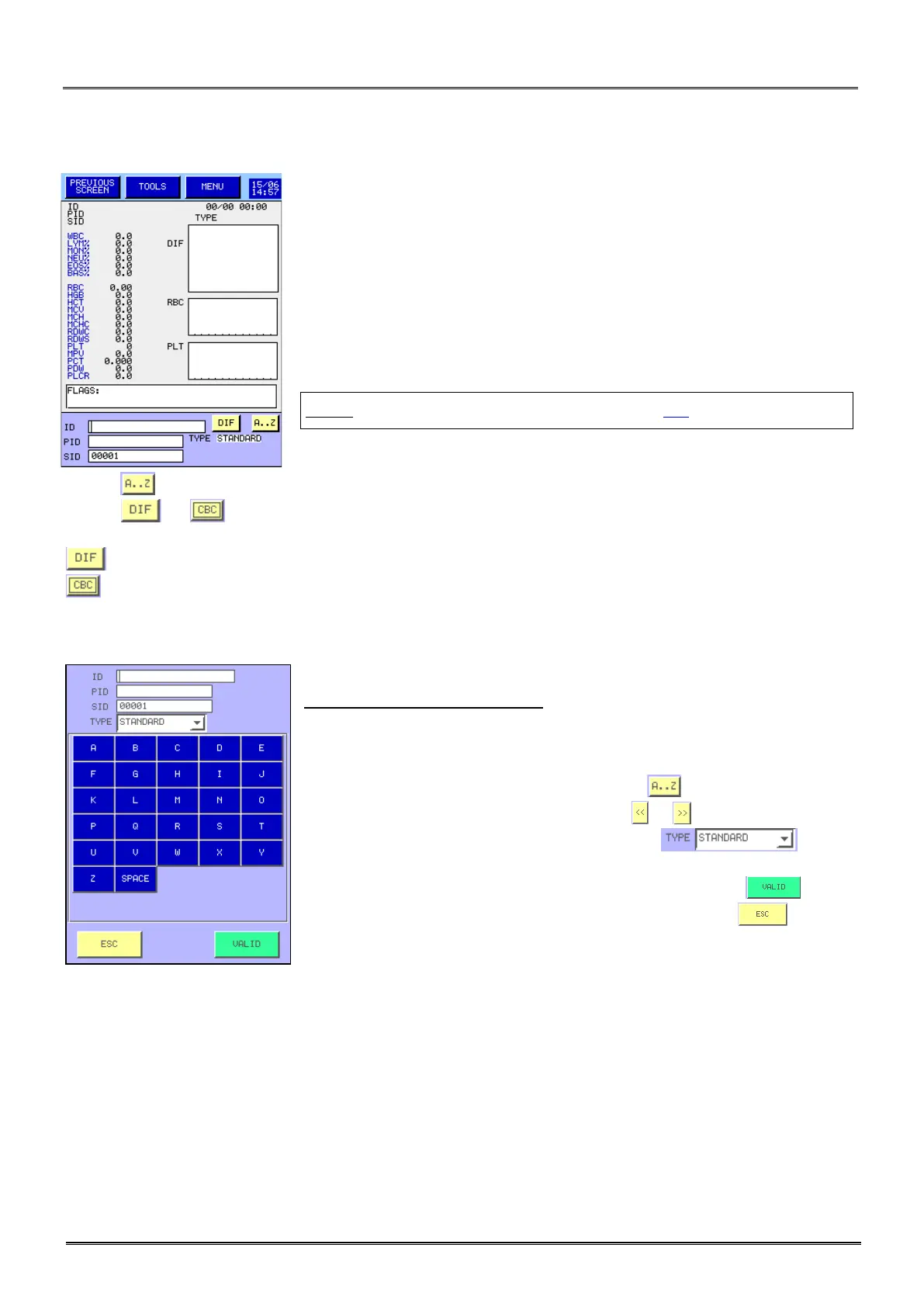
- The display bottom is reserved for the entry of the next sample
identification to run.
- Three fields allow the entry of the identification:
o ID: Patient Name (20 characters max.),
o PID: Patient Identification (16 characters max.),
o SID: Sample identification (16 characters max.).
NOTA: SID number is already done (See section 3.3).
- Press to accede to the blood type and alphabetic characters.
- Press to to change the measurement mode.
is 5 parts populations differentiation of WBC (with optical reading).
is 3 parts populations differentiation of WBC (no optical reading).
IDENTIFICATION PROCEDURE:
- To enter or modify identification, place the cursor in the selected field
with your finger or the arrow.
- To enter a figure, use the keyboard on the right of the screen, for a
letter use the alphabetic keyboard by pressing .
- To accede to another character page press or .
- To change the blood type, press the combo box and
select the type.
- To valid the entry and return to the previous screen, press .
- To return to the previous screen without validation, press .



 To Next Page