100
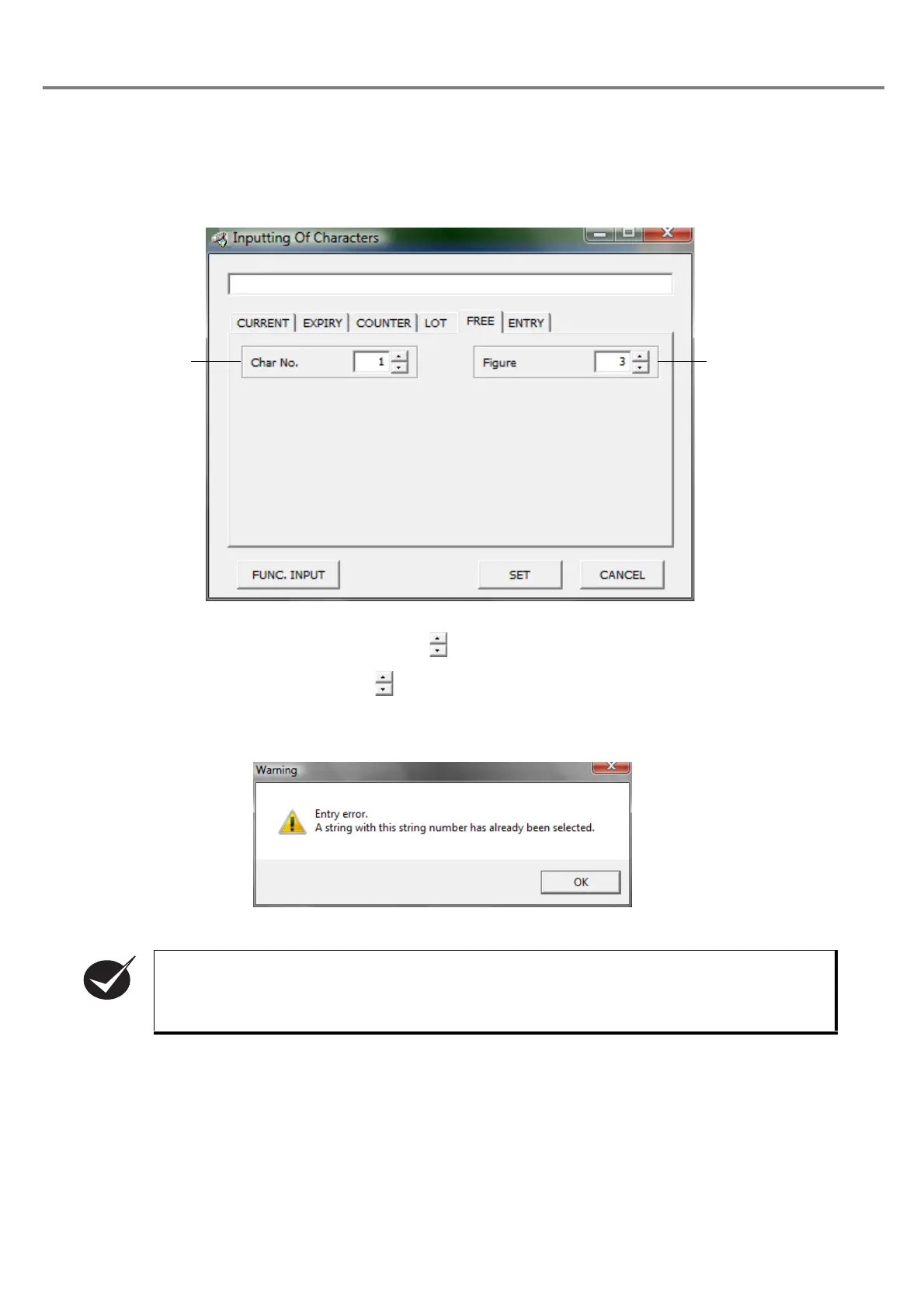
(5) Input optional character string
If the user tries to set the character string No. that has already been set in a file, the warning shown below is
appeared.
Click “OK” button to change the character string No. not set yet.
Outline
:
Function for marking the optional character string in the ASCII code using the communications from the
external device such as PLC.
1Char No.
:
Sets the character No. with button. The setting range is selectable among 1 to 4.
2 Figure
:
Sets the figure with button. The setting range is selectable among 1 to 30.
The optional character string (character string Nos. 1 to 4) can be applied to the registration file (1
to 120 marking files) in common.



 To Next Page