116
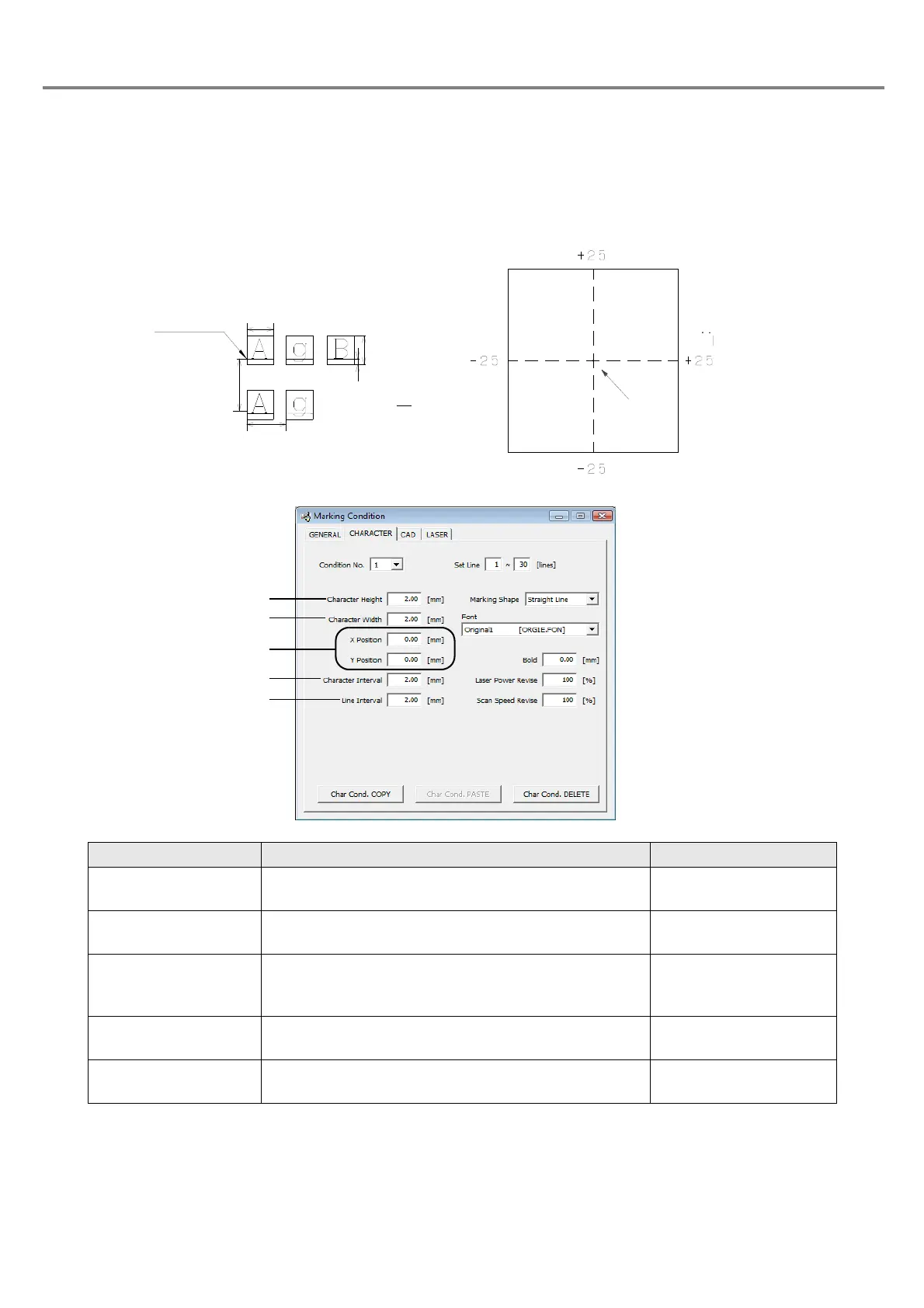
(1) Marking shape and character setting
The character setting items are varied depending on the selected marking shape. Here describes the
character conditions to be set for each marking shape.
1. Straight Line
Item Description Setting Range
1. Character Height Sets the character height.
0.20 to 50.00mm
(Step: 0.01mm)
2. Character Width Sets the character width.
0.20 to 50.00mm
(Step: 0.01mm)
3. X/Y Position
Moves the marking start position of the character string
in the
X direction for the X position setting and in the Y
direction
for the Y position setting.
+/-25.00mm
(Step: 0.01mm)
4. Character Interval
Sets the pitch between one character and another
character.
0.00 to 25.00mm
(Step: 0.01mm)
5. Line Interval Sets the interval between one line and another line.
0.00 to 25.00mm
(Step: 0.01mm)
印字開始位置
行間隔
文字幅
文字間隔
文字高さ:H
y= H
y
1
5
編集領域
中心
Y軸
X軸
Marking Starting
Character
Line Interval
Character
Character Height: H
Y Axis
Center
X Axi
Edit Area



 To Next Page